3 • System Setup
Doc. 22181-97001 02/18
69
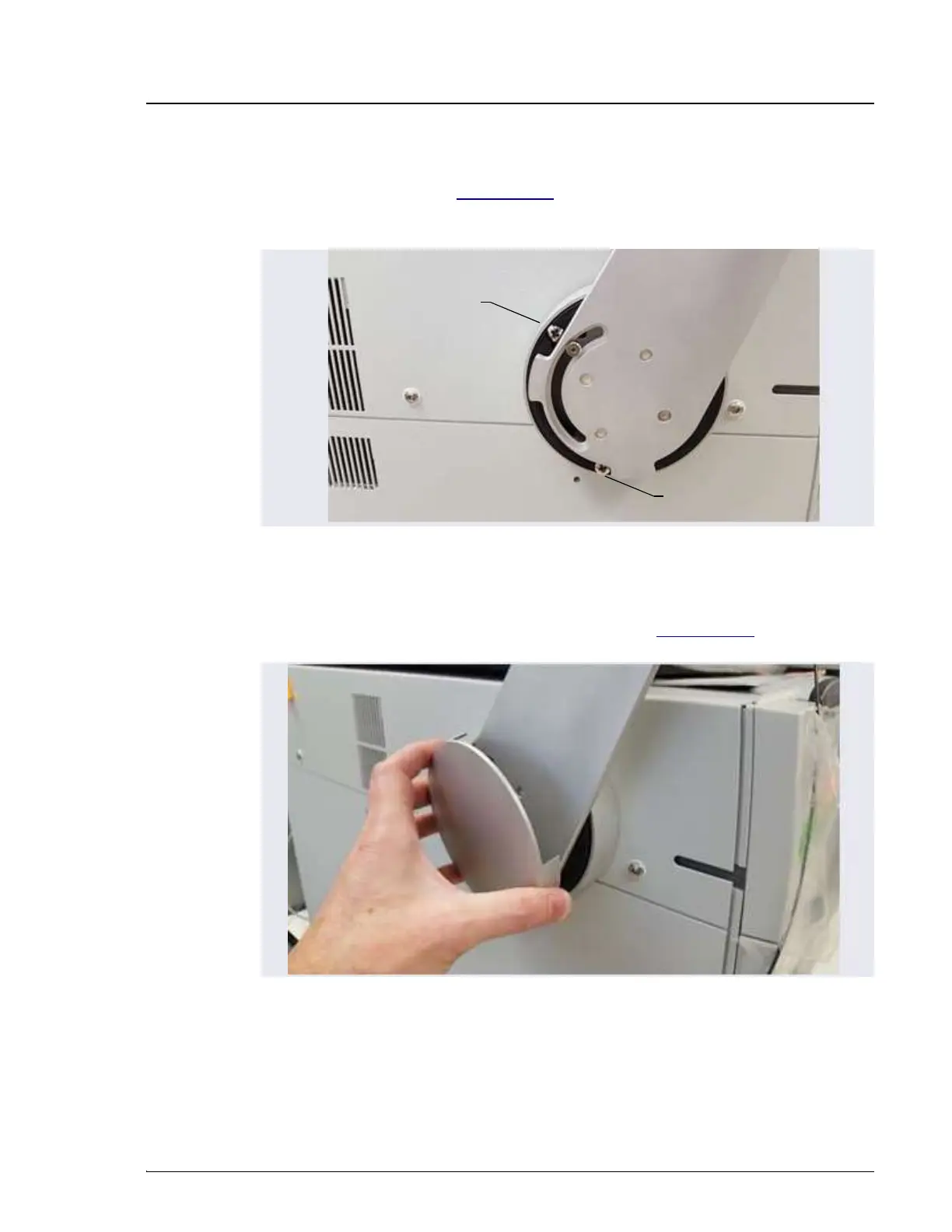
c. Use a 3 mm socket driver to tighten the screws from the front of the
mounting arm (see Figure 3-30). You will need to move the arm to
access all three screws.
2. Reattach the mounting arm cover by aligning it with the arm and moving
it toward the arm until the magnets “grab” (see Figure 3-31)
.
Figure 3-30. Tightening the Tablet Arm Mounting Screws
Figure 3-31. Reattaching the Cover of the Tablet Mounting Arm/Holder
Mounting Screw
Mounting Screw
Note: Mounting screw
behind arm not visible.



 To Next Page