- 17 -
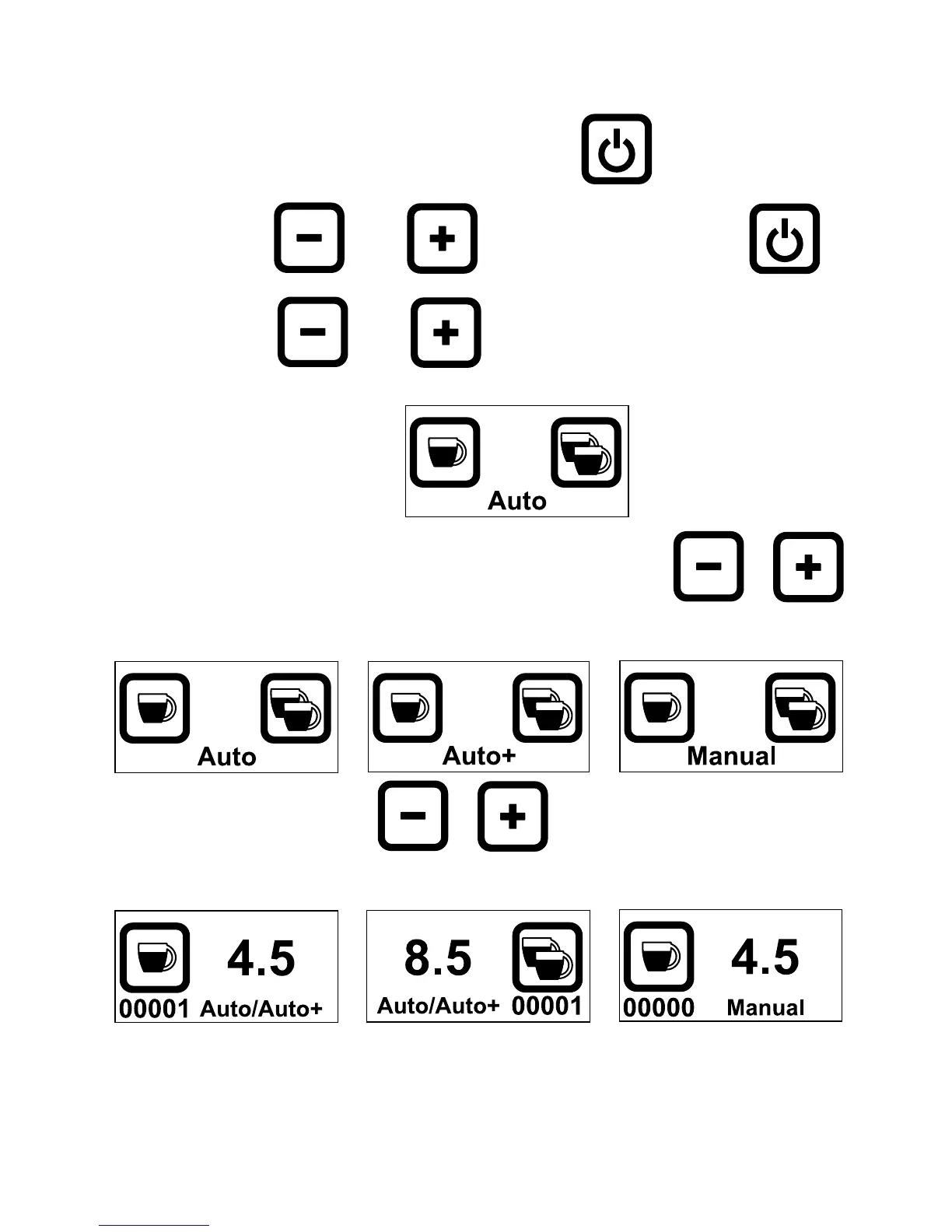
8. Setting Grinding mode
Switch OFF the machine from the main switch
With both and pressed, flick the main switch
Keep both and pressed until the following pictogram
appears
You have 5 seconds to shift between modes by Pressing or
Every time you press or these 5 secs are refreshed
After 5 secs of no action, the grinding mode is saved to your selection:



 To Next Page