- 7 -
Operating instructions:
Preliminary operations
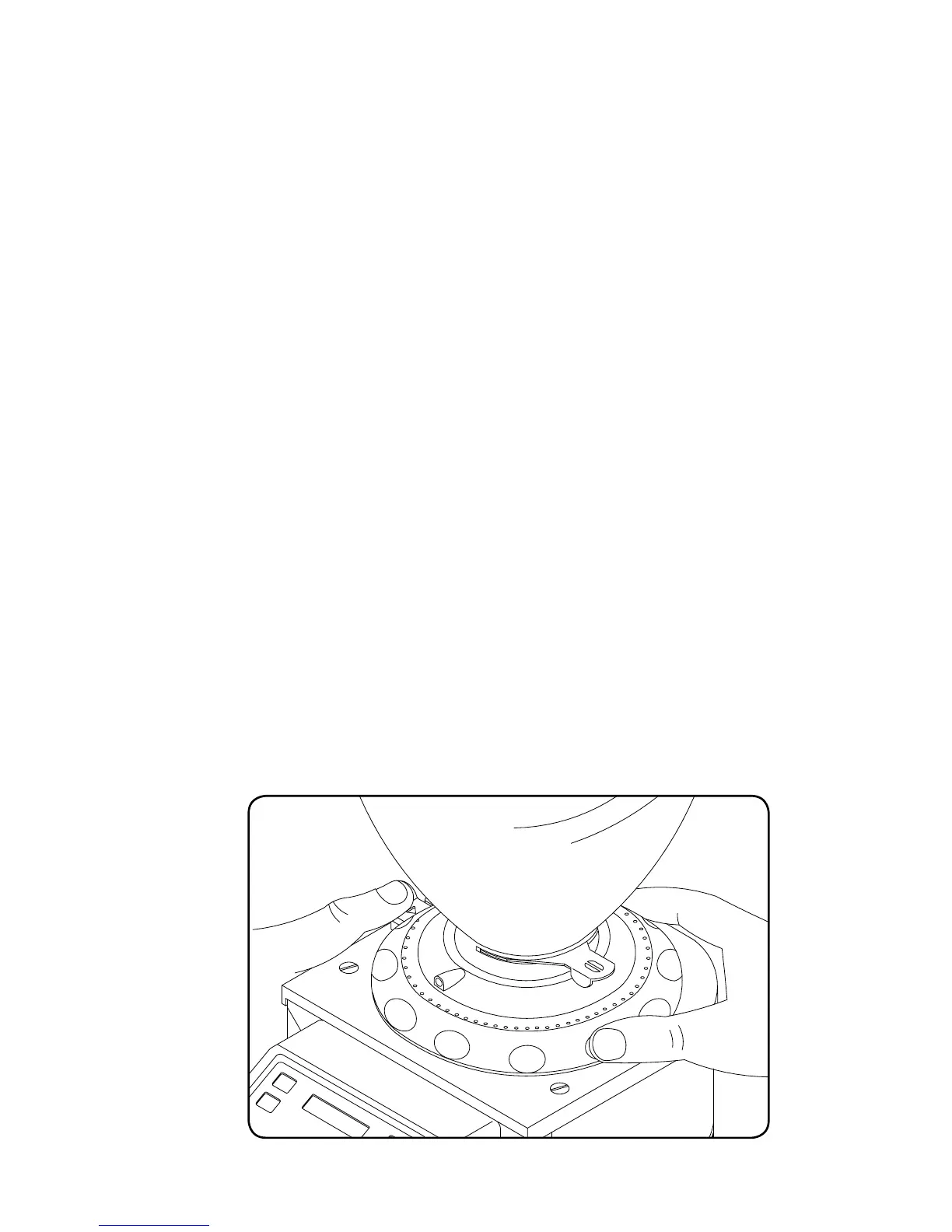
Check that the hopper is positioned correctly on the appliance and secured to the Coffee
grinding Adjustment disk with the relevant screw (fig.1). Close the Hopper locking slide
(fig. 1) and fill the hopper with coffee beans. Open the slide to allow the coffee beans to
fall in the grinding chamber.
Adjusting the grind
Your new DKS-65 is delivered from the factory at a preset grinding of minimum fineness.
Use the Adjustment disk located under the hopper (fig. 1), for obtaining a finer or
coarser grinding result.
The Adjustment disk is functional only when the Indexing mechanism (fig. 1) is hold
down.
For coarser grinding turn the Adjustment disk anti-clockwise, to finer grinding turn the
disk clockwise.
The Adjustment disk is blocked at the chosen position by releasing the Indexing
mechanism.
Grind small amounts of coffee in order to determine the optimal degree of fineness.
A simple method to verify the grinding setting, is at the espresso machine. If the coffee
comes out of the espresso coffee machine very quickly, it means that the coffee is
grounded to coarse. If it comes out too slowly, it means that the coffee is grounded to
fine.
ADJUSTING GRINDING
Figure. 2



 To Next Page