EasyManua.ls Logo

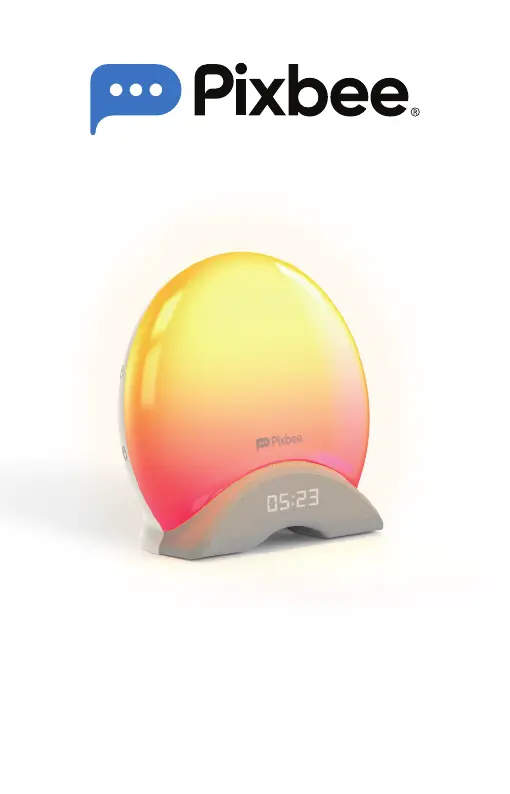
Directed Electronics Pixbee illumi - User Manual

Directed Electronics Pixbee illumi
28 pages
Print Icon
To Next Page IconTo Next Page
Loading...
USER MANUAL
illumi
Smart Sleep Alarm Clock
with Dynamic Lighting and Soothing Sounds
PXB-103L

Questions and Answers

  • P
    Patrick ThomasAug 11, 2025
    What to do if Directed Electronics Alarm Clock has no or unstable connection with the Wi-Fi network?
    • K
      kbrownAug 11, 2025
      If you are experiencing connection issues with your Directed Electronics Alarm Clock, here are some steps you can take: 1. Ensure that the product is connected to a 2.4GHz Wi-Fi network. 2. Verify that you have entered the correct password. 3. Place the product within the signal coverage of the router. 4. Avoid placing the product near metal objects or windows, and behind multiple walls that could block the signal.
  • A
    Anthony EdwardsAug 16, 2025
    What to do if Directed Electronics Alarm Clock cannot connect to the app?
    • K
      Kathleen ForbesAug 16, 2025
      If your Directed Electronics Alarm Clock is not connecting to the app, please try the following: 1. Ensure that the product is connected to a 2.4GHz Wi-Fi network. 2. Reset the product, re-install the app, and then try to re-connect.
  • A
    anthony90Aug 22, 2025
    What to do if Directed Electronics Pixbee illumi failed to light up after connection?
    • C
      Charles WilliamsAug 22, 2025
      If your Directed Electronics Alarm Clock fails to light up after connection, please check the following: 1. Make sure the product is properly connected to the power outlet. 2. Check that the product is turned on.
  • T
    Tyler WilliamsAug 28, 2025
    What to do if I did not receive the verification code for Directed Electronics Alarm Clock?
    • B
      briannamoodyAug 28, 2025
      If you haven't received the verification code for your Directed Electronics Alarm Clock, please check the following: 1. Make sure you have entered the correct email address during registration. 2. Check whether the verification code is in the Spam folder. 3. If there is still no verification code after several attempts, Please contact our Customer Service.
  • S
    Sandra NelsonSep 4, 2025
    How to enter pairing mode on a Directed Electronics Pixbee illumi Alarm Clock?
    • H
      Hannah StewartSep 4, 2025
      To enter pairing mode on your Directed Electronics Alarm Clock, hold down the reset button for 5 seconds and wait for the indicator to flash in blue. Then follow the steps to add and pair the product.

Directed Electronics Pixbee illumi Specifications

General IconGeneral
BrandDirected Electronics
ModelPixbee illumi
CategoryAlarm Clock
LanguageEnglish