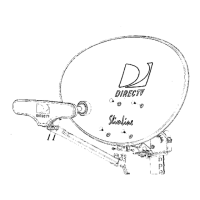
I
Tools Required Steps for Installation -
7/16" Nut Driver In the following pages, you'll find step-by-step instructions for:
[==~Jr:[J=:::=O 8 Determining Coordinates for Aiming Antenna page 4
0 Finding Suitable Antenna Site page 5
Adjustable Wrench
(Q~~~~~~~:~5J 8 Installin~ EZA~IGNTM Mast page 6
G Assembling/Adjusting Antenna on Ground page 7
Screwdriver (Phillips) 8 Attaching Antenna to Mast page 7
c===n:o:::=~ 0 Routing RG 6 Cable(s) page 8
0 Grounding Cable and Antenna page 8
Magnetic Compass
G) 0 Attaching LNB to Antenna page 9
~ :if m 0 Aiming and Fine-tuning Antenna page 9
s
EI t . D ' II d B' t Information Also Included:
ec rlc rl an I
Troubleshooting Check List for Initial Installation page 11
Loss of Signal/Rain Fade page 12
I/'/' /' /' /' /' /' /' /' /' /' /,) Installation with Long Cable Run page 12
Optional Accessories (not included)
Typical installation kits (sold separately) include:
.Mast base mounting hardware
.RG 6 coaxial cable(s) with F connectors
.Grounding hardware, grounding wire, wire clips, etc.
.6" plumbing level
DIRECTV Multi-Satellite Dish Antenna 3



 To Next Page