26
Setting Up Your DIRECTV
®
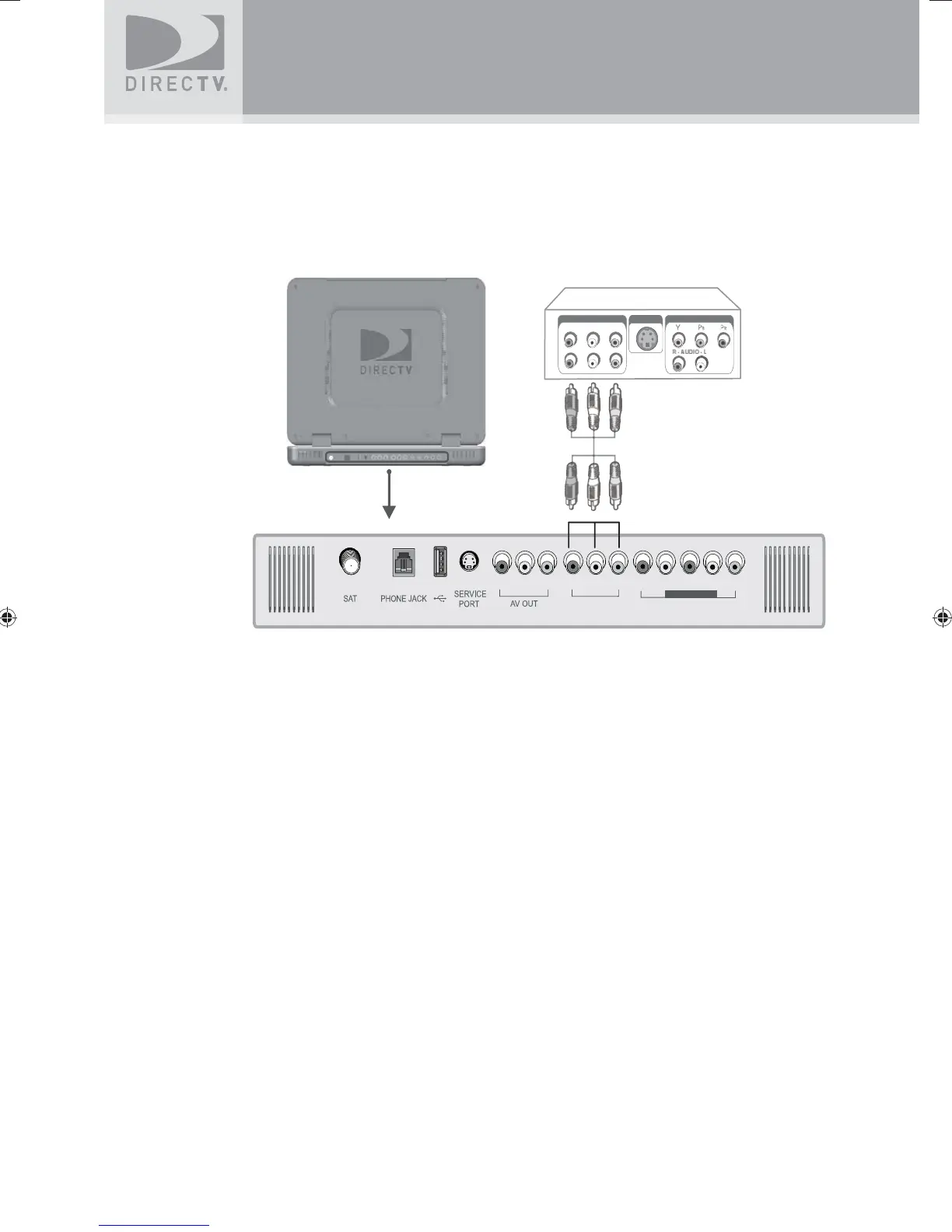
Sat-Go
A/V Connection (Better Quality)
1. Connect the video cable to the video output jack on the VCR or DVD Player and to the
video input jack (AV IN 1) on the DIRECTV Sat-Go TV rear connector panel.
2. Connect the audio cable to the audio output jacks (L/R) on the VCR or DVD Player and to
the audio input jacks (AV IN 1) on the DIRECTV Sat-Go TV rear connector panel.
AUDI
-
VIDE
LINE OUT
S-VIDEO OUT
COMPONENT OUT
AV IN 1
AV IN 2
COMPONENT
SatGo_03-30-07(converted).indd 26SatGo_03-30-07(converted).indd 26 5/18/07 4:48:51 PM5/18/07 4:48:51 PM



 To Next Page