24
SLIM
EN
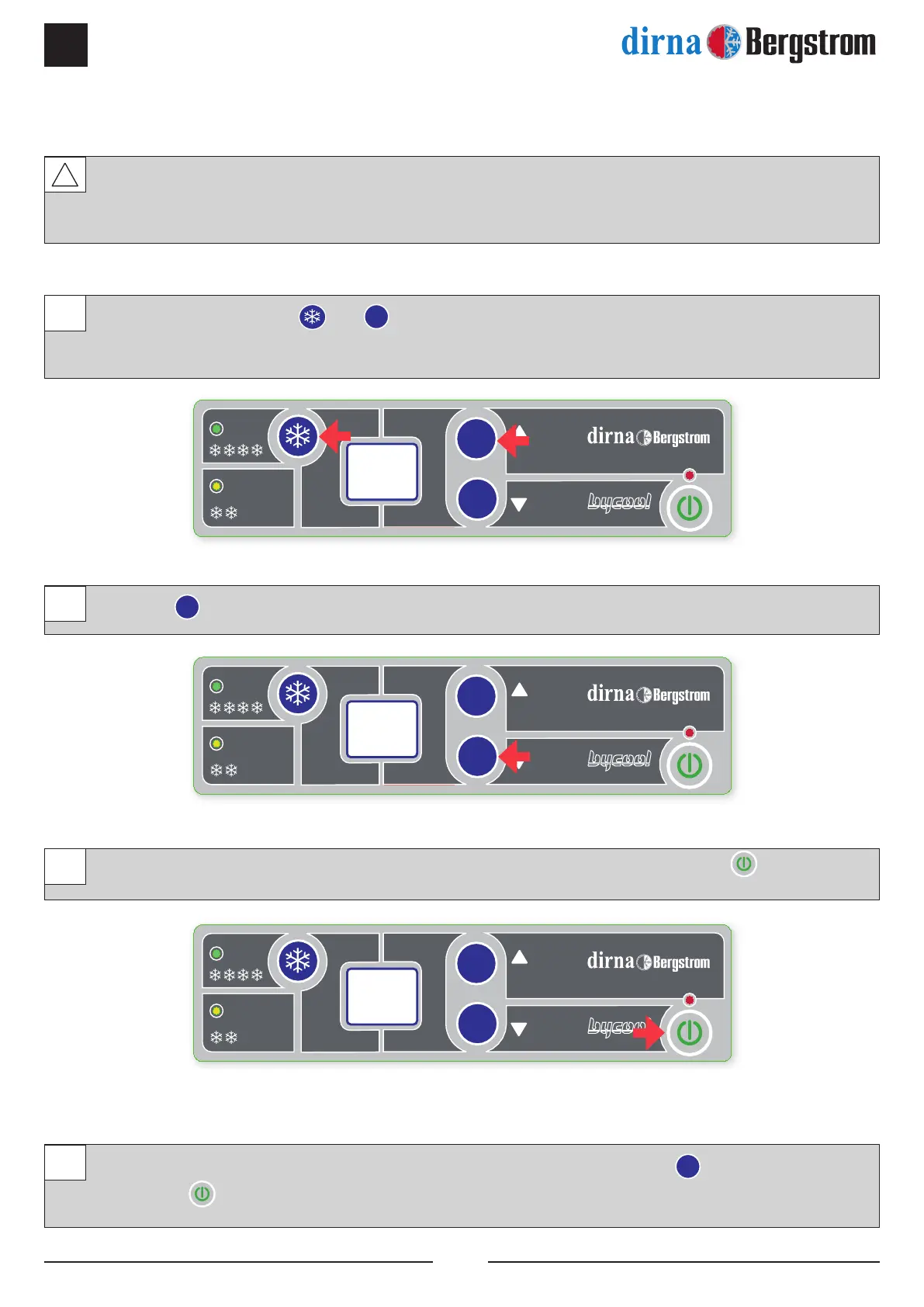
In vehicles in which the electrical connection is made to additional batteries which are independent from
the vehicle’s start-up, the conguration of the electronics to the new battery cut parameters is optional
(as indicated below).
With the unit off, press the and
+
buttons at the same time for three seconds, until “Hi” appears in
the control panel display, referring to the high battery cut (22.8 V).
Press the
-
key when “Hi” appears.
The display will show “Lo”, referring to the low battery cut (19 V). Press the On/Off key to conrm.
To return to the initial conguration, repeat operation 1, select “Hi” using the
+
key and conrm using
the On/Off
key.
1
2
3
4
Hi
lo
DUAL BATTERY SYSTEM




 To Next Page