5 - Conguring temperature format:
Allows selection between °C and °F by pressing the Plus and Minus
keys. Pressing the Right Key conrms the selection.
6 - Conguring time format: Allows the unit’s time format to be
selected. Use the Plus and Minus keys to switch between 24H and
12H. Pressing the Right key conrms the selection. In 12H format
the decimal point of the rightmost digit of the display acts as the PM
indicator.
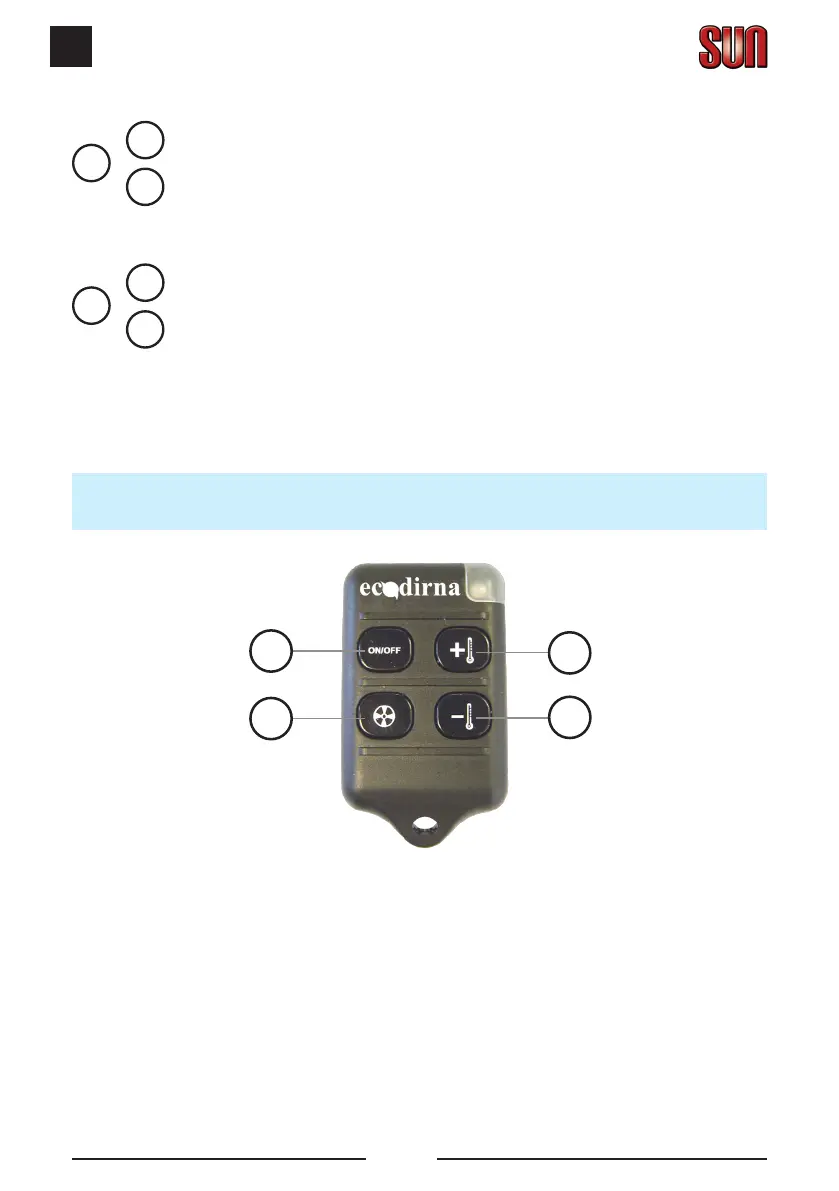
Remote control
Remote control keys function:
1 - Unit on/off.
2 - Changes between Automatic Mode and Manual Mode if the unit is on. If
the unit is off, it turns Wake Mode on or off (as well as the corresponding
indicator).
3 - In Automatic Mode it increases the set-point temperature, whilst in
Manual Mode it increases the speed.
1
3
4
2
MENU
+
-
+
X5
MENU
+
-
+
X6


 To Next Page