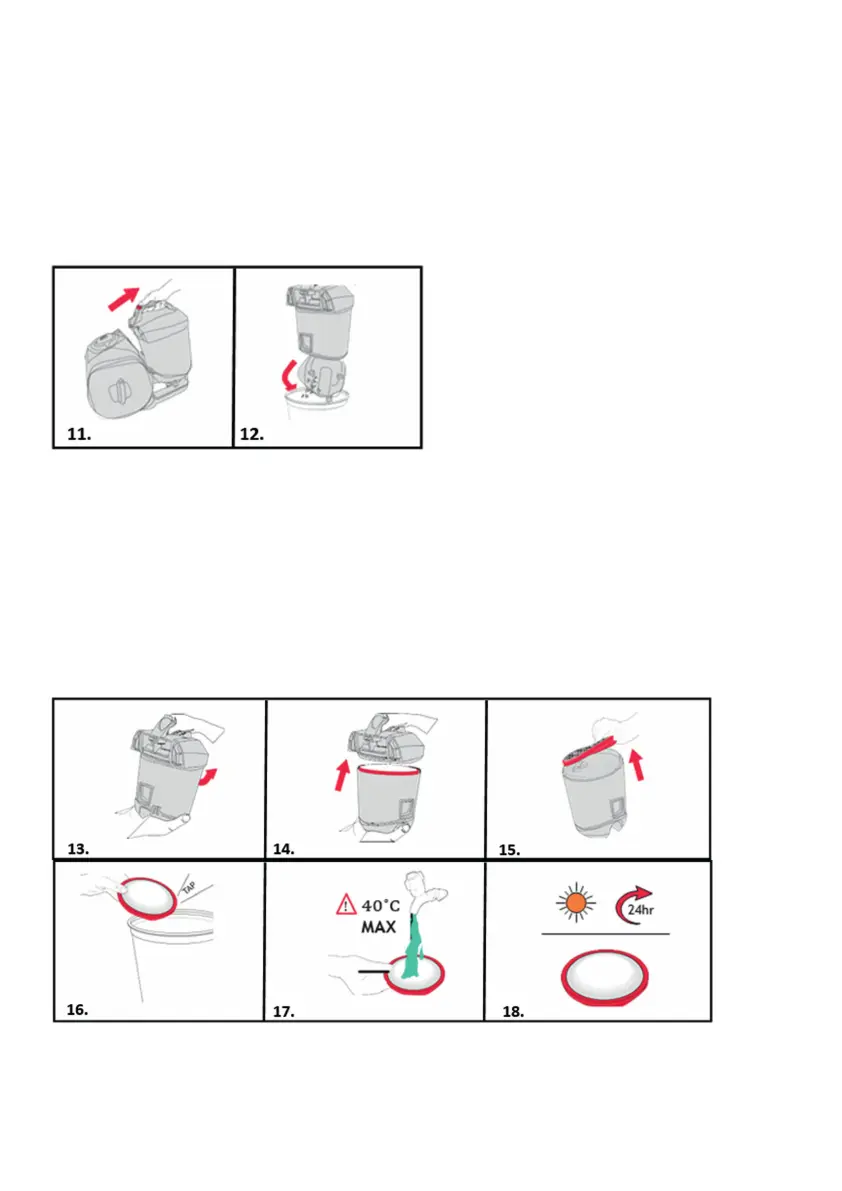
EMPTYING AND CLEANING THE DIRT CONTAINER
IMPORTANT: Always switch off and unplug the vacuum
cleaner from the electrical socket before assembling,
opening or emptying the dirt container, or before connection
/ disconnecting the attachments. Check the pre-motor lter
every time you empty the dirt container and tap against a bin
to remove dirt/debris if required.
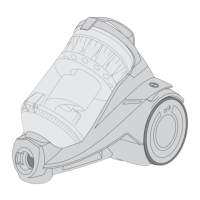
11. Remove dirt container by pushing down the dirt container
release button and lifting the dirt container.
12. Hold the dirt container over a bin. Press the dirt release clip
at the bottom of the container, the dirt release door will open
allowing dirt/debris to fall out.
CLEANING THE PRE-MOTOR FILTER
13. Hold the dirt container and twist the lid anti-clockwise.
14. Lift the lid to reveal the pre-motor lter.
15. Lift out the pre-motor lter.



 To Next Page