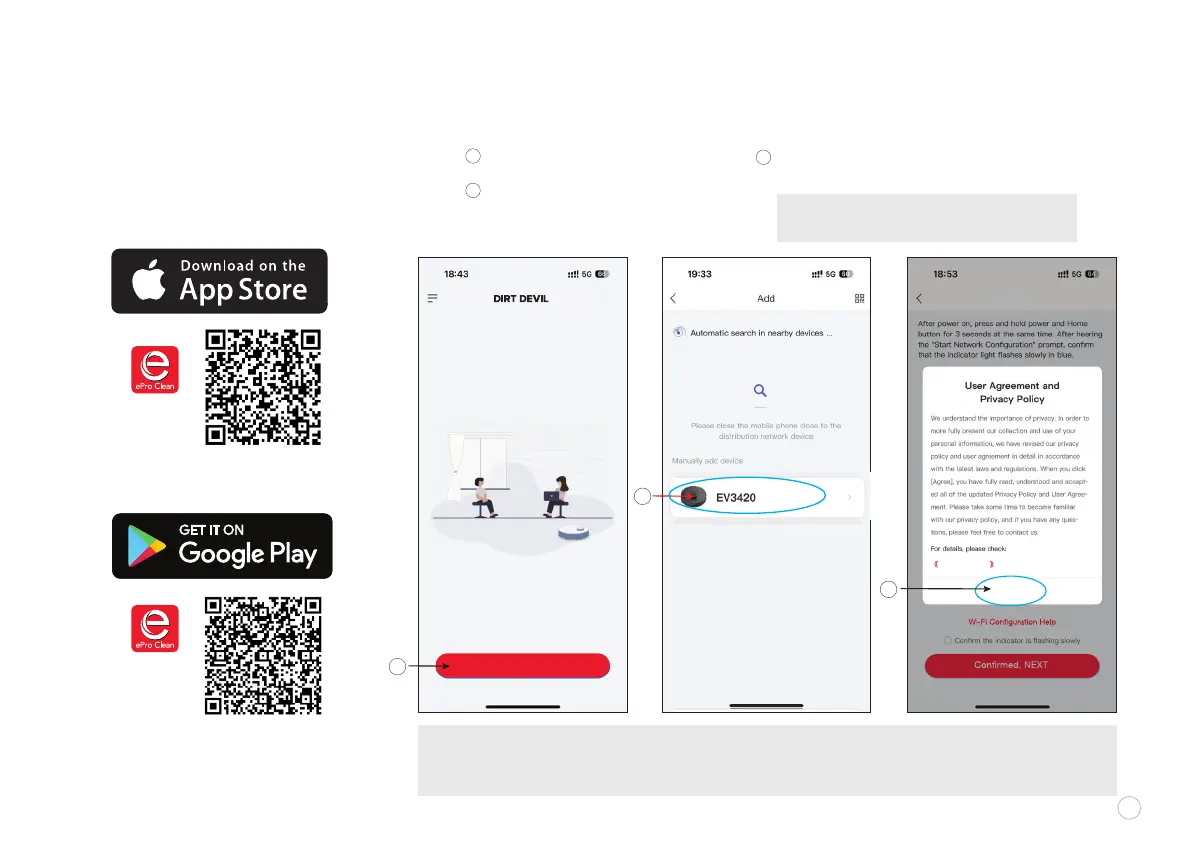
ADDING DEVICE
v
Agree
User Agreement
Click "Add Device" button
Find and select “EV3420 ” from
the list of available devices.
Read the User Agreement and
Privacy Policy and click “AGREE”.
A
Scan the code with the camera on your
mobile device (or nd the ePro Clean App
in your app store). Open the app to create
an account and complete the set up process.
DOWNLOAD APP
MOBILE APP
u
C
B
A
C
NOTE: The contents of this document will not be updated regularly due to the version upgrading of app software or
other reasons. Unless otherwise specied, this document shall serve as an application instruction only. All the
statements, information and recommendations herein shall not constitute any express or implied warranty.
NOTE: Before setting up Wi-Fi, the battery level
on the robot vacuum should be greater than 20%.
5
For IOS
For Android
B
Add Device
EV3420















 To Next Page