Mantis Encoder
Page 12
Mantis Encoder
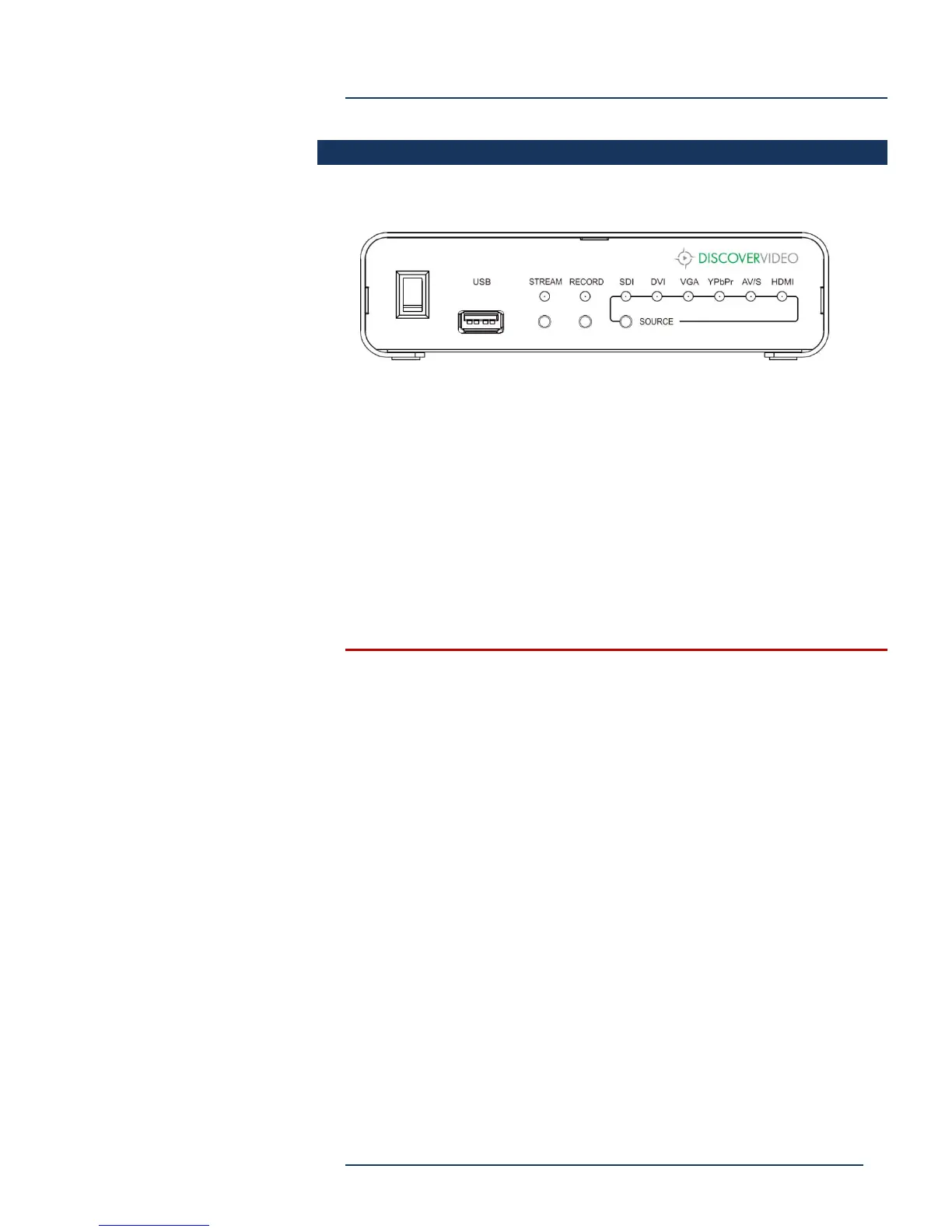
Front Panel
Power – turns power on/off
USB – Optional storage for recording
Stream -- Press once for 3 sec to start streaming. Again to stop.
Record – Press once for 3 sec to start recording. Again to stop.
SDI / DVI / VGA / YPbPr / AV / HDMI – Press to select video input.
NOTE: If XML Configuration is in use, front panel buttons are
disabled.



 To Next Page