Mantis Encoder
Page 4
Mantis Encoder
Installation
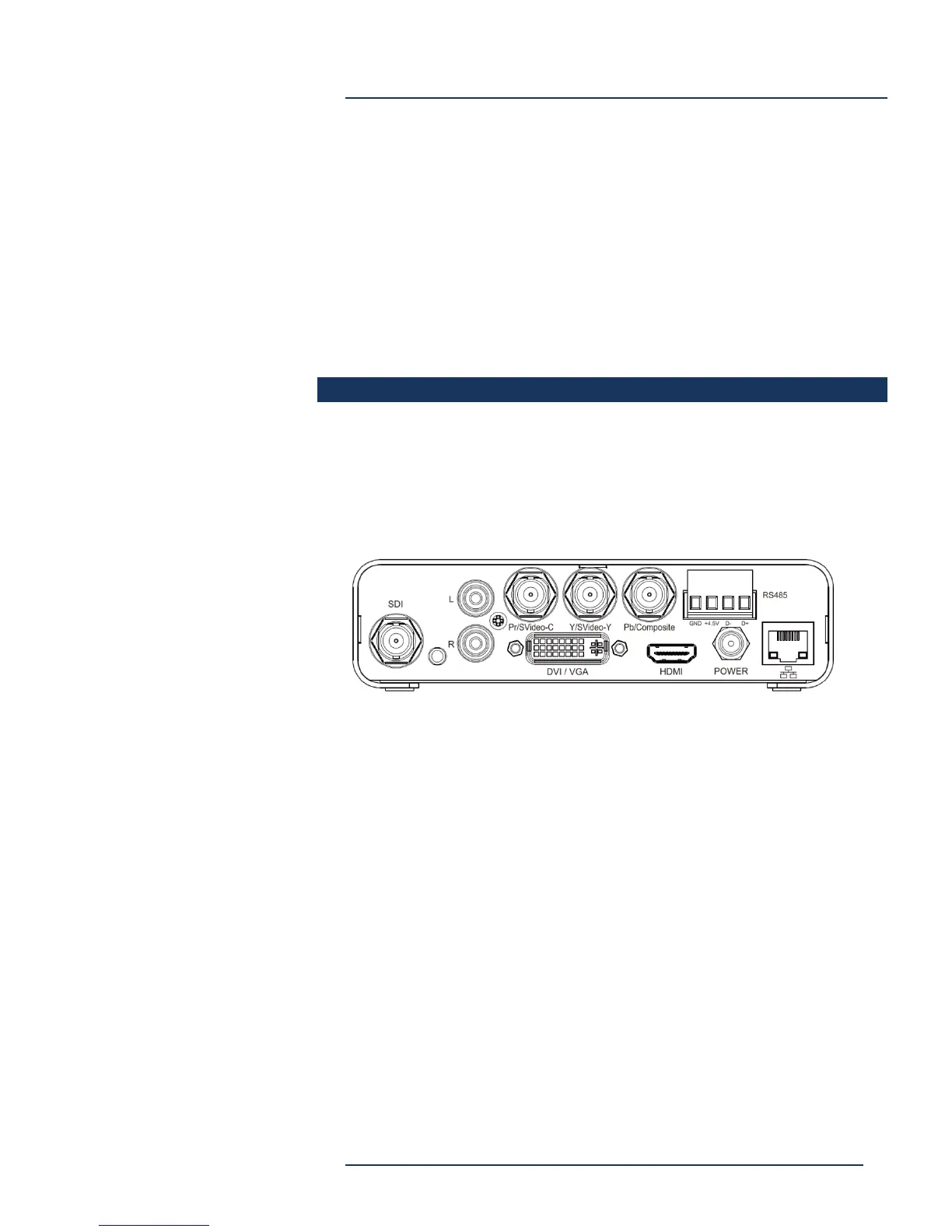
Connect desired Audio/Video input, 10/100 Ethernet, and Power.
Power is supplied by an external AC power supply and connects to the
Mantis via a locking DC connector.
Video Input may be:
HDMI – Via HDMI connector (female)
SDI – Via BNC connector (female)
Component – Via Pr/Y/Pb BNC connectors (female)
Composite/CVBS – Via BNC connector (female)
DVI/VGA – via DVI connector, VGA via adaptor (female)
Audio Input may be digital (included with HDMI or SDI), or may be
analog via Left and Right RCA connectors (female).
Ethernet is standard 10/100 supporting IP V4.
RS-458 connecter is not currently used.



 To Next Page