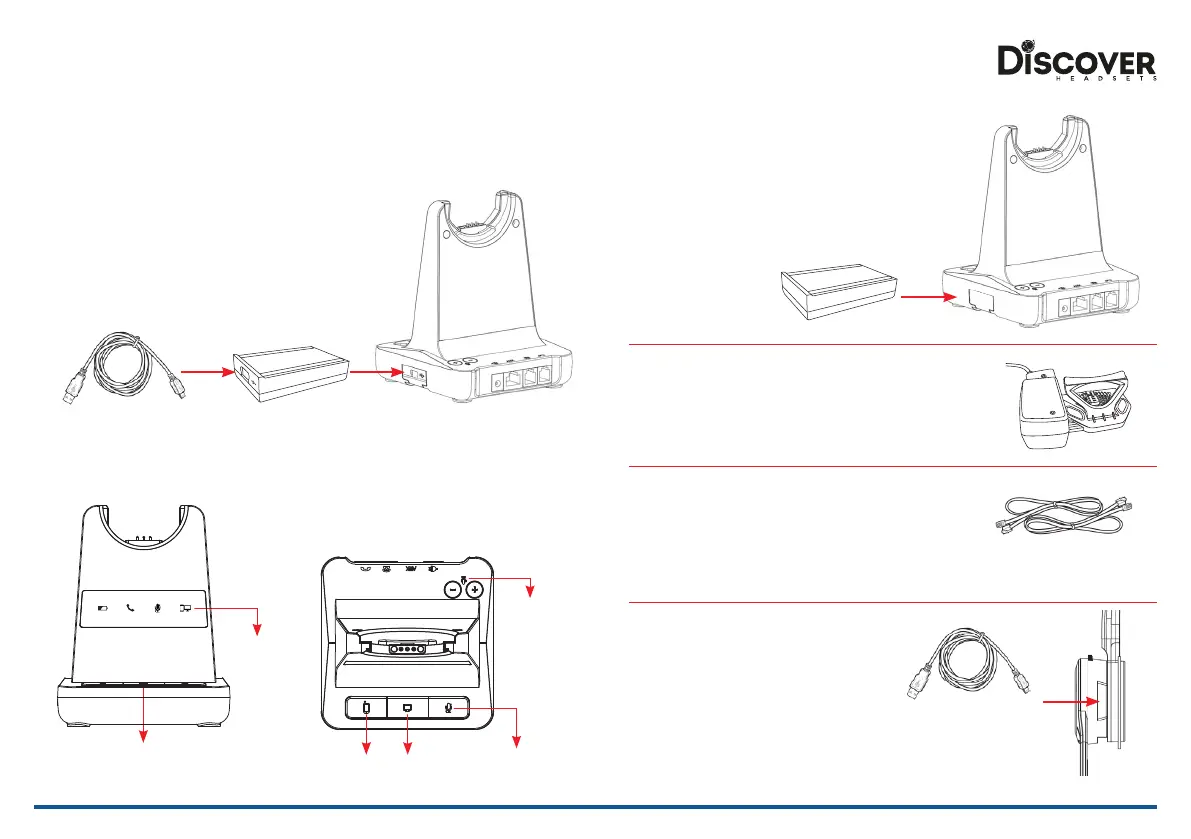
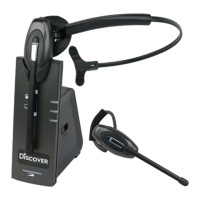
DA200 Cartridge for USB Connection
• Softphone interoperability through USB/computer out of the box with
Skype for Business and with all other major softphones with assistance
from the JPL Gateway.
• The JPL Gateway software must be installed and running for
remote call control functions to work with supported softphones.
http://www.discoverheadsets.com/update
• Before inserting your USB cartridge, make sure that the
base unit is powered-o.
Additional Accessories
PC/Bluetooth
Indicator
PC/TEL
Selection
• After inserting the cartridge, connect the power and then connect the USB cable.
• To make a USB call, press the “PC/TEL’ button.
• When you press the “PC/TEL” button, the “PC/TEL” LED will ash on and o.
USB Cable Type-A to Mini-B
DA201 Cartridge for Bluetooth Connection
• Bluetooth allows the DECT headset to connect wirelessly to
Bluetooth enabled smartphones.
• This headset allows wireless conversations from any desk
phone, softphone and mobile.
• Before inserting your Bluetooth cartridge, make sure that the
base unit is powered-o.
Discover DHL110 Handset Lifter
• The Discover DHL110 Handset Lifter remotely lifts the
desk phone handset to make or answer a call.
Discover Hook Switch Cables
• Hook switch cables enables an incoming call to be answered
or ended by using the On/O button on the Headset.
(Type of cable varies depending on phone model. Please contact us
to get recommended cable at www.discoverheadsets.com/contact)
Discover DA204
USB Cable Type-A to Micro USB
• Optional method for charging the headset.
Connect the micro USB jack to the micro USB
port located on the side of the headset
Additional Accessories
Bluetooth
Pairing Button
PC/TEL
Selection
Microphone
Mute Button
Microphone
Volume


 To Previous Page