Page 9
Chapter 2
Receiver Description and Installation
The Receiver Front Panel
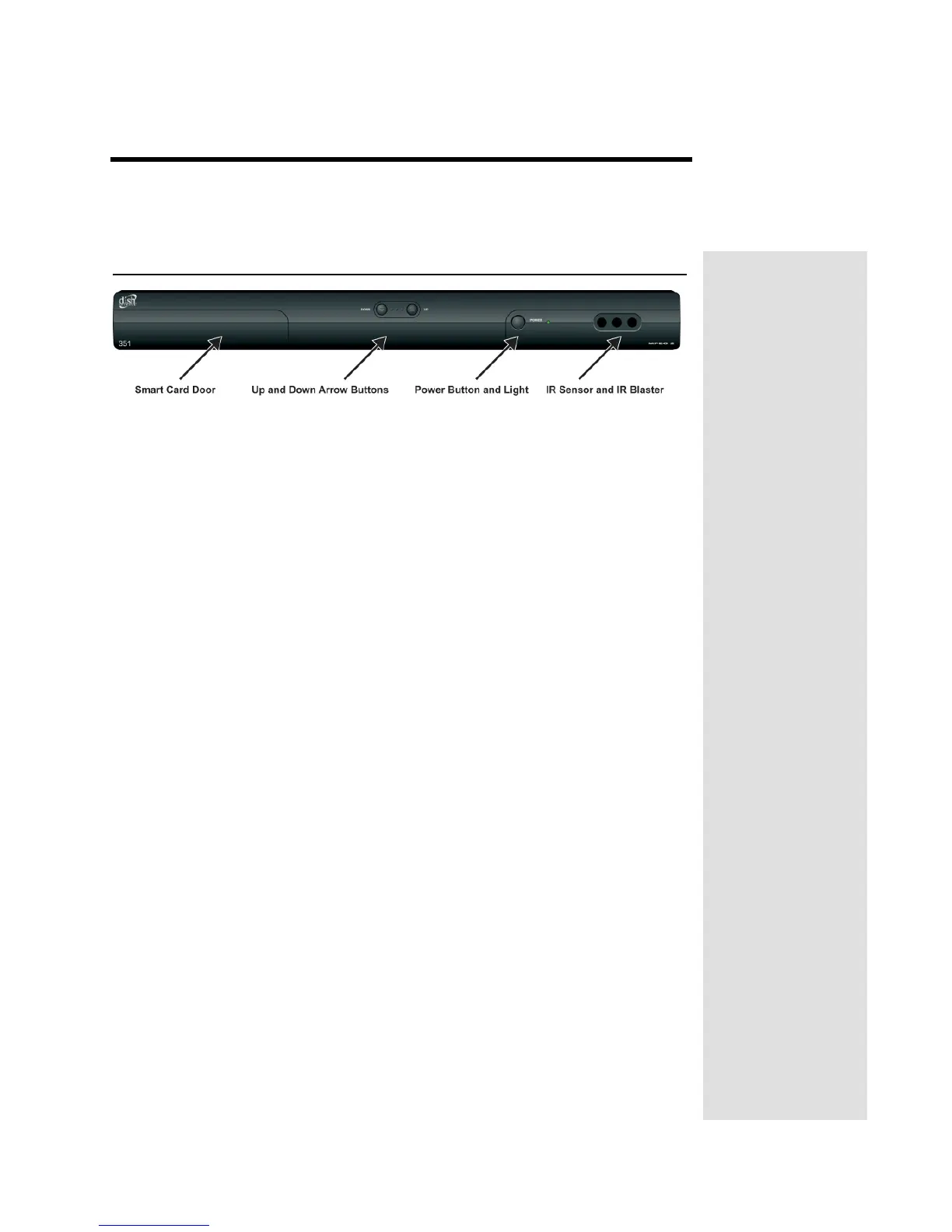
Smart Card Door
Behind this door is a slot for a future smart card. No smart card is included with
this receiver.
Up and Down Arrow Buttons
The UP and DOWN buttons change the channel on the receiver.
IR Sensor and IR Blaster
The IR SENSOR receives IR signals from the remote control. The IR
BLASTER transmits IR signals to control a VCR in order to perform automated
recordings.
Power Button and Light
The GREEN LIGHT on the front panel lights up when you press the receiver’s
POWER button ON and goes out when you press the POWER button OFF.












 To Next Page