A
STEP 1: Unpair Your Remote
If you are unable to turn on your original receiver, go to step 2.
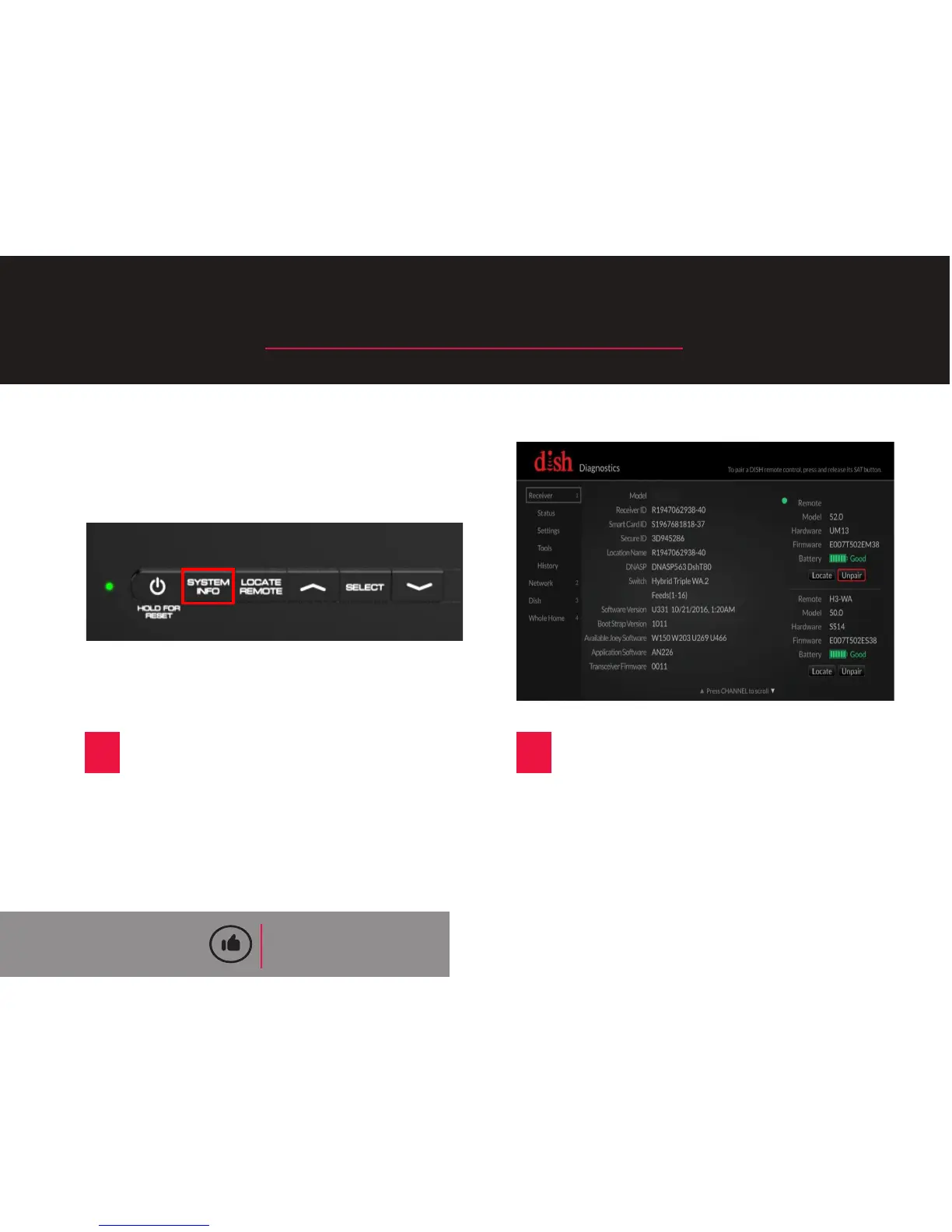
A
Press the SYSTEM INFO buon
on the front panel of your original
receiver.
B
Locate your remote from the
list on the right-hand side of the
screen. Then, use your remote
control to highlight the “Unpair”
opon and press the SELECT
buon.
QUICK TIP
You will not be able to use your
remote with your replacement
receiver unl you unpair it from
your original receiver.
2










 To Next Page