12
01
WallyWally
12
Menu
Welcome to Mission Control
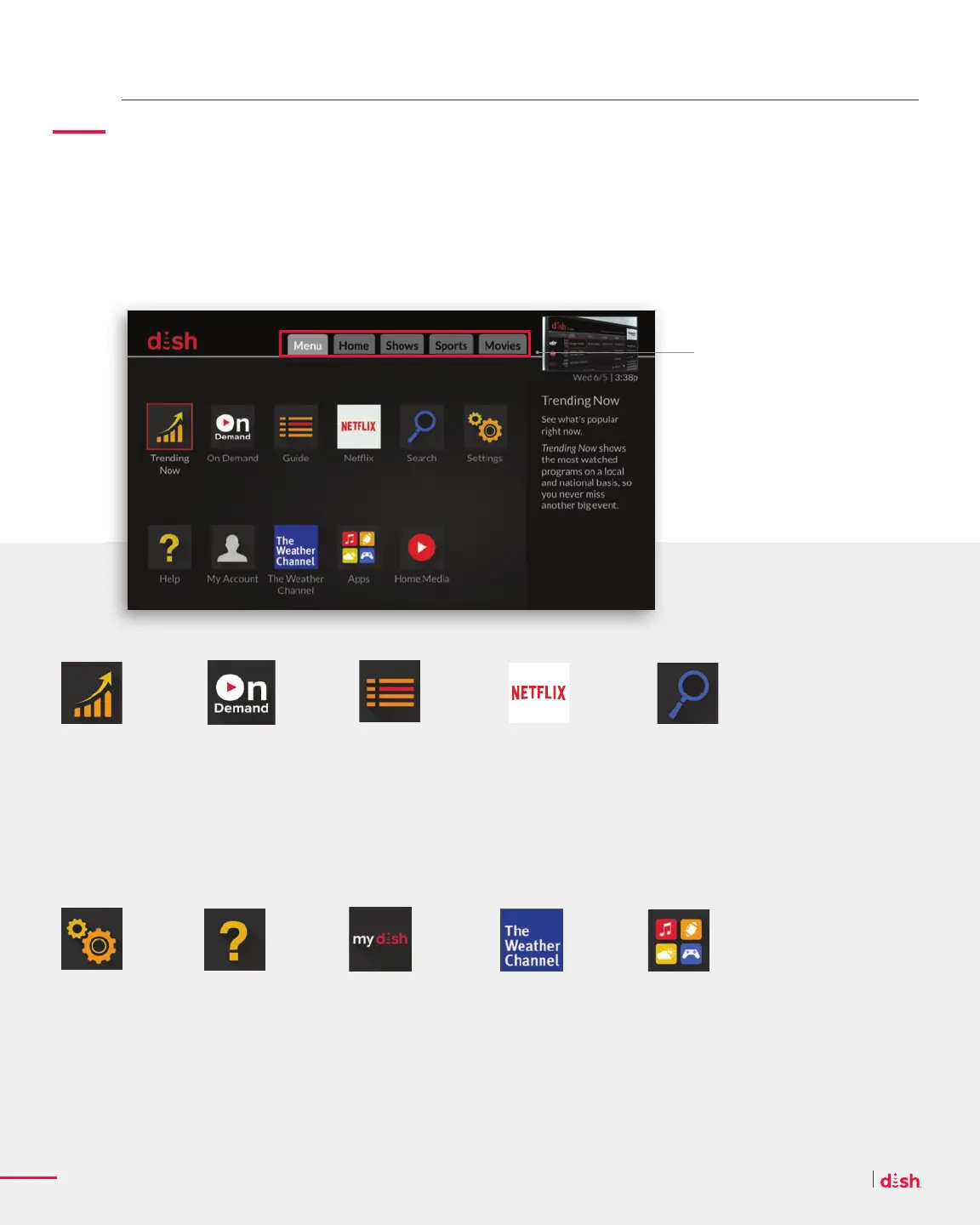
Think of the Menu as the command bridge of your Wally. It’s where you browse
entertainment, personalize settings, manage your account, and more.
Trending
See what everyone
is watching locally
and nationally, so
you never miss
another big event.
Search
Quickly fi nd what
you’re looking for.
Search by movie
title, TV show, or
actor name.
Settings
Personalize your
TV experience and
get the most out of
your Wally.
On Demand
Select from thousands
of movies and TV
series, from new
releases to free On
Demand.
Help
Find frequently
asked questions,
troubleshoot a
problem and
maximize your
entertainment.
MyDISH
Manage your
DISH account,
see recent
pay-per-view
and On Demand
purchases, and
more.
Guide
See what’s on right
now and what’s
coming up with full
listings of all your
channels.
Weather
Get hyper-local
weather forecasts
and alerts to your
favorite cities,
towns, and ZIP
codes.
Netfl ix
Enjoy instant
access to your
Netfl ix subscription
without switching
inputs or juggling
remotes.
Apps
Enjoy news, sports,
and entertainment
apps like Pandora.
The top of the screen serves
as your orientation guide. The
gray tab shows what content
category you are currently in.
In the middle of your screen,
use your remote to highlight
the feature you wish to access
and press SELECT.










 To Next Page