01
11
Wally
Guide
Wally
*NOTE: This refl ects when the Guide is set to
the default font size of Small.
Guide Shortcuts
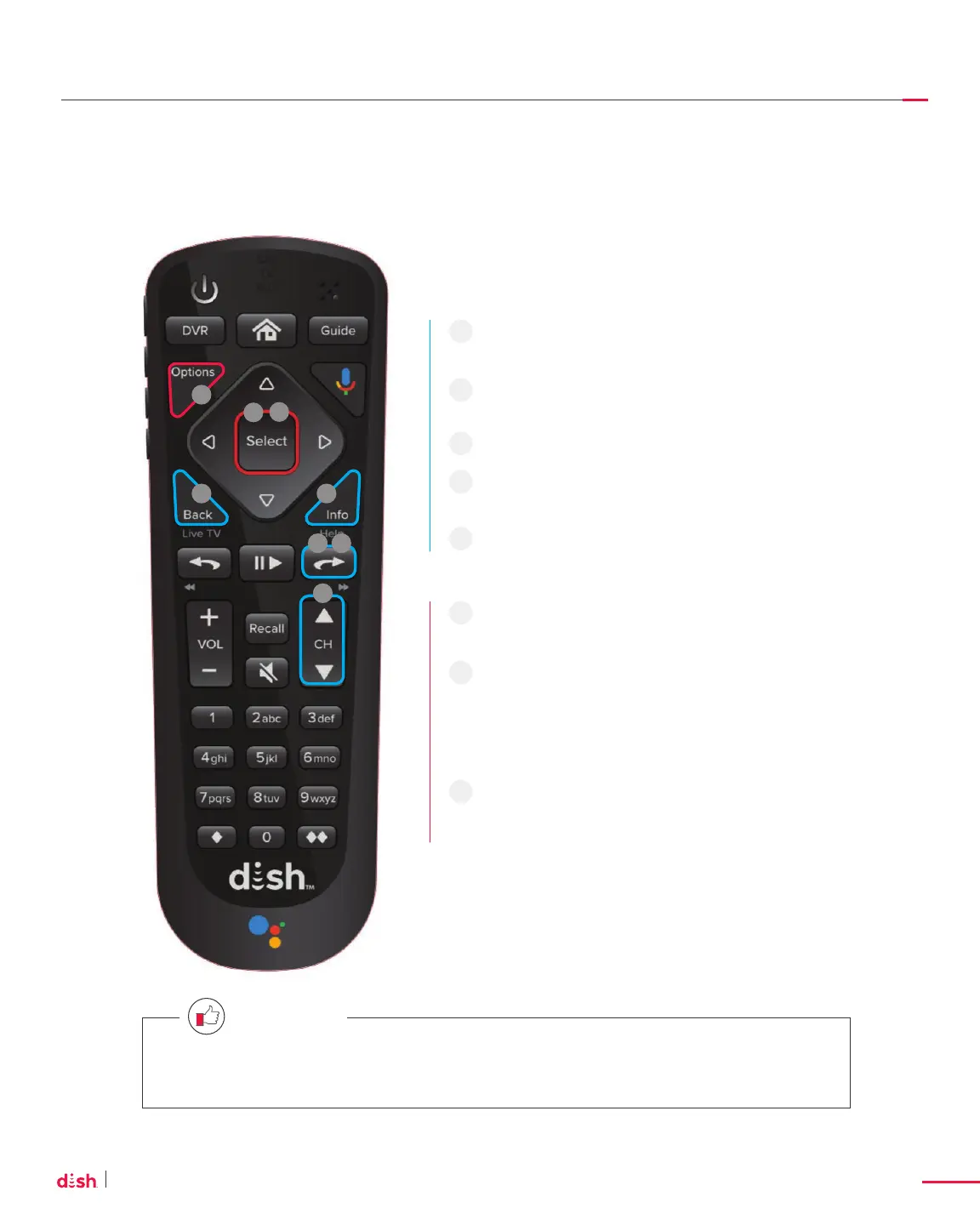
SKIP FORWARD on your remote skips
forward 2½ hours at a time.*
When you press and hold SKIP FORWARD,
it advances the guide 24 hours at a time.*
Press INFO to see more program details.
For fast channel-surfi ng, press and hold
CHANNEL UP or CHANNEL DOWN.
To return to Live TV, press BACK/LIVE TV.
To record a program, press SELECT for
recording options.
When you see a “+” next to a channel, you have
additional channel options to choose from.
Press SELECT on your remote to expand and
collapse those channels (for example, Channel
99 includes more than 70 channels of SiriusXM).
Make the font larger by pressing OPTIONS
on your remote and selecting Guide Settings,
then Larger Text.
1
2
3
4
5
6
7
8
1
3
6
8
4
5
7
2
Press HOME twice and select SETTINGS > GUIDE SETTINGS to switch between Classic and
Modern themes for your Guide.
QUICK TIP










 To Next Page