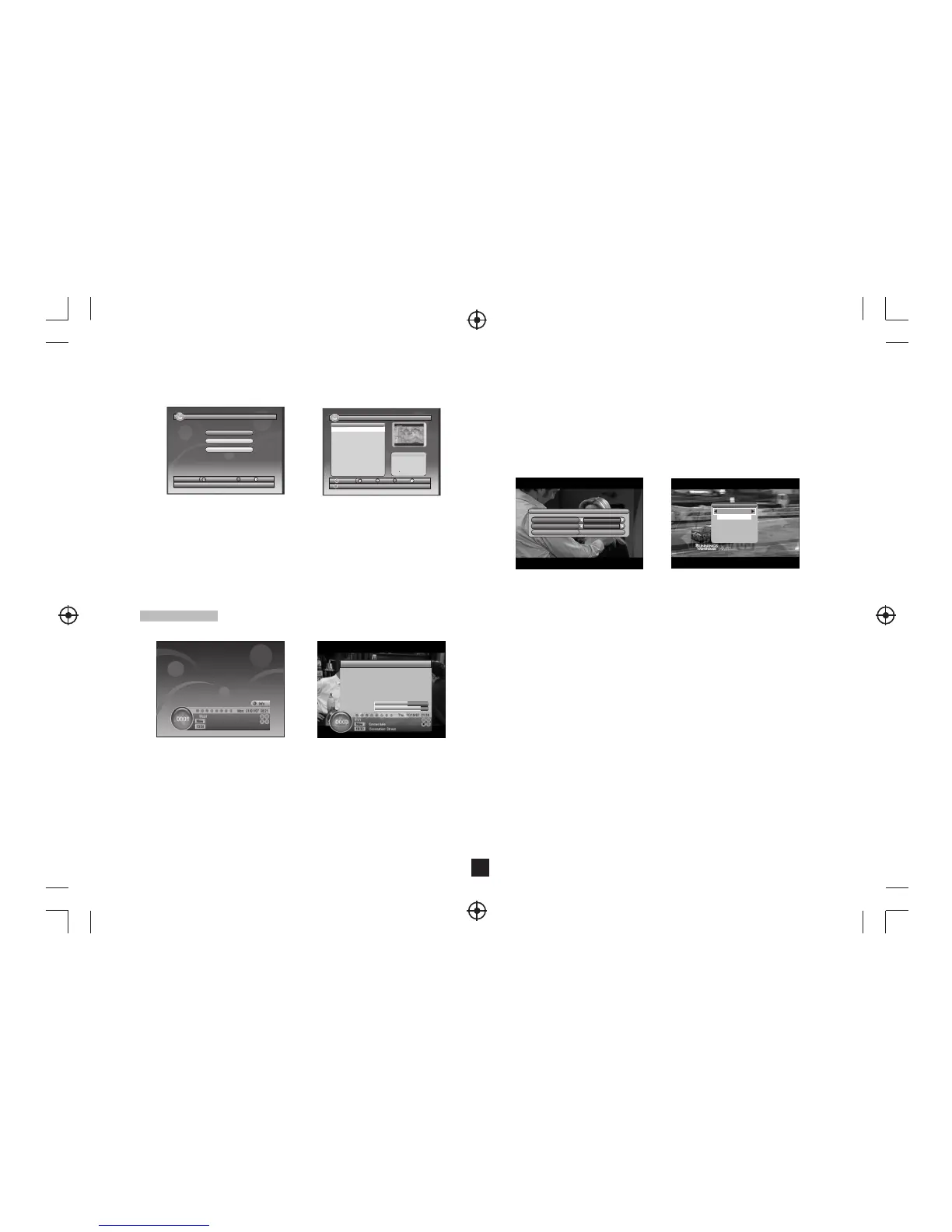
Figure 18. Teletext Setting PageFigure 17. Audio Channel
3.5 Audio
Switch the sound channel and switch sound mode to LR(stereo) or LL(left) or RR(right).
If setting audio language at SETUP->Installation->Audio Language, the audio
channel default language will be chosen by setting. See Figure 17. Press <Audio>
button to display the audio channel page. Press <Up/Down> button to select Channel/
Audio PID or Sound Mode option. Press <Left/Right> button to set the value.
3.8 Teletext
Display teletext on screen, the style of teletext may be different by content provider.
See Figure 18.
Press <Text> button to display the teletext setting page.
Press <Up/Down> button to select the teletext language if the program has teletext.
Press <OK/Exit> button to exit the teletext setting page.
Press <0~9/Up/Down/Left/Right> button to change teletext page if teletext exists.
3.6 Pause
Pause video and audio. But it will be canceled by any input.
3.7 Favorites
User can switch the favorite programs in the same favorite group. About favorites setting,
see section 2.3.1.1 for details.
Press <YELLOW> button to switch the favorite group in Program list.
Press <CH +/-> button to switch the same favorite program in normal play mode.
Aud io PID
065 0
Cha nnel
eng
Aud io chan nel
Sou nd Mode
LR
TEL ETEXT
Telet ext Lan guage
eng
OFF
3.3 Volume
Press <Vol-/Vol+> button to adjust the volume.
Press <Mute> button to mute.
If adjust the volume while mute, mute will be canceled.
3.4 Program List
Press <OK> button to display Program List with No., name and lock/scramble/skip
status.
Press <Up/Down/Left/Right> to switch the program.
Press <OK/Exit> to return normal play mode.
7
Figure15. Normal Play - Radio
3.Normal Play
Figure 16. Program Info
Pro gram In fo
Pro gram Na me ITV1
Pro gram No 00 03 Video PI D 0512
Cha nnel No . 0045 Aud io PID 06 50
Fre quenc y 66593 4 KHz
Ban dwidt h 0008 MH z
Con stell ation QA M64 Hi erarc hy Mode N/A
Gua rd Inte rval 1/ 32 HP Code Rat e 7/8
FFT 8K L P Code Ra te 1/2
Str ength 62 %
Qua lity 88 %
Normal Play means STB under watching TV or listening to the Radio. See Figure15.
3.1 Information
Press <Info> button once to display info banner. Banner displays the program No.,
favorite setting, current time, program name, now and next event, lock, scramble,
subtitle and teletext info.
Press <Info> button when banner exist to display detail info of now event.
Press <Info> button when detail exist to display current program info. See Figure 16.
3.2 Switch Program
User can switch program by CH+/- or input program number directly.
If the input program number doesn't exist, STB will ignore the input. Or press <Recall>
button to switch to last watching program from current watching program.
2.5 ACCESSORY
There are three options: Gomoku, Calendar, Calculator.
Gomoku
Press <Up/Down/Left/Right> button to set play mode and difficulty.
Press <OK> button to start play Gomoku.
Press <Up/Down/Left/Right> button to select the position.
Press <OK> button to place the piece.
Calendar displays the year, month, and date.
Calculator can used for mathematical calculations.
NOTE:
FORMAT operation will delete all the files in the disk or the current
partition, so please backup the files before FORMAT operation.
Figure 14. Recorded List
My Re cord- R ecord ed List
18/0 7/08 1 5:21
000 1 Sky Trav el_08 0717
000 2 Sky Trav el_08 0717
000 3 Sky Trav el_08 0717
000 4 Sky Trav el_08 0717
000 5 UKTV His tory _0807 17
Sele ct
OK
Pag e Exit
Sky Tr avel_ 08071 7
08/0 7/17
16: 44~16 :45
00
”
01
12
Info
No. Pr ogra m N ame
CH+ /-
Figure 13. My Record
My Re cord
18/0 7/08 1 5:13
Rec orded L ist
Rec ordin g Devic e
Rec ordin g Prefe rence
Sele ct
OK
Mov e Exit
Dev ice
Del


 To Next Page
 Loading...