Table of Contents
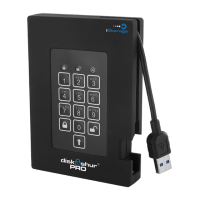
About the diskAshur PRO 4
Package contents 4
diskAshur PRO - Connections 5
Before you begin 5
Connecting diskAshur PRO 5
Connecting with the USB Y-Cable 6
diskAshur PRO Keypad Panel 7
First Time Use 7
Locking the Drive 8
Unlocking the Drive 8
Admin Mode 8
Changing the Admin PIN 8
Adding a new User PIN 9
Deleting the User PINs 9
Changing the User PIN 9
Setting the Unattended Auto Lock Feature 10
diskAshur PRO Brute Force Protection 11
Setting a Self-Destruct PIN 12
Performing a Complete Re-Set 12
Initializing and formatting the diskAshur PRO after a reset 13
Hibernating or Logging off from the OS 14
diskAshur PRO Setup for Mac OS 15
Troubleshooting 16
Technical Support 18
Warranty and RMA information 18


 To Next Page