6
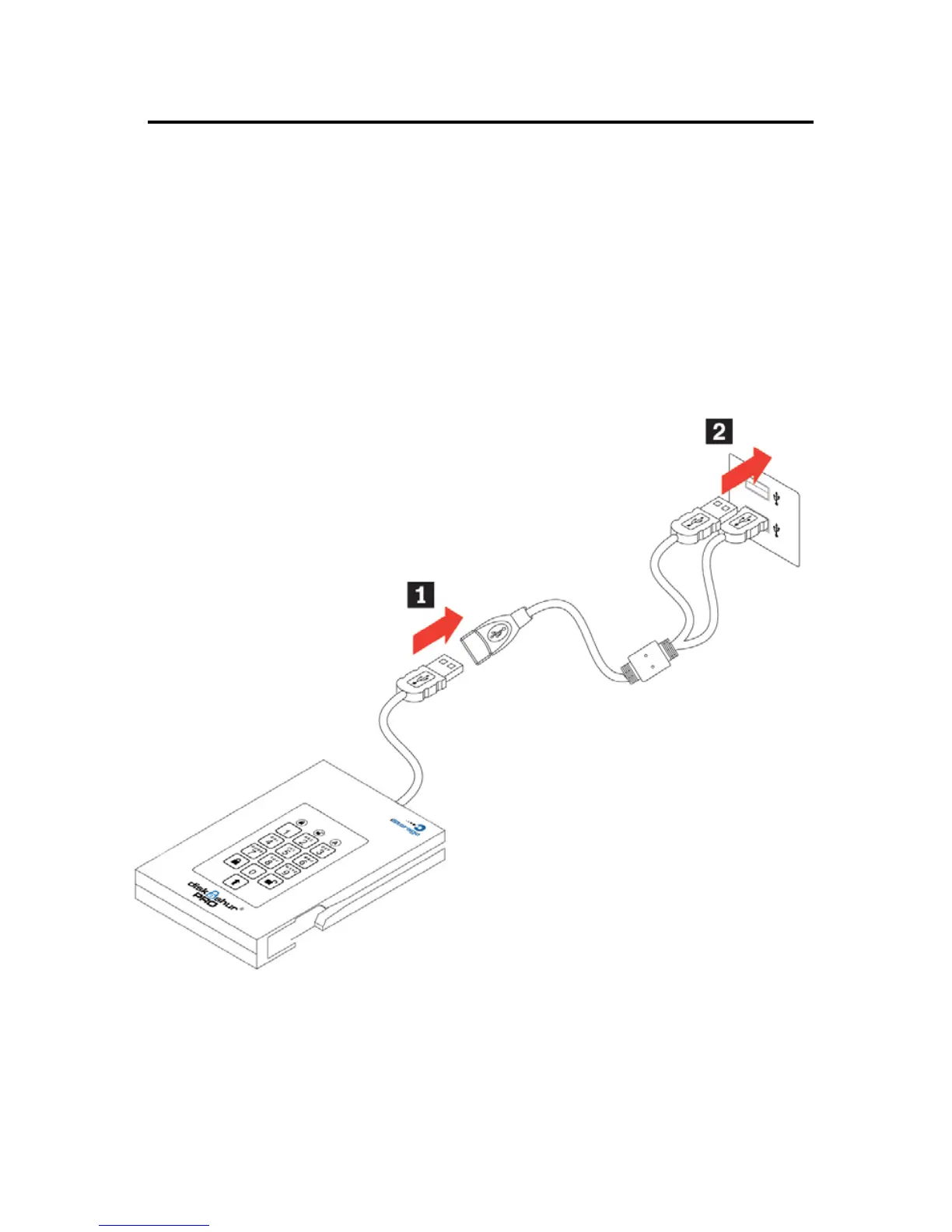
Connecting with the USB Y-Cable
If none of the diskAshur PRO LEDs power on a single USB connection,
use the included USB Y-cable.
1. Attach diskAshur PRO’s integrated USB cable to the female connector of
the USB Y-cable.
2. Connect the two male USB connectors to two available USB ports on
your computer.
3. At least one of the diskAshur PRO’s LEDs should turn on, indicating that
the diskAshur PRO is powered.


 To Next Page