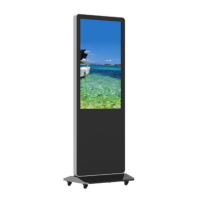
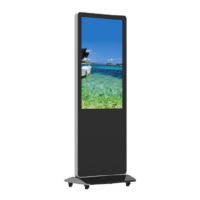
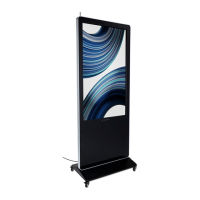
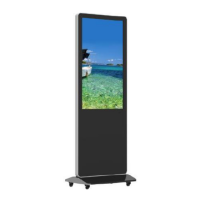
This document describes the Displays2go 55” Indoor Floor Standing Digital Signage, model DGFSNT55, a high-performance multi-functional LED backlight digital signage unit.
Function Description:
The digital signage is designed for displaying media content in indoor environments. It operates on an Android 5.1.1 smart operating system with a unique UI, providing a convenient and visually appealing user experience. It supports USB mouse and keyboard for easy manipulation, similar to a computer. The unit features a built-in Wi-Fi module, high-capacity memory, and cache, enabling smooth playback of 1080P HD movies and large games. The display utilizes a high-quality LCD screen, offering flicker-free, low-radiation viewing with reduced eye fatigue, eye protection, high brightness, high contrast, and a wide viewing angle. Its ultra-fast response time minimizes ghosting in fast-moving images. Advanced image processing and motion compensation technologies enhance clarity and reduce flickering and blurring at the edges of motion pictures. Dynamic contrast technology further improves screen clarity and contrast. Multiple USB interfaces support HD media streaming.
Important Technical Specifications:
Panel:
- LCD size: 55”
- Light source: LED backlight
- Resolution: 1920*1080 (pixels)
- Brightness (typ.)/(min): 500cd/m² (typ.)
- Contrast (typ.): 1100:1 (typ.)
- Response (ms): 12ms (typ.)
- Pixel pitch: 0.315 (H) mm * 0.315 (V) mm
- Refresh rate: 60Hz
- Viewing angle: 178° (H)/178° (V)
- Color saturation: 68%
- Viewable area: 1209.6(H) mm * 680.4(V) mm
- Chromaticity: 16.7M
Power Supply:
- Voltage: 100V~240V, 50-60Hz
- Power Consumption: ≤100W
Environment:
- Operating temperature (°C): 0°~40°C
- Storage temperature (°C): -10°~60°C
- Operating humidity: 10~60% RH Non-condensing
- Storage humidity: 20~85% RH Non-condensing
- Maximum operating time (hrs/day): 18 hours
Functions:
- Operating system: Android 5.1.1
- Processor: RK3288, quad-core
- RAM: 2G
- Built-in memory: 8G
- Decoding resolution: 1080P FHD Compatible
- Playback mode: Support loop, inter-cut, timer, shim, etc.
- Touch support: N/A
- Supported Video Files: AVI, MPEG4, WMV, MKV, FLV, MP4, MOV
- Supported Photo Files: JPG, JPEG, BMP, PNG, GIF
- Audio output, supported files: Left and right audio channel, MP3
- RTC (real-time clock): Yes
- Schedule power on/off: Yes
- System update: USB compatible
- App installation: Support download and installation
- TF: N/A
I/O Interfaces:
- Ethernet (RJ45): 1
- HDMI: 1
- VGA: N/A
- Headset: N/A
- USB2.0: 2
- SIM: N/A
Structure:
- Net weight: 67kg
- Gross weight: 87kg
- Unit dimensions (WDH): 810501980mm
- Package dimensions (WDH): ≈ 9502152160mm
- Shell material: Aluminum profile/Cold Rolled Steel
- Shell color: Silver/black
- OSD: English/Simplified Chinese
Usage Features:
- Assembly: The unit requires assembly of the base to the main display body using provided screws and a hex socket wrench. Optional casters can be installed for mobility.
- Remote Control: A remote control is included for basic operations such as power on/off, menu navigation, source selection, volume control, and playback functions. It requires two AAA batteries.
- Basic Operation: The device powers on/off via a switch or the remote control. The Android desktop provides access to main applications, background applications, and sound controls.
- Wallpaper Switch: Users can customize the wallpaper by connecting a mouse via USB, navigating to "Settings" > "Display" > "Gallery" or "Wallpaper," selecting an image, and confirming.
- File Management: The "Explorer" app allows users to access and manage files from different storage devices (NAND FLASH, SD card, USB storage). Media files can be copied from USB storage to the internal "MediaFolder/Images" or "MediaFolder/Videos" directories for playback.
- Slide Show APP: The "Slide Show" app enables playback of images and videos stored in the "MediaFolder." Users can select media, set display time per picture, and choose transition effects.
- Local Settings: The "Settings" menu provides comprehensive control over Wi-Fi, Bluetooth, display, sound, storage, apps, location, accounts, security, language & input, date & time, printing, accessibility, and device information.
- Status of Menu Bar: The navigation bar can be toggled on or off via the display settings.
- Factory Reset: The device can be reset to factory defaults via "Settings" > "Backup & reset" > "Factory data reset."
- Screen Rotate: The screen orientation can be rotated via the "System aide" app, allowing users to choose a desired degree of rotation.
- System Language: The system language can be changed in "Settings" > "Language & input" > "Language."
Maintenance Features:
- General Care: Avoid strong vibration or impact. Keep the product dry to prevent moisture damage. Do not place under direct sunlight to prolong screen life.
- Cleaning: Clean the screen and product using a glass cleaner.
- Power Disconnection: If the product will not be used for an extended period, disconnect the power cord to prevent internal short circuits or other potential dangers.
- Troubleshooting: A detailed troubleshooting guide is provided for common issues such as no picture/sound, remote control malfunction, Wi-Fi signal problems, missing parts, software installation issues, and content upload failures. Solutions range from checking connections and settings to contacting customer service.
- Toxic and Hazardous Substances: The manual includes a table detailing the presence of toxic and hazardous substances (Pb, Hg, Cd, Cr6+, PBB, PBDE) in various components, adhering to GB/T 26572-2011 standards. The Environmental Friendly Use Period (EFUP) is ten years, provided the unit is operated under normal conditions.
- Recycling: Users are advised to follow local Waste Electrical and Electronic Products Recycling and Disposal Regulations for proper disposal or recycling at the end of the product's service life.

 Need help?
 General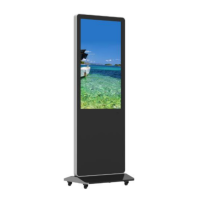

 To Next Page