EasyManua.ls Logo

Distech Controls ECx-400 Series - User Manual

Distech Controls ECx-400 Series
16 pages
Print Icon
To Next Page IconTo Next Page
Loading...
ECx-400 UUKL Extension Modules
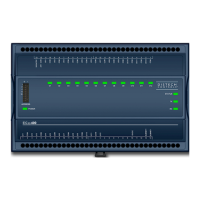
Figure1: ECx-400 UUKL model
Product Description
This document describes the hardware installation procedures for the ECx-400 Series I/O Extension Modules.
The Distech Controls ECL-600 and ECB-600 Series controllers product line is designed to control and monitor various HVAC equipment such as roof top
units, large air handling units as well as central plant applications such as chillers and boilers. These controllers are compatible with the I/O Extension
Module product line, which includes the following modules: ECx-400, ECx-410, ECx-420, and ECx-400 UUKL.
This document describes the hardware installation procedures for the ECx-400 UUKL Extension Modules only.
The ECx-400 UUKL I/O Extension module is the only model to be used in the Distech Controls UUKL smoke control system. For detailed
requirements, specifications, and procedures for installing and operating UL 864 Listed equipment, you must refer to the Distech Controls
UUKL Smoke Control System
Design Guide
(UUKL Design Guide_UG_10_EN). Failure to meet the requirements or follow the procedures in
the Distech Controls UUKL Smoke Control System
Design Guide
can void the UL 864 Listing for smoke control equipment.
These I/O Extension Modules are all built on a similar platform, but have different numbers of inputs and outputs. Moreover, each individual
model has different amounts of digital and/or universal outputs. For more information on the specific layout and functionality of each I/O
Extension Module, please refer to the ECB-600 datasheets.
General Installation Requirements
For proper installation and subsequent operation of the device, pay special attention to the following recommendations:
£ It is recommended that the controller(s) be kept at room temperature for at least 24 hours before installation to allow any condensation that may
have accumulated due to low temperature during shipping/storage to evaporate.
£ Upon unpacking, inspect the contents of the carton for shipping damages.
Do not install a damaged device.
£ The device is designed to operate under environmental conditions that are specified in its datasheet.
£ Ensure proper ventilation of the device and avoid areas where corroding, deteriorating or explosive vapors, fumes or gases may be present.
£ Allow for proper clearance around the device’s enclosure and wiring terminals to provide easy access for hardware configuration and maintenance.
£ When installing in an enclosure, select one that provides sufficient surface area to dissipate any heat generated by the device and by any other de-
vices installed in the enclosure. A metal enclosure is preferred. If necessary, provide active cooling for the enclosure.
£ Orient the controller with the ventilation slots and power supply/output terminal block connectors towards the top to permit proper heat dissipation.
£ The device’s plastic enclosure has a back plate that is separable from the front plate allowing the back plates (with the connectors) to be shipped di-
rectly to the installation site while all the engineering is done in the office.
£ The device’s datasheet specifies the power consumption (amount of heat generated), the operating temperature range, and other environmental
conditions the device is designed to operate under.
£ Ensure that all equipment is installed according to local, regional, and national regulations.
£ Do not drop the device or subject it to physical shock.
£ If the device is used and/or installed in a manner not specified by Distech Controls, the functionality and the protection provided by the device may
be impaired.
I n s t a l l a t i o n G u i d e

Questions and Answers

  • R
    Ricky HoweAug 19, 2025
    What to do if Distech Controls ECx-400 I/O Systems hardware output is not operating correctly?
    • O
      ohamptonAug 19, 2025
      If a hardware output on your Distech Controls I/O Systems isn't working correctly, here's what to check: 1. If the auto-reset fuse has blown, disconnect the power and output terminals, wait a few seconds for it to cool down, then check the power supply and output wiring before reconnecting the power. 2. Ensure the wiring is correct, referring to this manual and the peripheral device's manufacturer instructions. 3. Use EC-gfxProgram to verify the input configuration. Consult the EC-gfxProgram user guide. 4. For 0 to 10V outputs, if a 24VAC powered actuator isn't moving, check the polarity of the 24VAC power supply connected to the actuator. Reverse the 24VAC wire if needed.
  • J
    Jose CruzAug 27, 2025
    Why Distech Controls ECx-400 hardware input is not reading the correct value?
    • Y
      yolanda24Aug 27, 2025
      If a hardware input on your Distech Controls I/O Systems isn't reading correctly, consider the following: * Ensure the wiring is correct, referring to this manual and the peripheral device’s manufacturer instructions. * Using EC-gfxProgram, check the input configuration. Refer to the EC-gfxProgram user guide for details. * An over-voltage or over-current at one input can affect other inputs. Stay within the allowed voltage/current range limits for all inputs, consulting the controller's datasheet for input range limits. * Check for open or short circuits using a voltmeter on the input terminal. For a digital input, a short circuit will show about 0V DC, while an open circuit will show about 5V DC.
  • T
    taylorsextonSep 3, 2025
    How to fix a Distech Controls I/O Systems controller that is powered but does not turn on?
    • C
      Chad BarnettSep 3, 2025
      If your Distech Controls I/O Systems controller is powered but not turning on, consider these potential causes: * A blown fuse. To resolve this, disconnect the power, check the fuse, and then reconnect the power. * Incorrect power supply polarity. Ensure consistent polarity is maintained across all controllers and the transformer. The 24VCOM terminal of each controller should connect to the same terminal on the transformer's secondary side.
  • J
    james60Nov 11, 2025
    Why my Distech Controls I/O Extension Module cannot communicate on the subnetwork?
    • K
      Kristie HawkinsNov 11, 2025
      To address communication issues on the subnetwork with your Distech Controls I/O Systems, consider these points: * Ensure the power supply voltage is between 24VAC ±15% at the 24VAC and 24VCOM pins, and check for tripped fuses or circuit breakers. * Confirm the transformer has adequate power for all controllers. * Verify the wiring connections are accurate. * Each I/O Extension Module requires a unique Subnet ID; check the Subnet ID DIP switch on each module. * Ensure the total wire length meets specifications. Consult the Network Guide or the Distech Controls UUKL Smoke Control System Design Guide for UUKL extension modules. * The wire type must match the Network Guide specifications, or the Distech Controls UUKL Smoke Control System Design Guide for UUKL extension modules. *...

Distech Controls ECx-400 Series Specifications

General IconGeneral
SeriesECx-400 Series
CategoryI/O Systems
ManufacturerDistech Controls
Communication ProtocolBACnet MS/TP
Power Supply24 VAC/VDC
MountingDIN rail
Number of PointsVaries by model
CertificationsUL, CE
Input/Output TypeDigital and Analog