http://www.diviotec.com
6
2.3 Lens Mounting
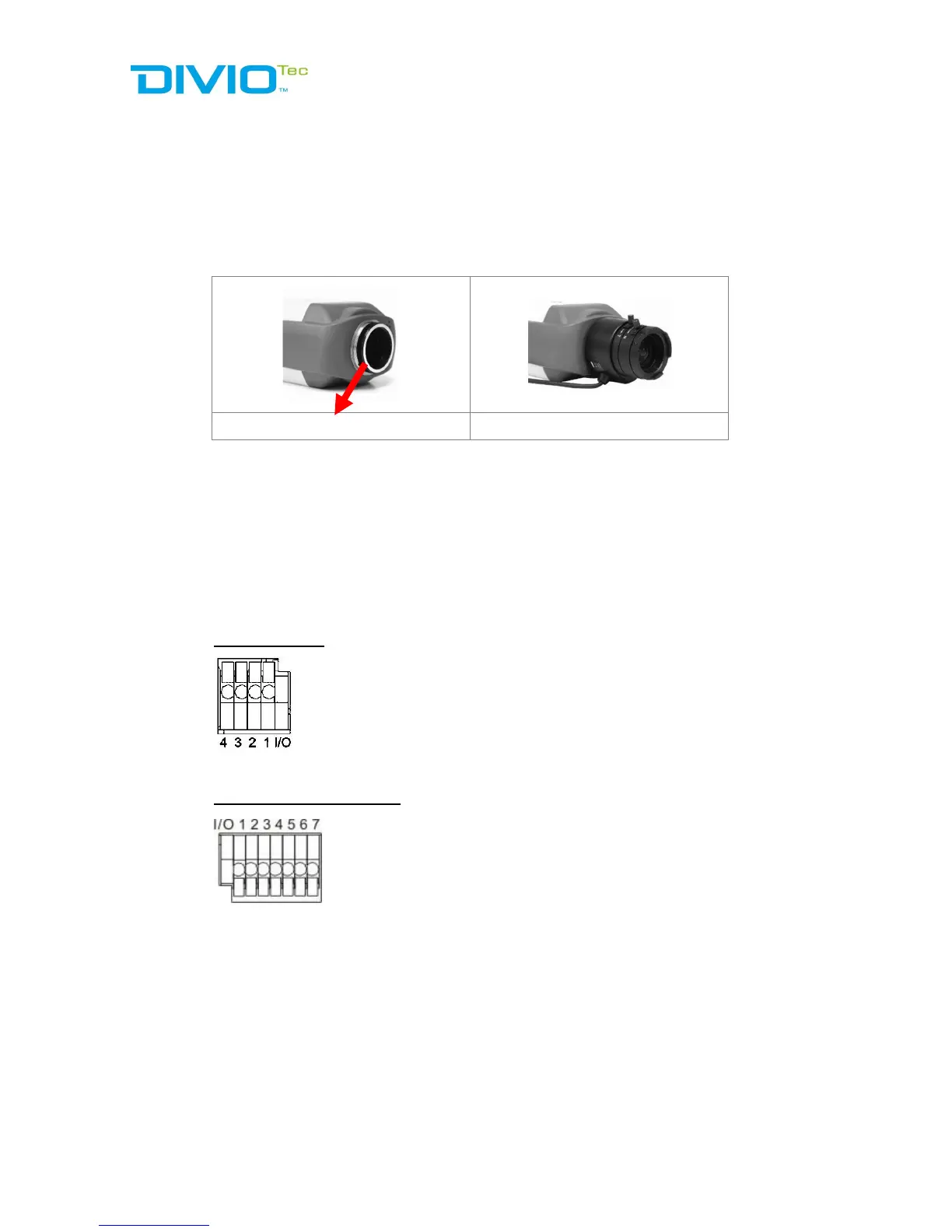
If use C-Mount lens, after removing the camera’s plastic cover, users need to
mount the C/CS Mount adapter to the camera. Then attach the lens onto the
C/CS Mount adapter, as the illustrations shown below.
C/CS Mount Adapter Completion
2.4 Alarm I/O Connection
The camera equips one alarm input and one relay output for alarm application.
Refer to alarm pin definition below to connect alarm devices to the IP camera if
needed.
DC 12V / PoE
PIN 1: Output+
PIN 2: Output-
PIN 3: Input+
PIN 4: Input-
DC 12V / AC 24V / PoE
2.5 RS485 Connection (for DC12V/AC24V/PoE Model)
The RS-485 connector is the interface for connecting with the pan & tilt
positioning system.


 To Next Page