DivX 10
22
DivX, LLC User Guide
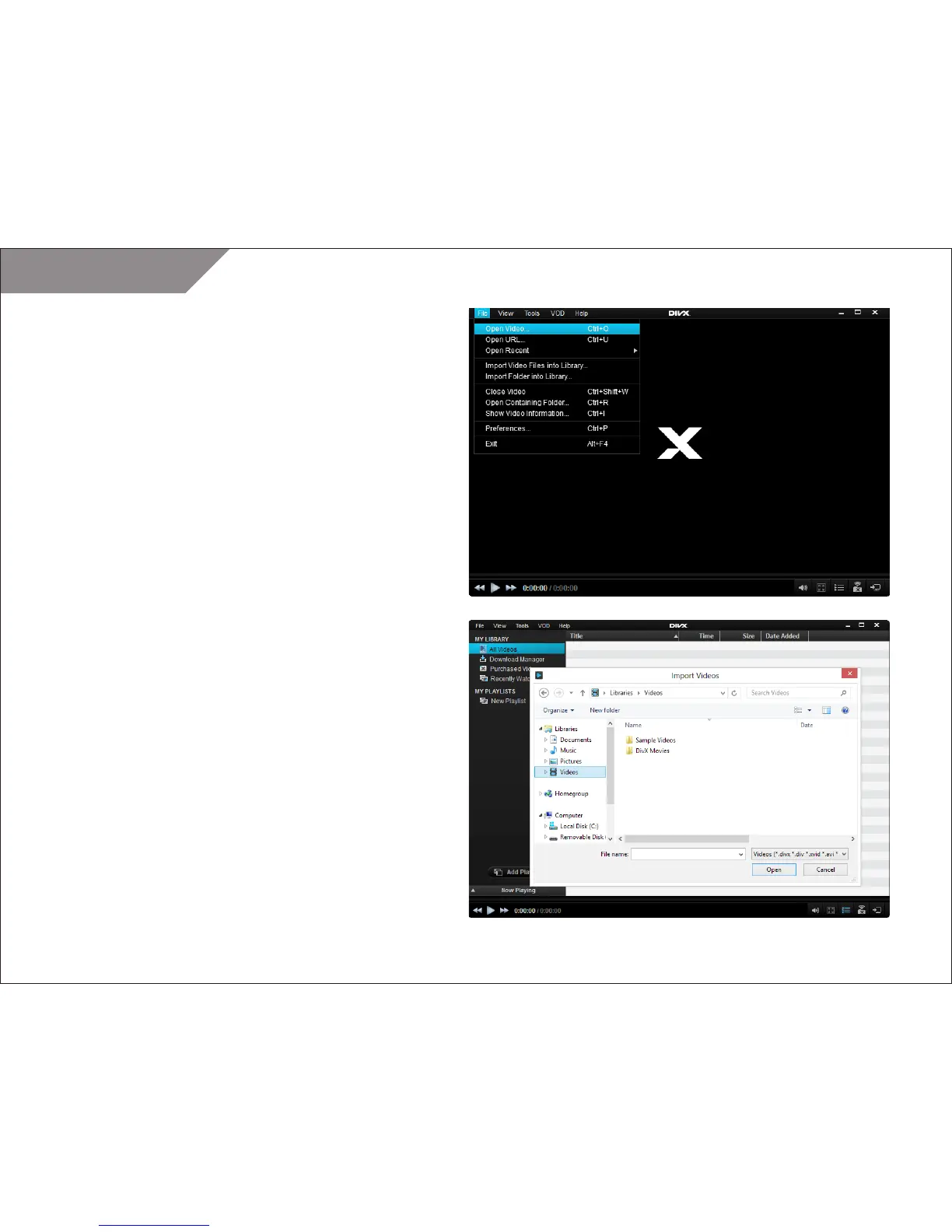
Importing Files into the Video Library
You can import single files or entire folders into the Video Library.
TIP: Downloaded and purchased movies will automatically appear
in your Video Library.
To import a video file into your Video Library:
• Open the FILE menu and select “Import Videos into Library”
• Select the video you want to import from the folder
browsing window
• Click “OK” to confirm
To import a folder with video files into your Video Library:
• Open the FILE menu and select “Import Folders into Library”
• Select the folder you want to import from the folder
browsing window
• Click “OK” to confirm



 To Next Page