DivX 10
43
DivX, LLC User Guide
YOUR FIRST MULTIPASS
While 1-pass mode is fast and particularly suited to certain
situations, Multipass encoding offers more consistent quality
by allowing the encoder to first analyze the entire video before
encoding it.
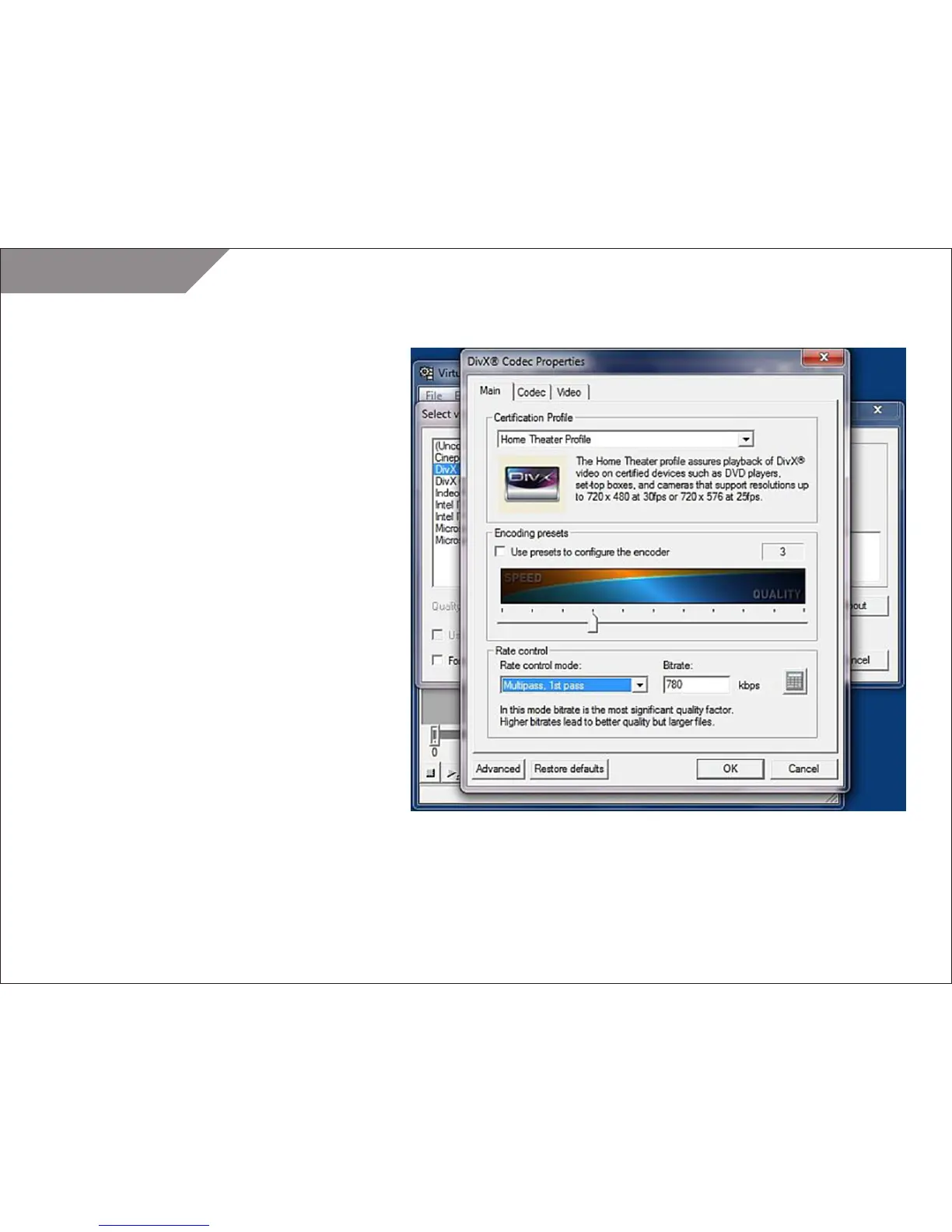
STEP 1
Load VirtualDub and configure it as you did in steps 1 through
5 of the “Your First DivX” section. But this time, set the
Variable bitrate mode to “Multipass, 1st pass.”
When you save a video in Multipass, 1st pass mode the
encoder will generate a log file that contains an analysis of
the video but no actual video output will be generated.
STEP 2
Save your AVI file using a file name that helps you identify the
video. You don’t need to use a separate file name for every
pass that you perform, so as before simply choose a file
name that fits the video.



 To Next Page