1. Install the DJI GO App
Search for ‘DJI GO’ on the App Store or Google Play,
or scan the QR code to download the app on your
mobile phone.
2. Prepare the Battery
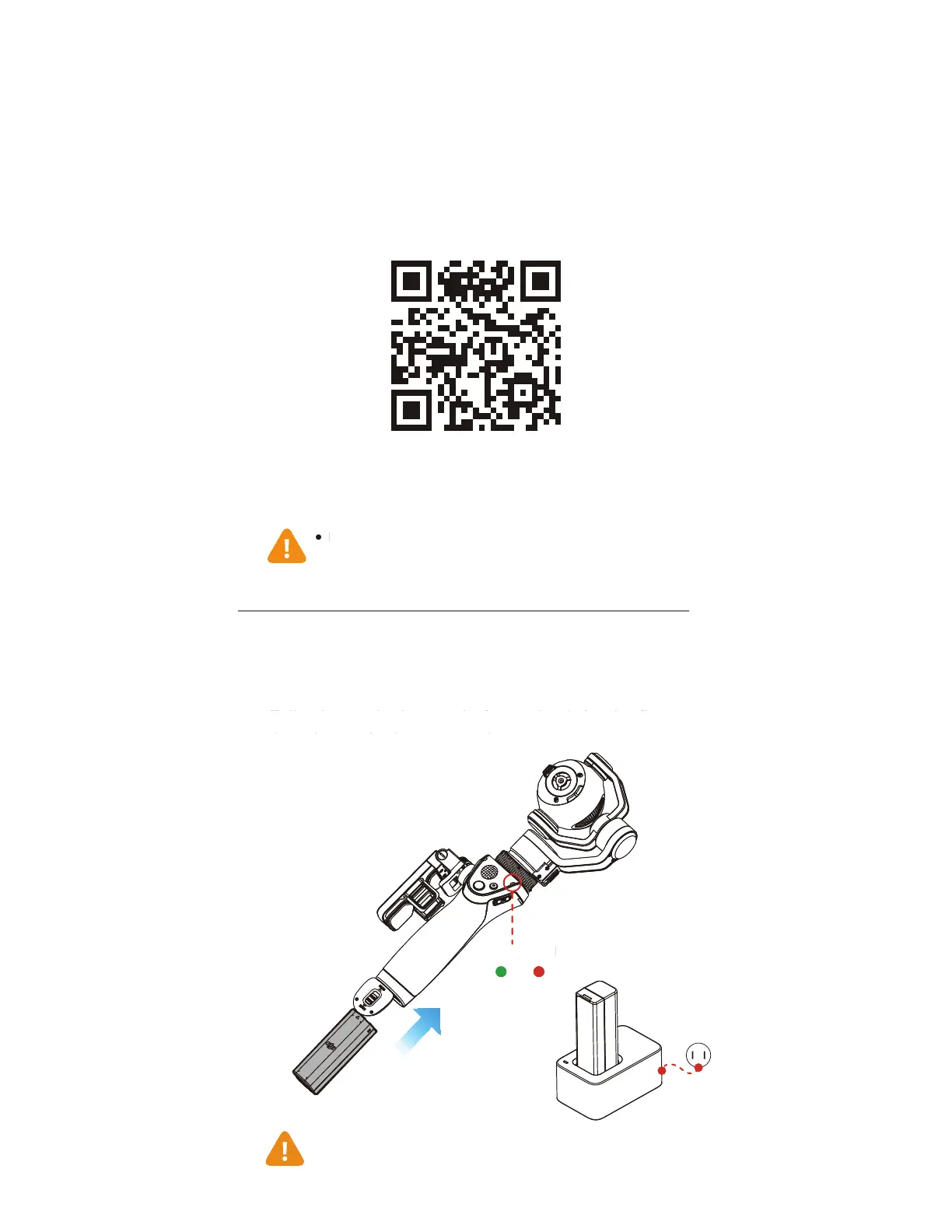
Fully charge the battery before using it for the first
time. Insert the battery as shown.
ȕ
DJI GO supports iOS 8.0 (or later)
and Android 4.3 (or later).
ȕ
Charge Time: ~110 minutes.
ȕ
The LED indicator will become solid green when charging is
complete.
High
Low
Battery Level
2. Prepare the Batter
Fully char
e the battery be
ore usin
it
or the
irst
time. Insert the battery as shown.
JI GO supports iOS 8.0 (or later)
and Android 4.3
or later
attery
eve



 To Next Page