Need help?
Do you have a question about the dji OSMO MOBILE 6 and is the answer not in the manual?
Connect USB adapter to charge. Battery full when indicator is off.
Unfold gimbal, attach magnetic phone clamp, align marks.
Displays System Status, Battery Level, and Gimbal Mode.
Explains Follow, Tilt Locked, FPV, and SpinShot modes.
Describes functions for powering on/off, checking battery, and switching modes.
Standard mode, center phone with trigger double-press.
Watch live feed, use features like ShotGuides, Story, Timelapse, etc.
Shutter/Record, Gesture Control, Playback, Focus/Zoom, Parameters.
Dimensions, weight, phone compatibility, battery specs.
Power, range, speed, wireless mode, app support.
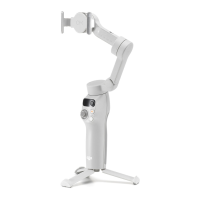
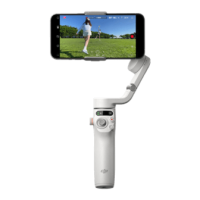
The DJI Osmo Mobile 6 is a lightweight, 3-axis stabilized gimbal designed to unlock the full potential of your mobile phone for capturing smooth, professional-looking video and photos. It features a built-in extension rod, making it versatile for various shooting scenarios, and its foldable magnetic design ensures easy setup, convenient transportation, and storage. The gimbal automatically powers on once unfolded, streamlining the user experience.
The Osmo Mobile 6 provides 3-axis stabilization, which effectively reduces shaky footage, allowing for cinematic and smooth video capture. It supports both portrait and landscape orientations, adapting to different content creation needs. The gimbal offers several operating modes, including Upright, Underslung, Side Grip, and Low Position, each tailored to help users achieve specific shots and perspectives.
Integrated with the DJI Mimo app, the Osmo Mobile 6 enhances creative possibilities with intelligent features such as ActiveTrack™ 5.0, DynamicZoom, and Pano. ActiveTrack™ 5.0 is an advanced tracking system that keeps subjects in the center of the frame, even when they are moving. DynamicZoom allows for unique visual effects, while Pano enables the creation of wide, immersive panoramic photos. The Story mode, Timelapse, and ShotGuides further assist users by providing step-by-step tutorials and templates, simplifying the process of generating shareable videos for social media.
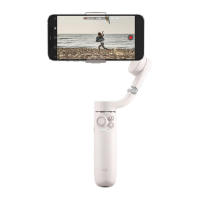
The gimbal's on-board controls include a Side Wheel for focus and zoom control, a Joystick for precise pan and tilt adjustments, and a Shutter/Record Button for capturing photos and starting/stopping video recording. A Switch Button allows for quick toggling between front and rear cameras, landscape and portrait modes, and photo and record modes. The Trigger button offers quick access to ActiveTrack 5.0, recentering the gimbal, adjusting follow speed, and entering lock mode.
To begin, the Osmo Mobile 6 needs to be charged using a USB adapter (not included) connected to its USB-C charging port. The battery level indicator on the status panel will turn off when fully charged. Once charged, unfold the gimbal, and it will automatically power on.
The magnetic phone clamp is designed for quick and secure attachment. Place the clamp in the center of your phone, ensuring the camera mark on the clamp points towards your phone's camera. The clamp is stretchable to accommodate various phone widths. Align the marks on the phone clamp and the gimbal's mounting plate, then attach the phone. The gimbal mode indicator on the status panel will light up once stabilized. For optimal performance, ensure the magnetic phone clamp is centered on the phone, and the clamp arms are evenly spaced. Anti-slip pads are provided to further secure the mobile phone. If the magnets are not aligned, the status indicator will pulse red, prompting adjustment of the clamp's position.
The built-in extension rod can be extended up to 215 mm, and its angle can be adjusted from 0 to 90 degrees, offering greater flexibility for high-angle or selfie shots.
The status panel provides crucial information, including the System Status Indicator (indicating magnetic alignment, Bluetooth connection, standby mode, firmware update status, or abnormal status) and the Battery Level Indicator (showing battery percentage). It also displays the current Gimbal Mode.
The DJI Mimo app is central to the Osmo Mobile 6 experience. After powering on the gimbal and enabling Bluetooth on your phone, connect to the device with an "OM6" prefix name in DJI Mimo. The app will prompt for necessary permissions and require an internet connection for activation. Once activated, the app enters camera view, providing a live HD video feed.
The app offers various features:
Firmware updates are performed via the DJI Mimo app. Before updating, ensure the gimbal's battery level indicator shows green or yellow. Connect the Osmo Mobile 6 to your mobile device and launch DJI Mimo. The app will notify you of available updates. Connect your mobile device to the internet and follow the on-screen instructions. It's crucial not to exit DJI Mimo during the update. The system status indicator will blink green and red alternately and turn solid green upon successful completion. If an update fails, restart DJI Mimo, reconnect Bluetooth, and retry.
The Osmo Mobile 6 is designed for compact storage and transportation. After powering off, fully retract the built-in extension rod. Then, rotate the pan and tilt axes as shown in the manual to fold the gimbal. Ensure the mark on the axis arm slots into the hole on the handle, and rotate the pan axis to lock it in place.
To reset the Bluetooth name and connection, and reconnect, simultaneously press the switch button, shutter/record button, and trigger for more than one second.
The Osmo Mobile 6 will automatically power off if there is no operation for three minutes while in standby mode, helping to conserve battery life.
 General
| Type | Hand camera stabilizer |
|---|---|
| Foldable | Yes |
| Material | - |
| Pan range | -161.64 - 173.79 ° |
| Product color | Black |
| Tilt angle range | -101.64 - 78.55 ° |
| Maximum device width | 84 mm |
| Minimum device width | 67 mm |
| Bluetooth version | 5.1 |
| Charging time | 1.4 h |
| Operating time | 6.4 h |
| Battery capacity | 1000 mAh |
| Storage temperature (T-T) | 5 - 40 °C |
| Operating temperature (T-T) | 0 - 40 °C |
 Weight and Dimensions
| Depth | 276 mm |
|---|---|
| Width | 111.5 mm |
| Height | 99 mm |
| Weight | 72 g |
| Dimensions folded (WxDxH) | 84.5 x 189 x 44 mm |


 To Next Page