DJI RS 3 Pro User Manual
©
2022 DJI All Rights Reserved.
9
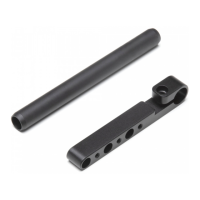
2. Attach the Lower Quick-Release Plate and Lens-Fastening Support
Toggle the lever on the lower quick-release plate to the unlocked position
, then insert the camera
and toggle the lever to the locked position after it is engaged. Attach the lens-fastening
support to the lower quick-release plate
.
It is recommended to use the lens-fastening support when using a long or heavy lens, and always
use the lens-fastening support before enabling SuperSmooth mode.
To remove the camera from the lower quick-release plate, toggle the lever to the unlocked position
and remove the camera while pressing the safety lock beside the lever.
1
2
3
4
Safety Lock
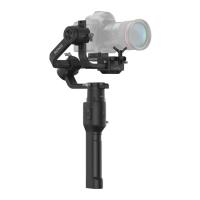
3. Attach the Camera to the Gimbal
Toggle the lever on the camera mounting plate to the unlocked position
and insert the lower quick-
release plate
. Toggle the lever to the locked position once the camera is roughly balanced.
1
2
3


 To Next Page