16
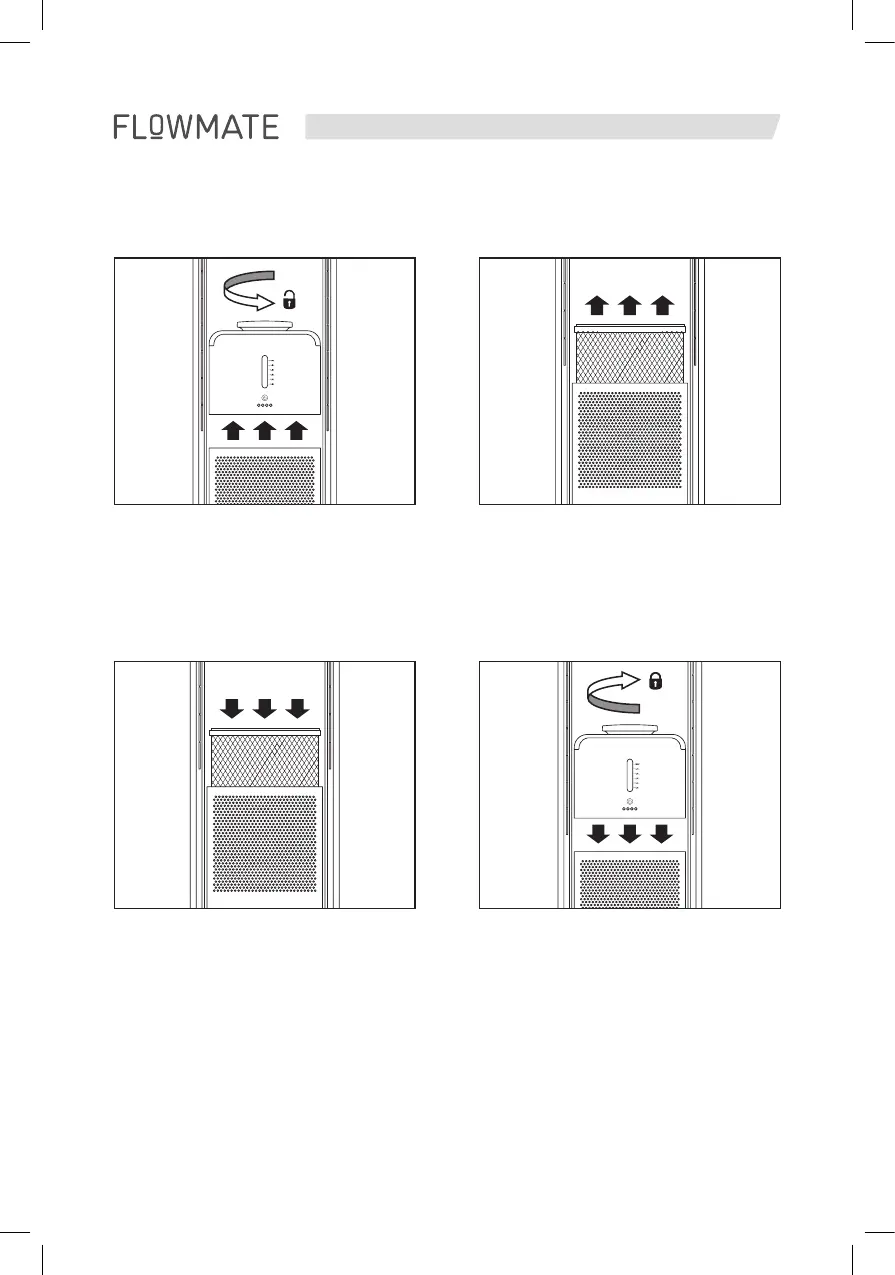
3. Unpack the new filter and attach it
to the cover (snaps in, no screwing)
4. Finally put the cover with the
attached filter back in place until
it magnetically snaps to the main
body.
NOTE
The smooth side of the filter cover
faces forward.
1. Lift the cover with the attached
filter carefully. The cover attaches
magnetically to the main body.
2. Remove the old filter carefully from
the cover with minimal effort.
HOW TO INSTALL OR REPLACE THE HEPA 14 AIR CLEANING FILTER


 To Next Page