DK-1100A Ink Roll Coder Operation Manual
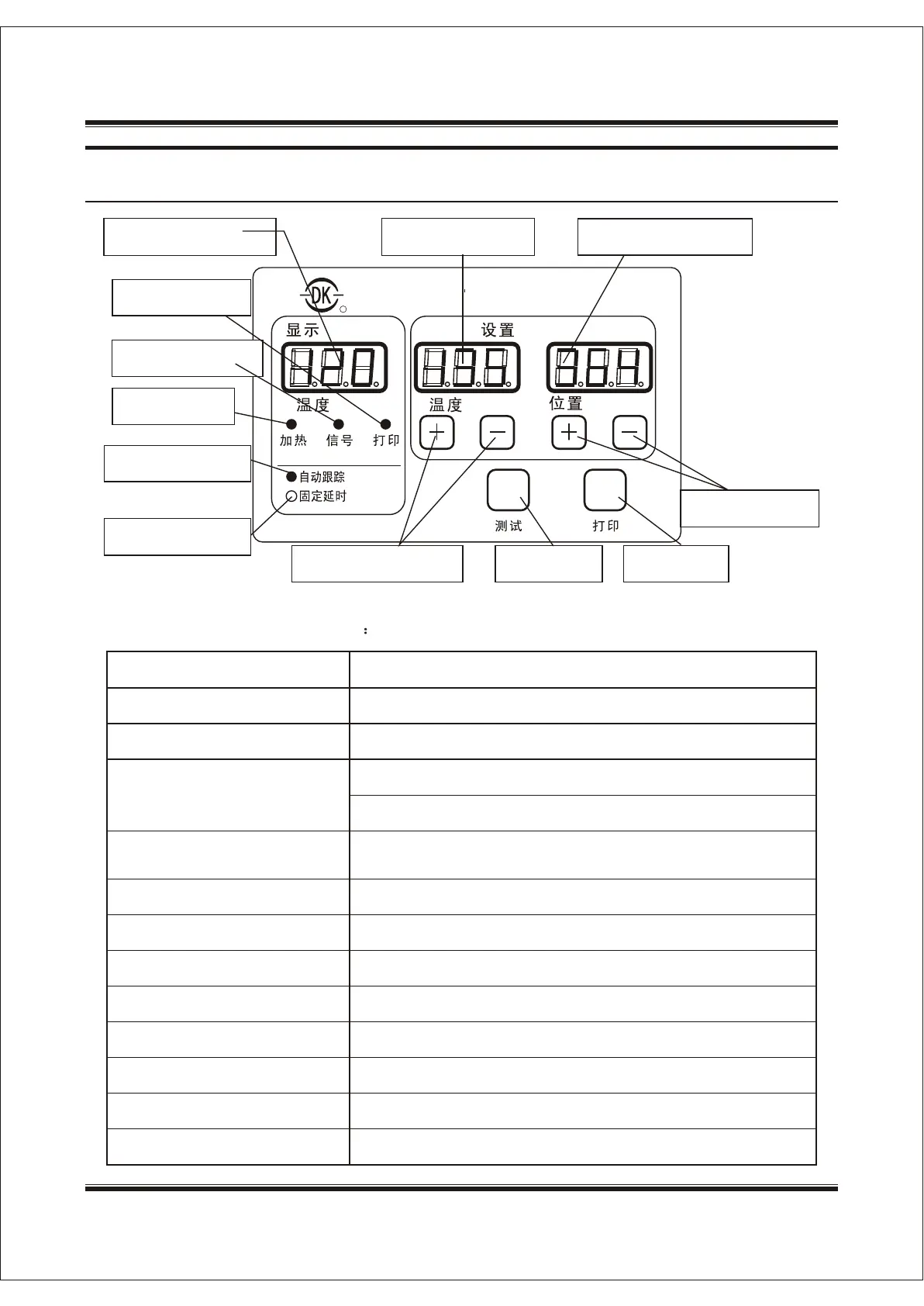
3.5 Instruction on the Control Box
Current temperature
RR
DK-1100A
Print indicator
Signal indicator
Heat Indicator
Auto Track Indicator
Fix Delay Indicator
Set temperature
Print Delay Position
TMP Setting Button
Test Button
Print Button
Print Position
Display Setting
TMP.
Position
TMP.
Heat
Signal
Print
Test Print
Auto Track
Fix Delay
The following is the description of functionsThe following is the description of functions
Menu Items
Function Description
Temperature display
Set temperature display
Print delay position display
Print indicator light
Signal indicator light
Heat Indicator light
Auto-track indicator light
Fix delay indicator light
Temperature setting button
Print position setting button
Display current actual temperature
Display the setting temperature
In fix delay mode: delayed time ; the unit is ms
In auto-track mode: delayed percentage
Print indicator light is on when coder is opened and will be off
when coder is closed
Signal light will flash upon receipt of a print signal
When the machine is heating, heat indicator light will be on
The light will be on when it is in auto-track mode
The light will be on when it is in fix delay mode
To set the operating temperature for the heater block
Set the print position
Print button
Test button
Start or stop automatic print status
In standby mode, press the button and one print is completed
SHANGHAI DIKAI SEPARATE MACHINERY CO., LTD.SHANGHAI DIKAI SEPARATE MACHINERY CO., LTD.3-193-19


 To Next Page