EasyManua.ls Logo

dk DK-1100A - User Manual

dk DK-1100A
27 pages
Print Icon
To Next Page IconTo Next Page
Loading...
RR
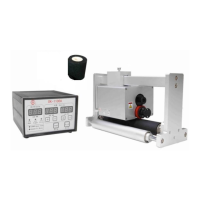
DK-1100A Ink Roll Coder
Operation Manual
SHANGHAI DIXIAO CODING INDUSTRY CO., LTD.
SHANGHAI DIKAI SEPARATE MACHINERY CO., LTD.
Add: 6F, NO.2 Building, 32# Wudong Rd,
Haida Industry Zone, Shanghai 200433, China
Tel : 86-21-51086700
Fax: 86-21-55663921, 65103402

Questions and Answers

Summary

1. GENERAL & SAFETY INFORMATION

1.1 General Information

Introduces the handbook's purpose and provides contact information for support.

1.2 Safety Information

Safety Warnings and Precautions

Details critical safety warnings including electrical, operational, and handling hazards.

Safety Labels Explained

Electrical Hazard Warning Label

Explains the electrical warning label on the control box.

Hot Surface Warning Label

Explains the hot surface warning label on the print head.

Power Disconnect Before Repair Label

Explains the symbol warning to disconnect power before repair.

Ground Connection Warning Label

Explains the symbol warning for proper ground connection.

2. PRODUCT DESCRIPTION

Key Features

Lists key features like stable printing, less mechanism consumption, compact size, and simple installation.

2.1 Working System

Operational Diagram

Illustrates the interaction of hot ink roll, types, and packaging film during operation.

2.2 Dimensional Drawing of Bracket

Bracket Dimensions

Shows the physical dimensions of the mounting bracket with detailed measurements.

2.3 Dimensional Drawing of Print Head

Print Head Dimensions

Displays the physical dimensions of the print head unit with detailed measurements.

2.4 Machine Specifications

Print Area and Lines

Specifies print area dimensions, printing lines, and character limits.

Speed and Pouch Length

Details cycle rate, surface speed, and minimum pouch lengths for operation.

Electrical and Environmental

Covers power requirements, operating temperature, and humidity levels.

Dimensions and Weight

Lists physical dimensions and weights of the print head and control box.

3. INSTALLATION AND RELOCATION

3.1 Installation Requirements

Lists prerequisites for installing the printer, including power and signal.

Checking Type Holder Home Position

Details how to check the initial position of the type holder before printing.

Print Head and Control Box Installation

Mounting the DK-1100 A Print Head

Instructions for physically attaching the print head to the packaging machine.

Installing the Control Box

Guidance on placing the control box away from harsh environments and connecting cables.

3.1.5 Print Signals

Signal Input Methods

Explains using proximity sensors, photo sensors, or PLC for print signal input.

Signal Type Configuration

Shows DIP switch settings for different signal types (NPN, PNP, PLC).

3.1.6 Control Box Inter-configuration Diagram

Wiring Diagram and Connections

Illustrates the internal wiring and component connections within the control box.

3.1.7 Interfaces for External Signal, Encoder and Fault Output Signal

Power Interface Details

Details pinout and color coding for the AC 220V power interface.

Sensor Interface Details

Explains connections and color coding for the sensor interface.

Drive Interface Details

Details pinout and color coding for the drive interface.

3.2 Relocation

Checking Type Holder Position

Re-checks the type holder position after initial setup for proper contact.

Adjusting Pressure Roller and Rubber Wheel

Adjusts pressure and parallelism between rollers for clear prints.

3.2.3 Adjusting Ink Roll and Type Pressure

Ink Roll to Type Pressure Adjustment

Adjusts pressure between the ink roll and types for optimal print quality.

Changing Date Numbers

Instructions for installing and securing types on the type holder.

Replacing the Hot Ink Roll

Step-by-step guide for replacing the hot ink roll unit.

3.5 Instruction on the Control Box

Control Box Interface Overview

Identifies buttons and displays on the control box for operation.

Function Descriptions

Details the purpose of each menu item, indicator light, and button function.

4. TROUBLE-SHOOTING

Troubleshooting Action List

A table listing common symptoms, their causes, and recommended actions for resolution.

5. ROUTINE MAINTENANCE

Cleaning and Upkeep Procedures

Instructions for regular cleaning of the type holder and heater block.

Tool Usage Warning

Warning against using inappropriate tools for cleaning ink accumulations to prevent damage.

6. SCHEMATICS AND PARTS ILLUSTRATIONS

Control Box Parts Identification

Lists parts of the control box with item numbers, part numbers, and descriptions.

Type Holder and Bracket Assembly Parts

Type Holder Assembly Components

Lists various parts of the type holder assembly, including wheels and retainers.

Bracket and Print Head Components

Lists parts related to mounting brackets and print head assemblies.

Detailed Component Breakdown

Exploded View of Machine Parts

Provides a detailed exploded view of numerous machine parts with identification numbers.

7. MANUAL REVISION EXPLANATION

Revision History

Details the history of manual updates, including dates, editions, and revision content.

8. DK Hot ink roll introduction and method of application

Hot Ink Roll Product Information

Introduces characteristics, temperature ranges, and features of different hot ink rolls.

Usage Guidelines for Hot Ink Rolls

Provides guidance on selecting, setting temperature, and using hot ink rolls for optimal performance.

9. MAINTENANCE CARD

Maintenance Record Form

Provides a form for recording customer details, model, and fault description for maintenance.

Warranty Information Form

Provides a form for warranty receipt, including purchase details and channel.

dk DK-1100A Specifications

General IconGeneral
Branddk
ModelDK-1100A
CategoryMedia Converter
LanguageEnglish