DK-1100A Ink Roll Coder Operation Manual
3.2 Relocation
3.2.1 Check the Home Position of Type Holder
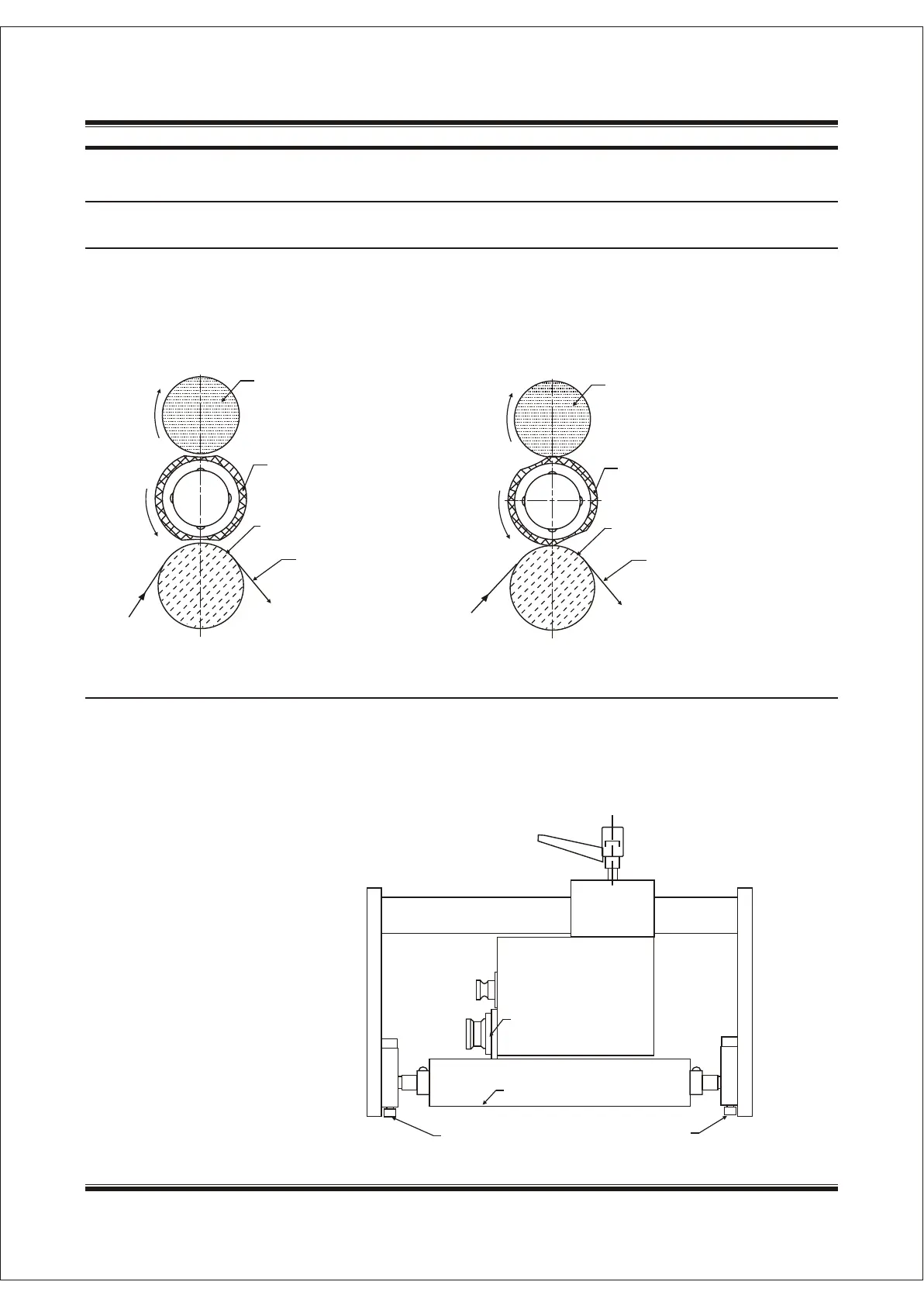
In the initiate position, any one of grooves around the type holder is faced to the pressure roller, no
contact (as diagram 10). After getting the print signal, the type holder contacts pressure roller reliably (as
diagram 11), to complete one print. Failure to do so can result in the failed or missed prints (it can
relocate the pressure between rubber wheel and pressure roller to get the clear prints, refer to 3.2.2).
3.2.2 Relocating the Pressure between Pressure Roller and Rubber Wheel
Ink RollInk Roll
Typr RubberTypr Rubber
Rubber RollerRubber Roller
FilmFilm
Diagram 10 Diagram 11
Ink RollInk Roll
Typr RubberTypr Rubber
Rubber RollerRubber Roller
FilmFilm
As diagram 12, the pressure and parallelism between pressure roller and rubber wheel can be
relocated by adjusting the screws and the horizontal position of adjusting wedges. This relocation makes
the correct position between pressure roller and rubber wheel, to get legible prints. When relocating, the
operator can press the test button in the control box to make type holder rotate and check whether the
pressure and position is correct.
Diagram 12
Adjusting wedge
Type HolderType Holder
Rubber RollerRubber Roller
Adjust screwAdjust screw
Adjust screwAdjust screw
SHANGHAI DIKAI SEPARATE MACHINERY CO., LTD.SHANGHAI DIKAI SEPARATE MACHINERY CO., LTD.3-173-17


 To Next Page