37
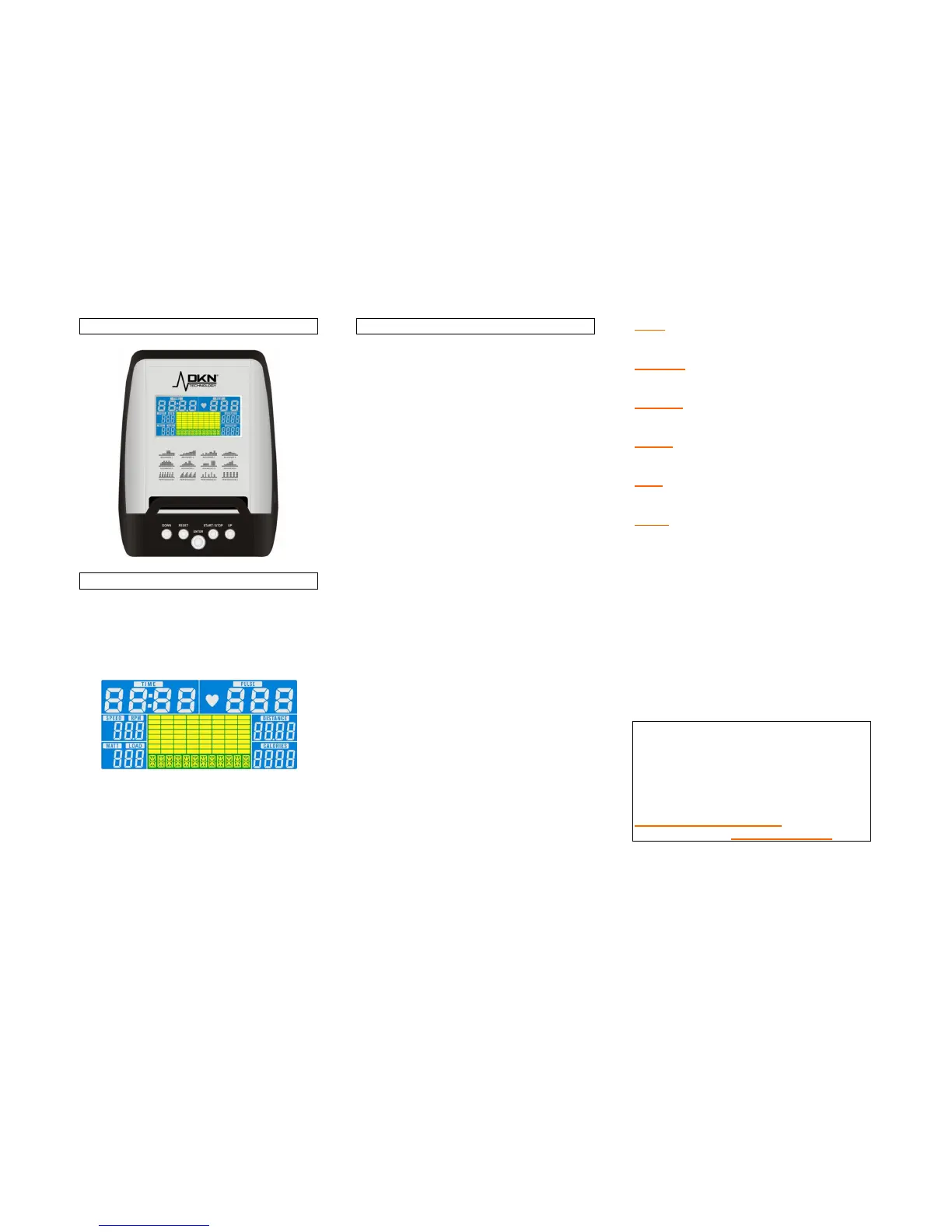
Operating Instructions Computer
Switch on
Connect the power adapter, slide the switch to
on-position, select user 1 to 4 with UP/DOWN
and press ENTER to confirm.
Program user data (gender, age, height and
weight) using UP/DOWN/ENTER.
Press ENTER to proceed to landing
page( MANUAL, PROGRAM (beginner,
advanced or performance) WATT, and
CARDIO).
Function buttons and descriptions
ENTER
Press to comfirm data entry.
ST/STOP
To start or stop the exercise
program.
RESET
To clear the display and
reset all data.
UP
To select upward function.
DOWN
To select downward function.
Time:
Displays exercise time.
Distance:
Displays exercise distance.
Calories:
Displays calorieburn.
Speed:
Displays speed in km/h.
Watt:
Displays generated energy in WATT.
Pulse:
Hold firmly both sensors on the handgrip
(please wipe sensors and hands before
starting measuring your pulse) or apply
optional cheststrap (moisten slightly the
contacts of the strap).
Your current heart rate will be displayed within
30 seconds up to one minute.
A stable figure requires to hold both sensors
firmly.
A chest belt transmitter is compulsary for
HR training.
Your computer is compatible with the
optional chest transmitter (ref 20073),
for integrated wireless heart rate
registration.
For any questions please do contact
your DKN dealer, or visit our website
www.DKN-Technology.com, or ask for
more information info@ds-design.be


 To Next Page