Operating Instructions Computer
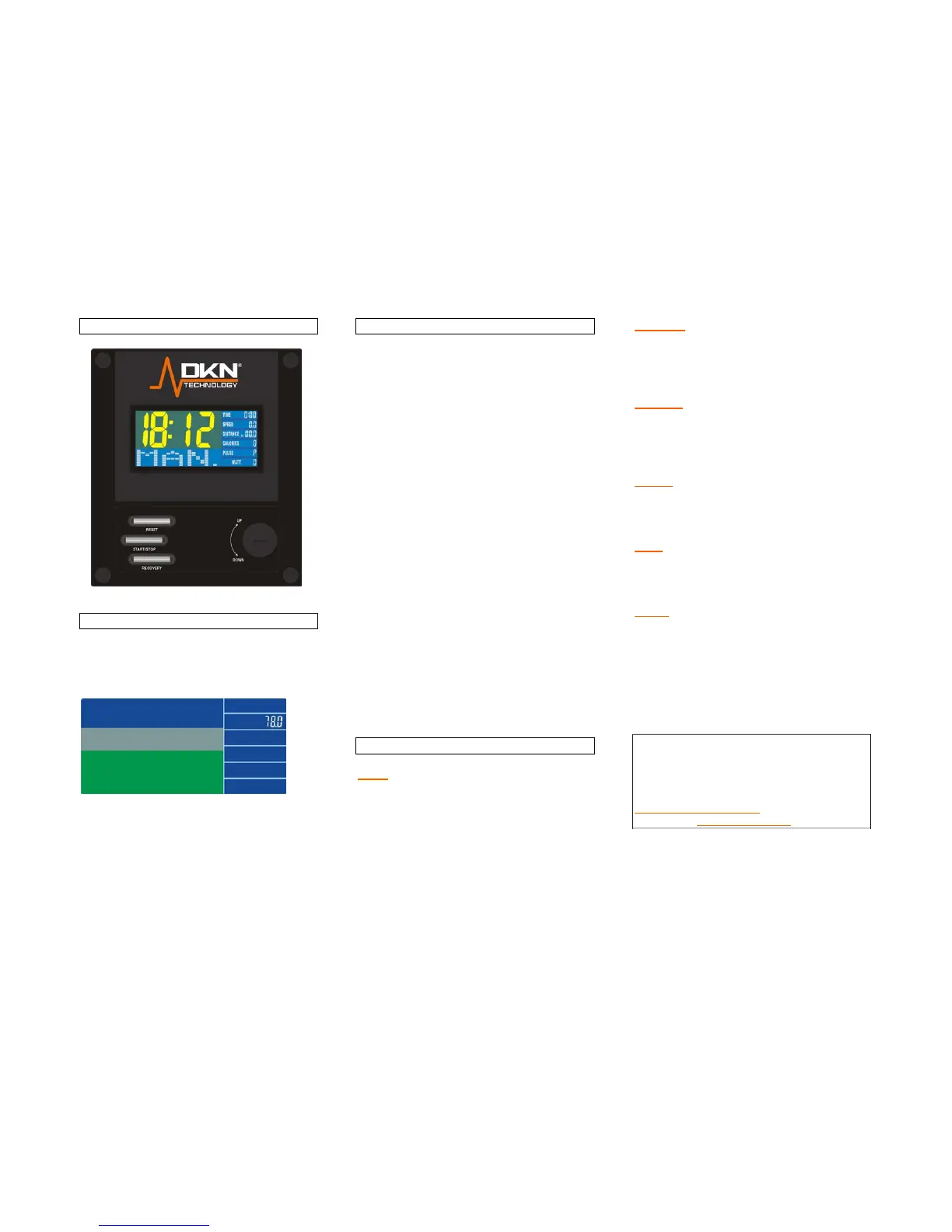
Switch on
After applying power and/or after pressing any
button the display will be blinking for some
seconds showing the figure 78, while running
selftest ENTER as shown below.
Next enter the calendar setting. Use twist-dial
to enter the year, confirm pushing ENTER.
Follow same procedure to enter month, day
and clock.
Function buttons
ENTER Press to select any function to
be displayed on the main
screen.
ST/STOP To start or stop the exercise
program.
RECOVERY Press this button for recovery
function: After exercising, while
the LCD is still active, press
recovery button, and hold both
sensors (or wear the chest
transmitter) The computer will
run a time down for 60
seconds, after which your
recovery rate will be displayed,
grades 1 up to 6. Level 1
featuring fast recovery, level 6
slow recovery.
RESET To clear the display and reset
all data.
TOTAL RESET Repowering the display
UP To select upward function.
DOWN To select downward function
Function description
Time:
Displays time function by pressing the ENTER
button
(marking – flashes in “TIME” lcd window). For
countdown enter rate in minutes by turning the
twist-dial.
Distance:
Displays distance function by pressing the
ENTER button (marking – flashes in
“DISTANCE” lcd window). For countdown
enter rate in km by turning the twist-dial.
Calories:
Displays calorieburn function by pressing the
ENTER button (marking – flashes in
“CALORIE” lcd window). For countdown enter
rate by turning the twist-dial.
Speed:
Displays speed function by turning the ENTER
button (marking – flashes in “SPEED” lcd
window).
Watt:
Displays power value function by pressing the
ENTER button (marking – flashes in “WATT”
lcd window.)
Pulse:
Hold firmly both sensors on the handgrip
(please wipe sensors and hands before
starting measuring your pulse) or apply
optional cheststrap (moisten slightly the
contacts of the strap). Your current heart rate
will be displayed within 30 seconds up to one
minute. A stable figure requires to hold both
sensors firmly.
Your computer is compatible with the
optional chest transmitter (ref 20073), for
integrated wireless heart rate registration.
For any questions please do contact your
DKN dealer, or visit our website
www.DKN-Technology.com, or ask for more
information: info@ds-design.be


 To Next Page
 Loading...