38
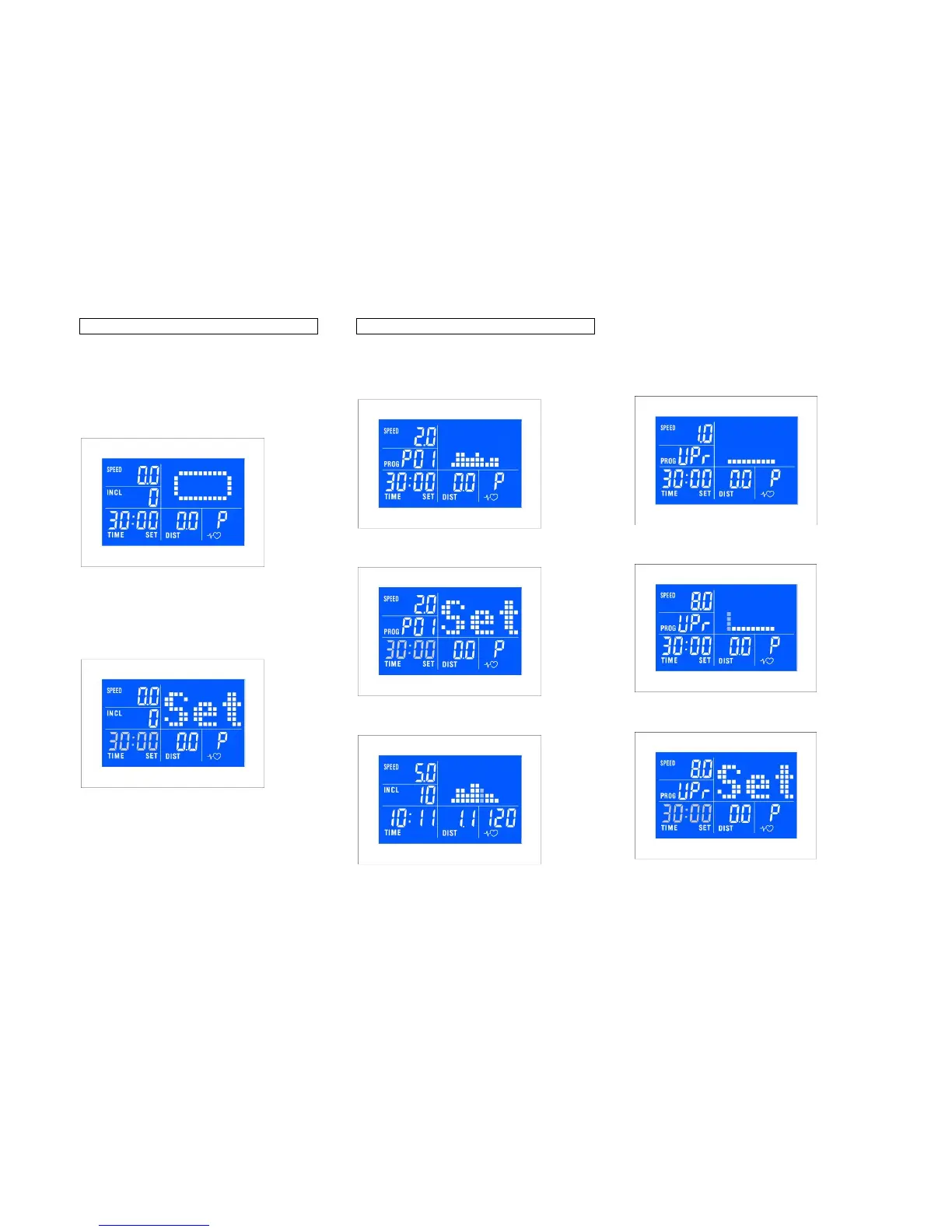
Manual menu
Quickstart mode:
Press START, use / buttons to adjust
values. Matrix shows a 400 m running track.
Adjust Speed and Incline using / buttons or
the hot kets.
Countdown mode:
Press SELECT to select time, distance and
calories, and set data using / . Press
ENTER to confirm selection.
Press START to begin exercising.
The exercise will stop once one of the set
parameters is reached.
Program menu
Preset runs:
Use SELECT button to choose program press
ENTER to confirm selection.
Press ENTER to set time, use / buttons to
adjust values, press ENTER to confirm.
Press START to begin exercising. Total
runtime is set over 10 time segments.
User program:
Use SELECT button to choose UPr, press
ENTER to confirm selection.
Use / buttons to program speed and incline
for each segment, press ENTER to confirm.
Use / buttons to program total exercise
time and distance, press ENTER and START.



 To Next Page