EasyManua.ls Logo

DLS CAD11 - User Manual

DLS CAD11
12 pages
Print Icon
To Next Page IconTo Next Page
Loading...
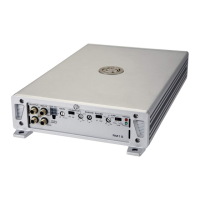
How to install and operate
the
DLS CAD11
&
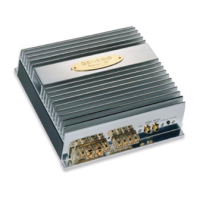
DLS CAD15
digital mono amplifiers
Welcome!
This owners manual is written in easy english and
uses a lot of drawings to simply the installation and
use of the above amplifier.
Your DLS amplifier must be installed correctly in or-
der to work well. This manual will show you how to
install the amplifier like a pro. Please read the entire
manual before beginning the installation.
Install the amplifier yourself if you feel confident with
our instructions and if you have the proper tools.
However if you feel unsure, turn over the installa-
tion job to someone better suited to it.
Warranty Service
This amplifier is covered by warranty, depending
on the conditions in the country where it is sold. If
the amplifier is returned for service, please include
the original dated receipt with the product.
Technical Assistance
For technical assistance ask the shop where the
product was sold or the distributor in your very coun-
try.
You can always phone the DLS Helpdesk in Sweden
+ 46 31 84 00 60 or send an e-mail to info@dls.se.
Information can also be found on our WEB-site
www.dls.se
Contents
Specifications................................ 1
Features…………………………….. 2
Installation…………………….……. 2
Tools and materials needed………. 3
Amplifier installation kit………….... 3
Routing Wires…………………….... 3
Wiring
Power and Outputs……………..…. 4
Inputs and controls………………... 5
Input level control.......................... 5
Crossovers…………...................... 5
Phase control.....………………...… 5
Bass boost control......................... 6
Remote bass level control............. 6
Speaker wiring:
Single amplifier system………….…. 6
Testing............................................. 6
Bridging two CAD11......................... 7
Bridging two CAD15........................ 8
Subwoofer connections…………….. 9
Professional tips............................... 10
Technical data.................................. 11
Trouble shooting.............................. 11
DLS Svenska AB
P.O. Box 13029
S-40251 Göteborg, Sweden
Tel: +46 31 840060
Fax: +46 31 844021
E-mail: info@dls.se
www.dls.se
DLS Svenska AB - 2007-01-10
We follow a policy of continuous advancement in
development. For this reason all or part of specifications
& designs may be changed without prior notice.
Approval of electromagnetic compatability according
to the EEC Directive 95/54/EC
E 13 CAD15 approval No: 022944
CAD11 approval No: 022495

Questions and Answers

  • J
    Julie CollinsAug 10, 2025
    What to do if my DLS Amplifier is dead?
    • K
      kristymooreAug 10, 2025
      If your DLS Amplifier is completely unresponsive, start by using a multi meter to inspect the power lead, ground, and connections at the amplifier itself. Then, check the battery terminal connections and the power lead fuse or circuit breaker. If the fuse continues to fail, examine the power lead for any short circuits. Also, verify the amplifier protection fuses and replace them with new ones of the same value if they are broken. If short circuiting persists, it's recommended to contact your local DLS dealer. Finally, ensure the amplifier is receiving a remote voltage of 9-15 volts, using a multi meter to check.
  • F
    Frances BakerAug 18, 2025
    Why does my DLS CAD11 turn off after 10-30 minutes?
    • C
      Christopher RodriguezAug 18, 2025
      If you're experiencing the DLS Amplifier turning off after a short period (10-30 minutes), the issue might be due to overheating caused by poor ventilation. Try moving the amplifier to a location with improved airflow. Additionally, consider installing one or two fans to help cool down the heat-sink. Overheating can also be caused by an impedance load below the level permitted.
  • D
    Daniel HardingAug 25, 2025
    What to do if DLS CAD11 protection fuse blows at low volume?
    • K
      Krystal RamirezAug 26, 2025
      If the protection fuse in your DLS Amplifier blows even at low volume levels, it's likely that one or more of the speaker cables are shorted. Use a multi meter to perform an insulation test, ensuring that the cables do not have a connection to earth.
  • S
    Shawn ConnerSep 2, 2025
    How to fix no output from the speakers of my DLS Amplifier?
    • H
      Heather KirkSep 2, 2025
      If there's no output from the speakers connected to your DLS Amplifier, first check the speaker cable connections at both the amplifier and the subwoofers. Next, inspect the signal lead plugs and cables for any issues.

Summary

Installation

Disconnect Battery

Always disconnect the negative terminal of the battery before starting installation.

Wiring

Input and controls

Testing

Reconnect Battery

Reconnect the battery negative terminal after completing wiring.

Test power wiring

Check amplifier power light and speaker output after turning on the head unit.

Bridging two CAD11

Bridging two CAD11

Connecting two CAD11 amplifiers in bridge mode to double output power.

Bridging two CAD15

Bridging two CAD15

Connecting two CAD15 amplifiers in bridge mode to double output power.

Master slave selector & Data link connection

Connecting two amplifiers using Master/Slave setup via Data Link cable.

Subwoofer connections

CONNECTION OF SUBWOOFERS TO DLS MONO AMPS

Diagrams showing how to connect subwoofers for various impedances (4, 2, 1 ohm).

Specifications

DLS PERFORMANCE

Table detailing performance specifications for CAD11 and CAD15 models.

Troubleshooting

The amplifier is dead:

Steps to diagnose and fix a completely dead amplifier, checking power and connections.

Amplifier protection fuse blows at low volume:

Diagnosing shorted speaker cables causing protection fuses to blow.

The amplifier turns off after 10-30 minutes:

Troubleshooting overheating issues due to poor ventilation or impedance load.

DLS CAD11 Specifications

General IconGeneral
BrandDLS
ModelCAD11
CategoryAmplifier
LanguageEnglish

Related product manuals