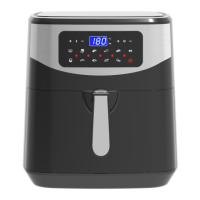
Selecting the “ ” Synchronous motor Key, 25“ ” icon light control panel, Can drive
the accessories to cage and chicken breast meat fork 360 ° rotation, make food taste
more even more heated.
Key 3
–Preset Key
Selecting the “
” Preset key enables you to scroll through the 8 popular food choices.
Once selected, the predetermined time and cooking temperature function begins.
Key 4
–Floodlight Key
Selecting the “
”Can light up inside the wall, can clearly see food status inside the
machine.
Key 5
& Key 6 –Temperature adjust Key
Key 7
& Key 8 –Timer adjust Key
Selecting the Key 5 and Key 6 symbols enable you to add or decrease cooking
temperature 5℃ at a time. Keeping the Key held down will rapidly change the
temperature. Temperature Control range: 80℃-200℃.
Selecting the Key 7
and Key 8 symbols enable you to add or decrease cooking
time, one minute at a time. Keeping the key held down will rapidly change the time
Indicator light “9” Adjustment time is “7” and “8”
Indicator light “10 ”Adjust the temperature is “5” and “6”
Indicator light “11 ”Temperature indicator
Indicator light “12”Timer indicator
Indicator light “13 ” Temperature light
Indicator light “14 ” Timer light
Indicator light “15”working” indicator
Indicator light “16-24 ”Recipe indicator
Settings
This table below will help you to select the basic settings for the ingredients.



 To Next Page