- 5 -
INTRODUCTION
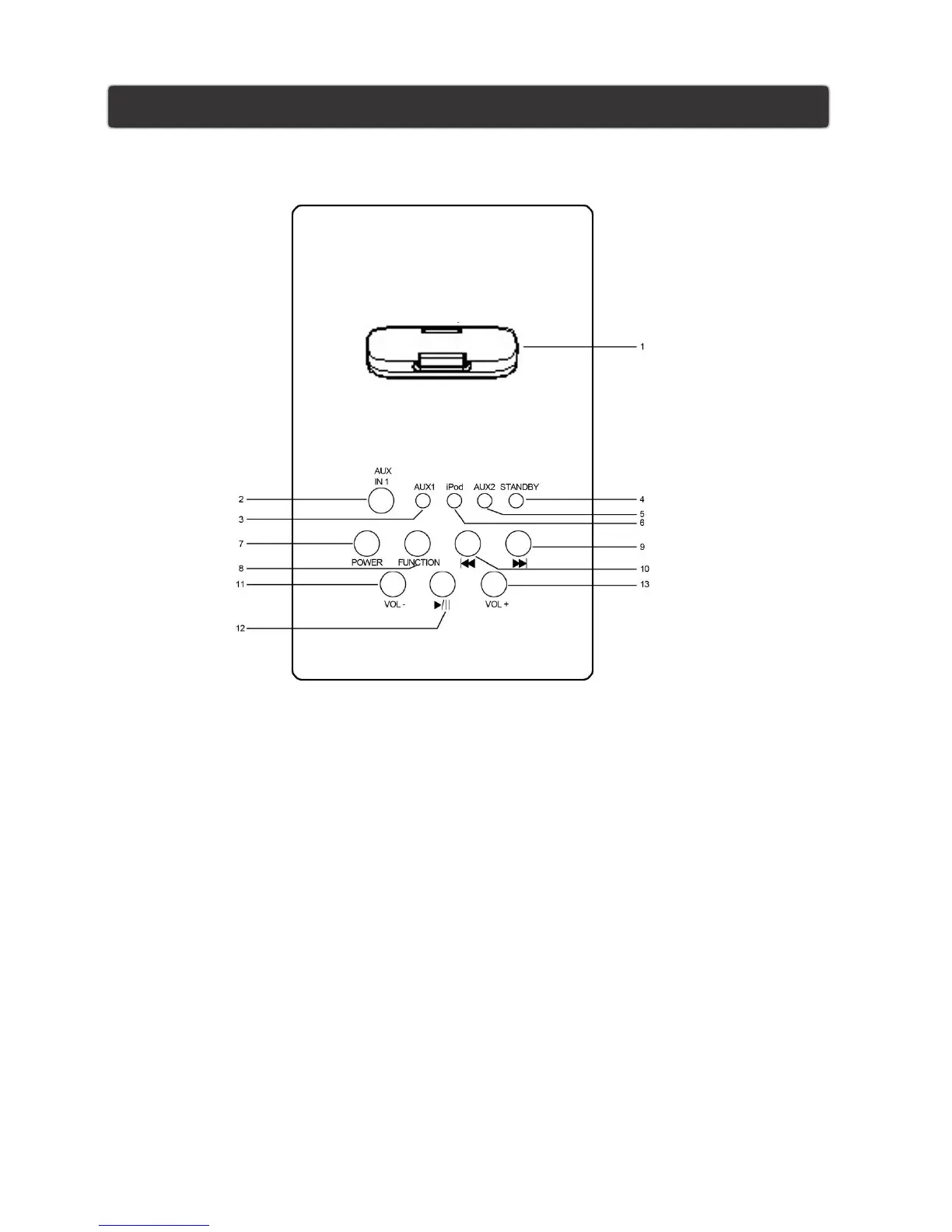
TOP PANEL
1. iPhone /iPod DOCK
3. LED for Aux 1
5. LED for Aux 2
7. Power
Press to turn the tower on and off
9. Skip Forward
Press to skip forward tracks or chapter on iPod or iPhone
Press and hold to fastward content from a docked iPhone/iPod
11. Volume-
Press to Volume down
13. Play/Pause
Press to play or pause a docked iPhone or iPod
2. Aux in 1 Jack
4. LED for Standby
6. LED for iPhone/iPod
8. Function
Press to Switch between iPod or iPhone mode, Aux 1
mode, Aux 2 mode
10. Skip Backward
Press to skip backward tracks or chapter on iPod or
Press to Volume up
iPhone
Press and hold to rewind content from a docked
iPhone/iPod
12. Volume +


 To Next Page