- 7 -
Remote Control
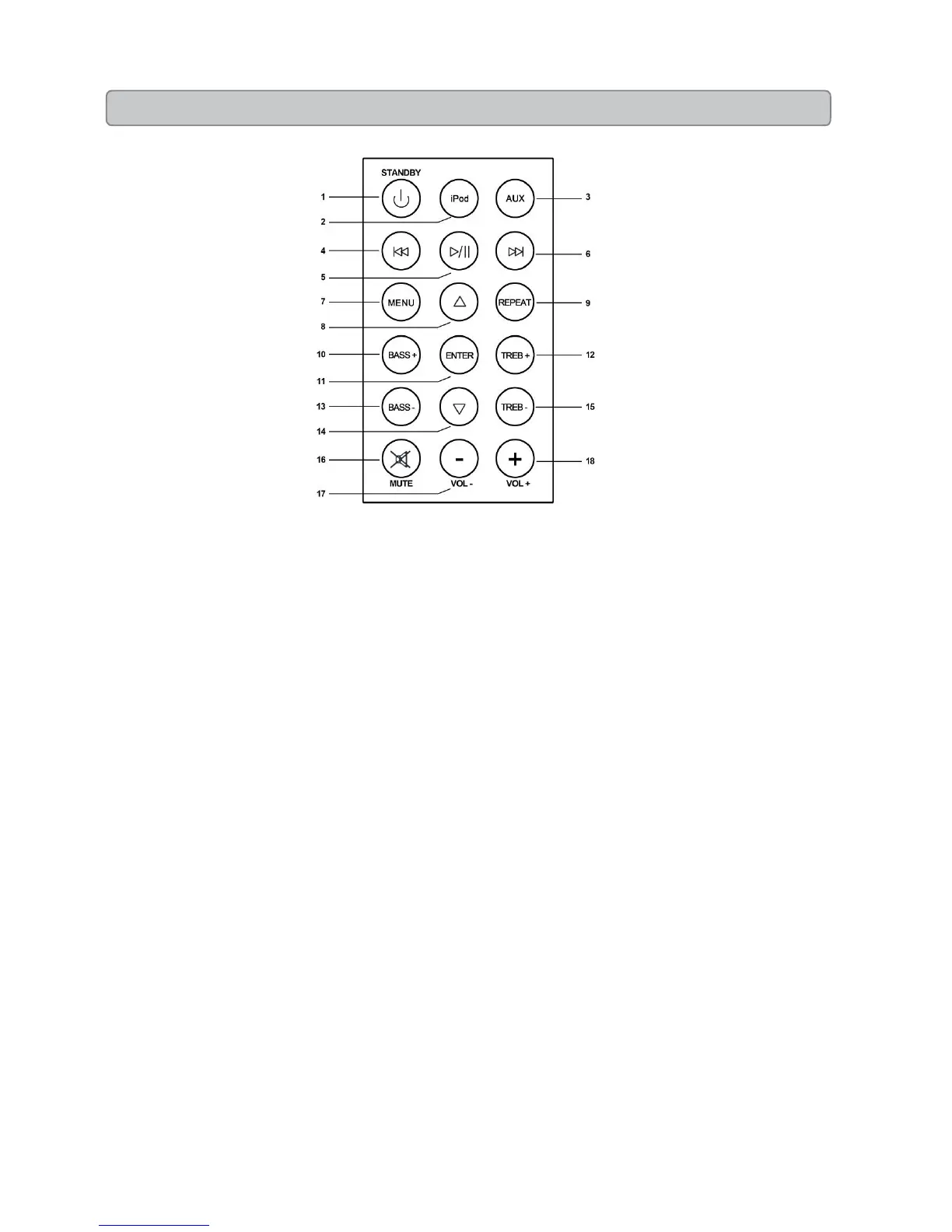
1. STANDBY
Press to turn the tower off or on.
2. IPOD
Press to play docked iPhone or iPod.
3. AUX
Press to one time to play the source from Aux in 1, press twice to
play the source from Aux in 2.
4. SKIP BACKWARD
Press to skip backward the tracks or chapters on iPhone/iPod
Press and hold to rewind content from a docked iPhone/iPod
5. PLAY/PAUSE
Press to PLAY/PAUSE .
6. SKIP FORWARD
Press to skip forward the tracks or chapters on iPhone/iPod
Press and hold to fastward content from a docked iPhone/iPod
7. MENU
Press in iPhone/iPod mode to navigate the various feature of menu
of iPod/iPhone.
8. SCROLL UP
Press to scroll up on the menu of iPod/iPhone
9. REPEAT
Press to repeat a track or chapter on iPod/iPhone
10. BASS +
Press to adjust the level of Bass output from the tower
11. ENTER
Press to confirm the menu of iPod/iPhone
12. TREB +
Press to adjust the level of treble output from the tower.
13. BASS-
Press to adjust the level of Bass output from the tower.
14. SCROLL DOWN
Press to scroll down on the menu of iPod/iPhone
15. TREB -
Press to adjust the level of treble output from the tower
16. MUTE
Press to mute the volume
17. VOLUME -
Press to volume down
18. VOLUME +
Press to volume up.


 To Next Page