AV audio input and adjust sensitivity of audio
User Manual
3/7
Number
1
2
3
4
5
6
8
Description
Input Voltage
DMX OUT
RS232
PANEL/CENTRAL
AUDIO
AUDIO & MIC
IN RECORD
Function
AC 88~256V 50/60Hz
Used to send DMX512 signal to the fixture
RS232 connect central control
Rj45 connector, connecting central control or touch panel
Used to record DMX512 signal to the Recorder
7
MIC
Microphone pickup,adjust Microphone's sensitivity
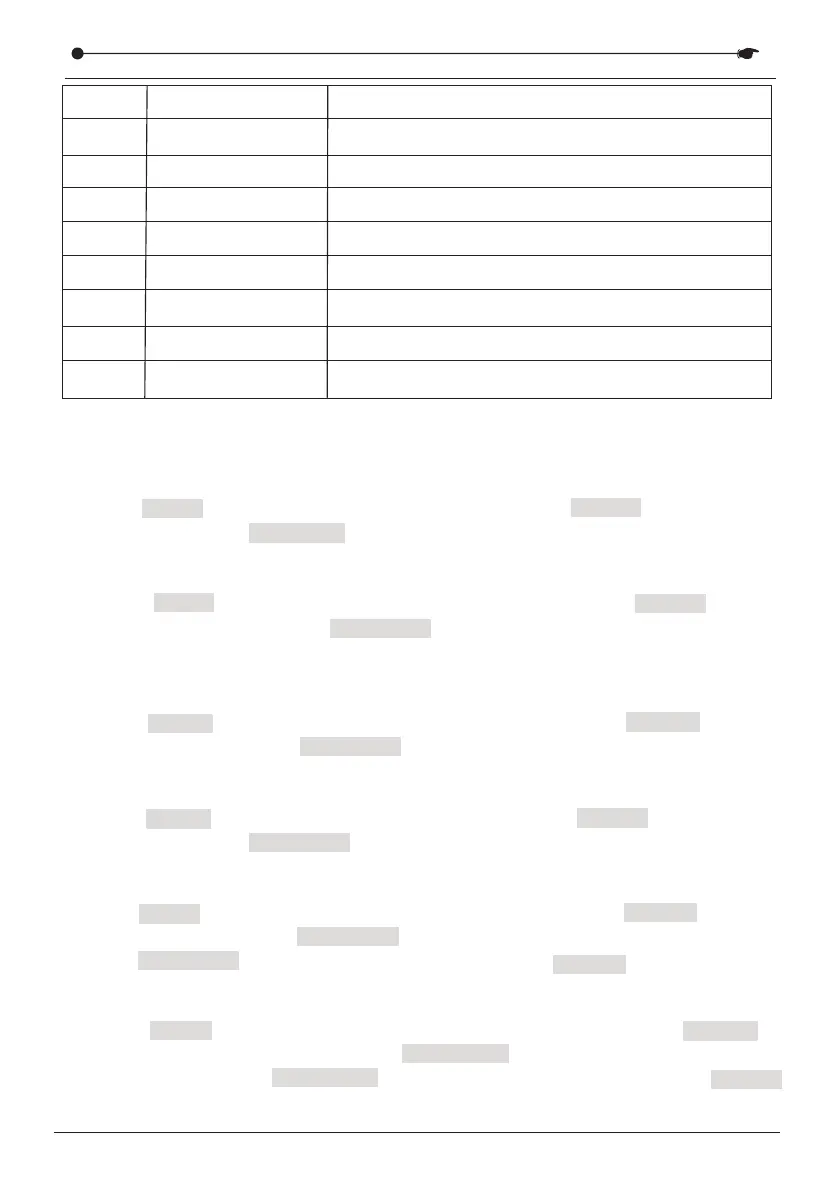
1.Unit ID—Address of central control
Press MENU button to select menu “1.Unit ID”, press ENTER button to enter
it, and then press UP/DOWN button to set up unit ID 001-008.
VI. Function menu introduction
2.Play mode
Press MENU button to select menu “2. Play mode”, press ENTER button
to enter it, and then press UP/DOWN button to select single/cycle/ multi/
mic mode.
3.Chase time
Press MENU button to select menu “3. Chase time”, press ENTER button to
enter it, and then press UP/DOWN button to check chase time of Chase 1-8.
4.Speed—Running speed
Press MENU button to select menu “4. Speed”, press ENTER button to enter
it, and then press UP/DOWN button to check running speed of Speed 1-8.
Switch AUDIO MICROPHONE&
6.Load from USB
Press MENU button to select menu “6. Load from USB”, press ENTER
button to enter it, and then press UP/DOWN button to select chase1-8 or
Full Backup. Press UP/DOWN button to select Yes/No and press ENTER
to confirm.
5.Save to USB
Press MENU button to select menu “5. Save to USB”, press ENTER button to
enter it, and then press UP/DOWN button to select chase 1-8 or Full Backup.
Press UP/DOWN button to select Yes/No and press ENTER to confirm.
DMX RECORDER SERIES


 To Next Page