ENGLISH
Structure and features
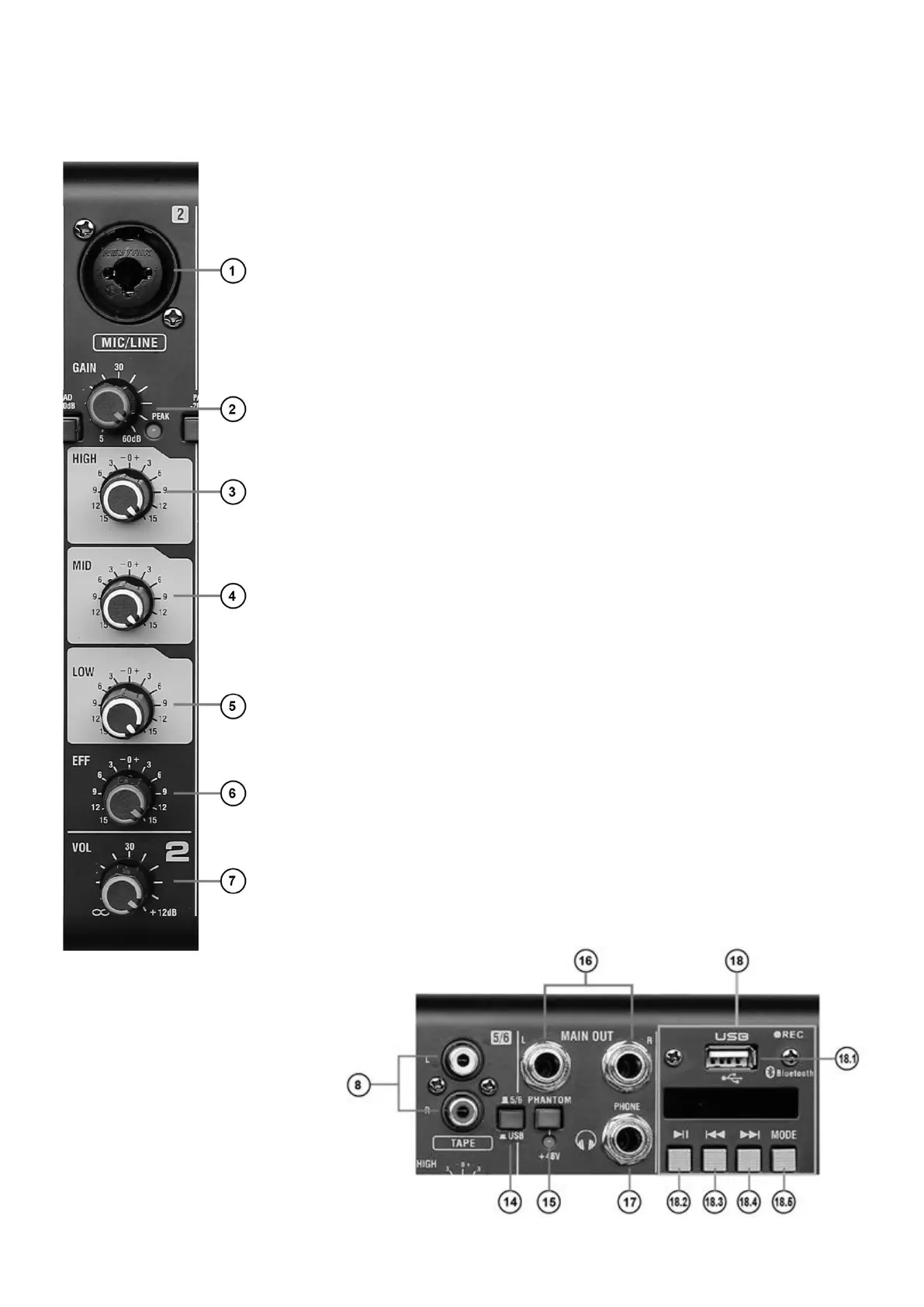
1. COMBO
Use this XLR/Jack combo input to connect the microphone to the mixer.
2. GAIN.
The GAIN potentiometer adjusts the input signal level per channel and it applies to both
microphones and other input devices.
3. HIGH.
With this potentiometer you adjust the treble level on each channel. The base position
is at 12 o'clock, turning it to the left reduces the treble, to the right – increases it.
4. MID.
With this potentiometer you adjust the midrange level on each channel. The base posi-
tion is at 12 o'clock, turning it to the left reduces the midrange, to the right – increases
it.
5. LOW.
With this potentiometer you adjust the bass level on each channel. The base position
is at 12 o'clock, turning it to the left reduces the amount of bass, to the right – increases
it.
6. EFF.
The EFF potentiometer adjusts the level of the effect added to the corresponding chan-
nel.
7. VOL.
With this potentiometer you control the volume of a channel.
8. L and R – RCA input sockets.
Sockets compatible with phone RCA plugs and devices with 600Ω line level.
9. HIGH/LOW.
Potentiometers for adjusting the timbre of channel 5/6 (3/4 or 7/8).
10. VOL.
With this potentiometer you control the volume of channel 5/6 (3/4 or 7/8).
11. PHONE.
You use it to adjust the volume of the
headphones.
12. EFF SEND.
It adjusts the depth of the output effect.
13. EFF VOL.
It regulates the level of transmitted ef-
fect.



 To Next Page
 Loading...