14. SWITCH 5/6 (3/4 or 7/8) and USB.
With it, you decide whether the signal on channel 5/6 (3/4 or 7/8) comes from
the line input or from the player.
15. PHANTOM +48V.
Enables/disables Phantom power on all microphone channels.
16. L and R MAIN OUT.
Main signal outputs, 6.3 mm jack.
17. PHONE.
Stereo output for connecting headphones (nominal impedance / output level
3mW40Ω).
18. USB PLAYER.
Player section for connecting a separate USB source.
18.1 USB socket for inserting compatible device with media files.
18.2 Play/Pause
Control button for starting and stopping playing back.
18.3
Use this button to go to a previous track (short press) or lower the volume (long
press).
18.4
Use this button to go to a next track (short press) or increase the volume (long
press).
18.5 MODE
The mixer has the following modes: USB, BLUE, LOD, ONE, ALL. Press the button to select the mode you want. BLUE:
search for the device on your phone or other Bluetooth device.
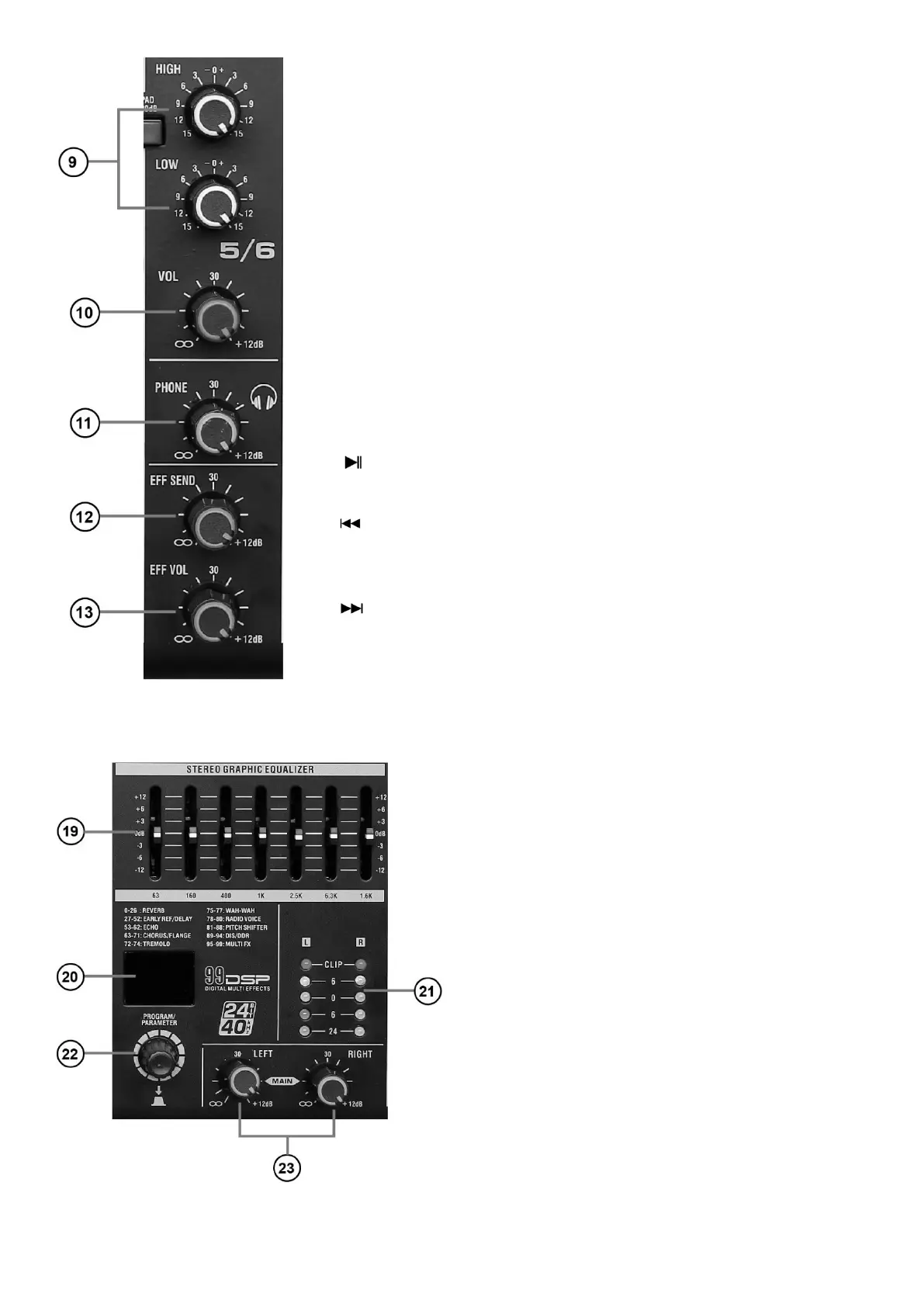
19. Graphic equalizer.
Adjusts the timbre of the signal sent to the sum, the adjust-
ment occurs at 63, 160, 400, 1k, 2.5k, 6.3k MHz.
20. Effect display.
The number of the selected effect appears on it.
21. Signal level.
The LEDs indicate the level of signal, if the level reaches
the CLIP field the signal will be distorted, change the GAIN
and Volume settings.
22. Effects and parameter potentiometer.
With it you select an effect, after selecting the effect press
the potentiometer to confirm.
23. L and R main signal potentiometers.
Adjusts the volume level on the left and right channels.



 To Next Page
 Loading...