1-38 (No.HD003<Rev.004>)
[ENTER]
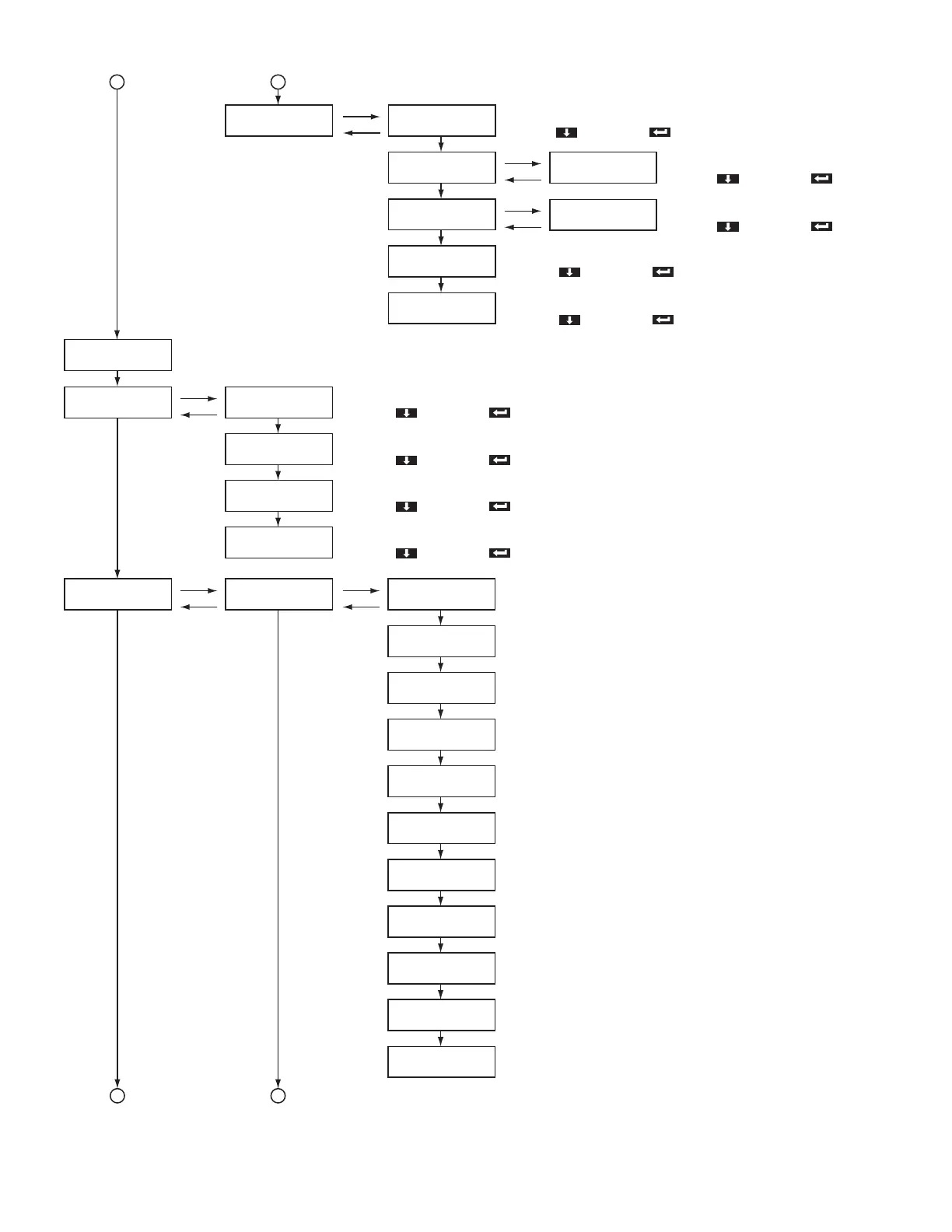
>Parameter Print
>Offline Test> >>Pattern
>>Side
>>Times
>>Test
[ENTER]
[EXIT]
[NEXT]
[NEXT]
[NEXT]
[NEXT]
[NEXT]
2
33
2
Select printer or laminator
>>Network
[ENTER]
[EXIT]
>>>Host IF
[NEXT]
>>>IPv4
[NEXT]
>>>IPv6
[NEXT]
>>>Session Time Out
>>>IPSec Mode
[NEXT]
>Diag Test> >>Actuator>
[EXIT]
[NEXT]
[NEXT]
>>>Ink TUP Enc
>>>Ink TUP Mo
>>>Ink SPY Mo
>>>Film TUP Mo
>>>Film SPY Mo
>>>Card Feed Mo
>>>Turn Over Mo
>>>Turn Feed Mo
>>>Card Load Mo
>>>Cam Mo-Platen
>>>Cam Mo-HR
[ENTER]
[EXIT]
[NEXT]
[NEXT]
[NEXT]
[NEXT]
[NEXT]
[NEXT]
[NEXT]
[NEXT]
[NEXT]
[NEXT]
[ENTER]
[EXIT]
>>>DHCP
[ENTER]
[EXIT]
>>>Adrs Config
Select interface
[LAN, USB]
Select with [ ] and save with [ ].
Switching DHCP
[On, Off]
Select with [ ] and save with [ ].
Setting of the IPv6
[Auto, Manual]
Select with [ ] and save with [ ].
Setting of the session timeout interval.
[Off, 10min, 20min, 30min, 60min]
Select with [ ] and save with [ ].
Select availability of IPSec
[Off, On]
Select with [ ] and save with [ ].
Test pattern setting
[Step, Registration, Address, Color, Vth, Gray, Black, Normal, Adjust, All]
Select with [ ] and save with [ ].
Switching between printing single side and both sides
[Single, Both]
Select with [ ] and save with [ ].
Setting of the number of times for testing
[1, 2, 3, 4, 5, 6, 7, 8, 9, 10, 20, 30, 40, 50, 100, 200, 300, 400, 500, Free]
Select with [ ] and save with [ ].
Setting the test type
[Print, Feed, IC(Contact), IC(Antenna), MG]
Select with [ ] and save with [ ].
Ink take-up motor
Ink take-up encoder
Ink supply motor
Film take-up motor
Film supply motor
Card feed motor
Turnover motor
Turnover card feed motor
Card load motor
Cam motor-Platen
Cam motor-Heater



 To Next Page