1-18 (No.HD003<Rev.004>)
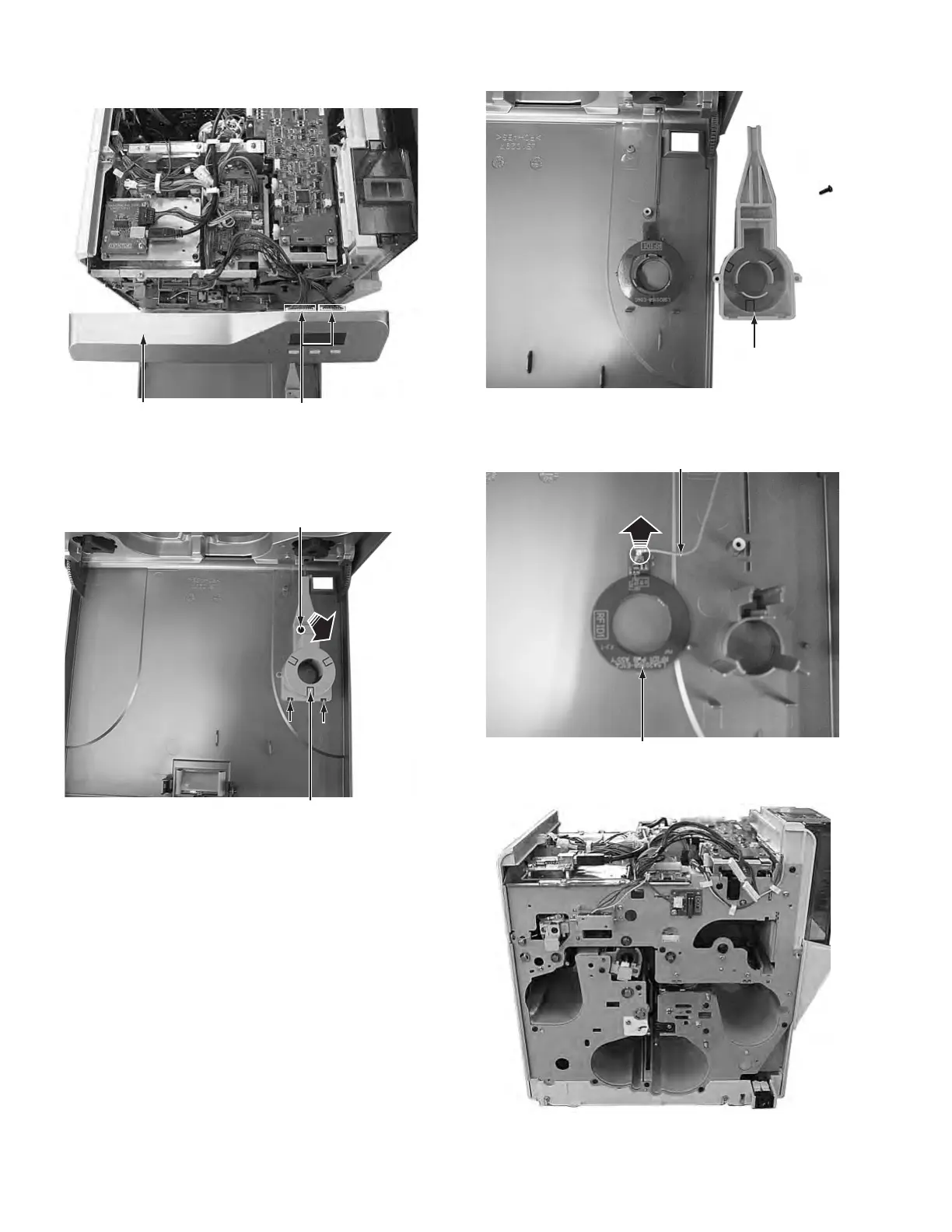
(4) Disconnect the two cables from the connectors on the front
board.
Fig.8
(5) Remove the one screw F attaching the cover.
(6) Press the two tabs, pull up the cover at the point marked
with an arrow, and then remove the cover.
Fig.9
(7) Front panel unit with the cover removed.
Fig.10
(8) Disconnecting the cable from the RFID1 board detaches
the front panel unit from the main unit.
Fig.11
(9) Main unit with the front panel unit removed.
Fig.12
Connectors
Front panel unit



 To Next Page