Troubleshooting
DNP Imagingcomm America Corporation 6 of 8
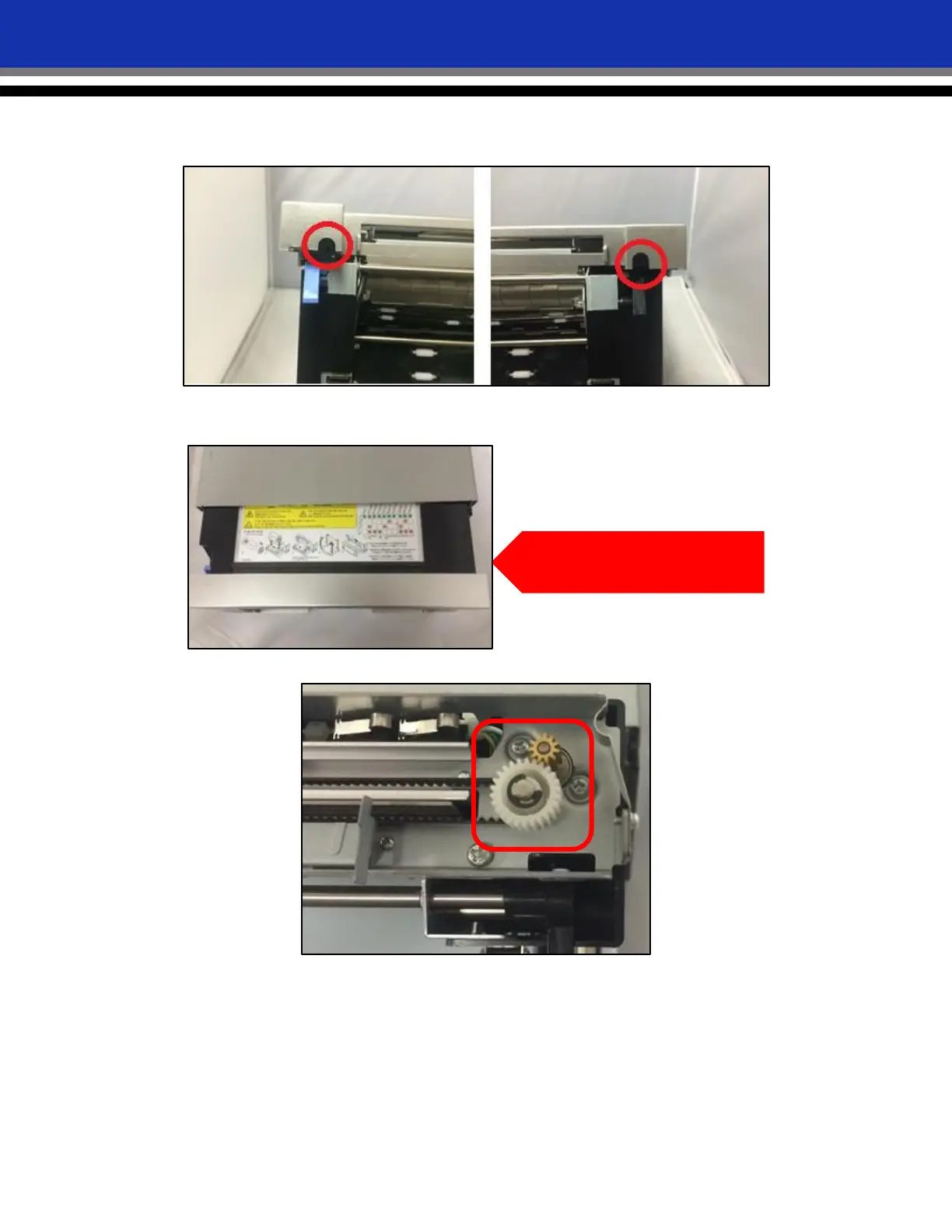
5. On the right and left sides of the paper compartment cover, near the blue (left side) and black (right side)
levers, remove the screws in the half-circle cut-away.
6. Remove the printer faceplate by grabbing the top center of it, lifting slightly and pulling the faceplate
forward.
7. Once the faceplate is removed, examine the cutter gears for scraps and debris.
8. If any scraps or debris is present, carefully remove it from the cutter gears.
Grasp center back of lid, pull up
gently and then pull forward



 To Next Page