To avoid wrong detecting, please check and take out the banknotes
before counting which are as following:
1. Mended notes with paper
2. Washed notes
3. Very dirty notes
4. Damaged notes
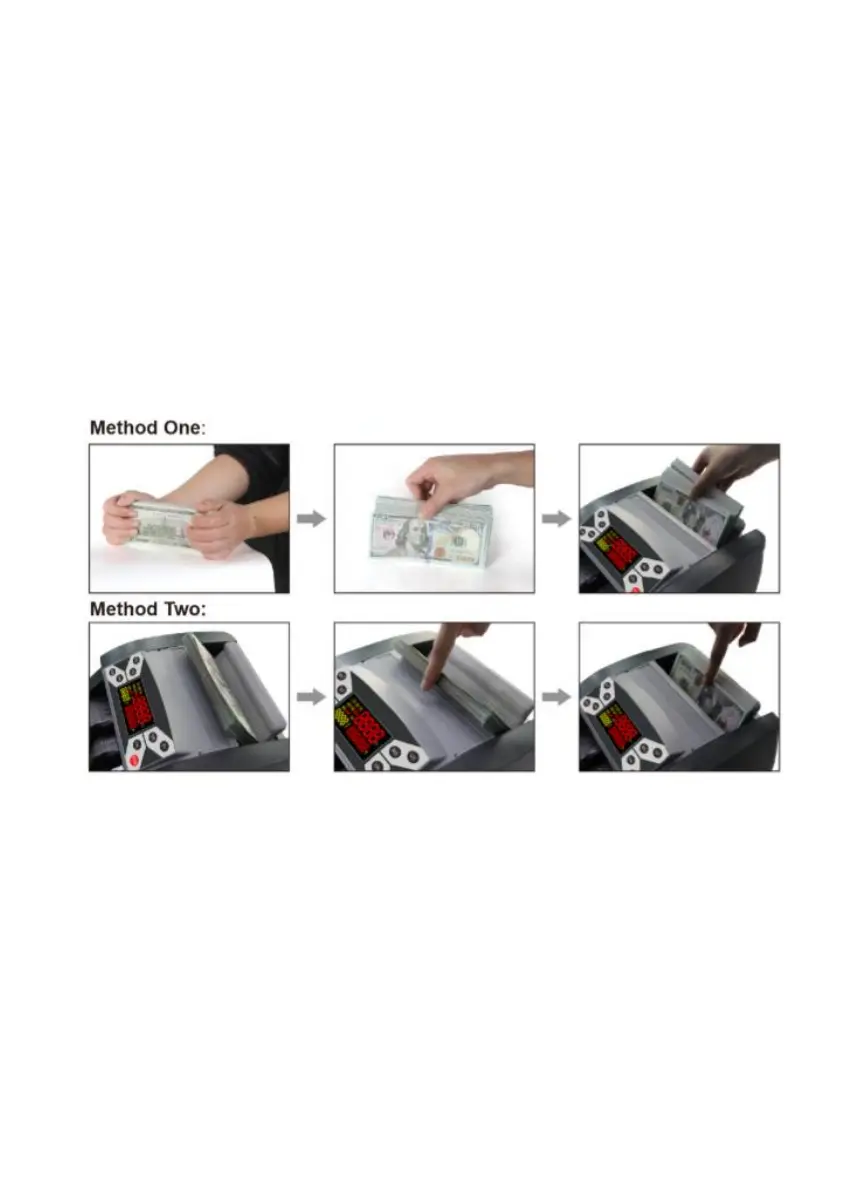
8. Correct feeding of banknotes
Banknotes need to be put orderly and placed between the counting
guides, please refer to the following pictures:
9. Functions introduction
Counting function
Once the banknotes are correctly placed in the hopper plate, the
machine will start counting automatically. The number of counted
banknotes will be shown on the counter display. If count again, the
counter display will clear and the batch display in turn will show the
number of last counted banknotes instead.
DoCash 3040 series 8 www.docash.de


 To Next Page