EasyManua.ls Logo

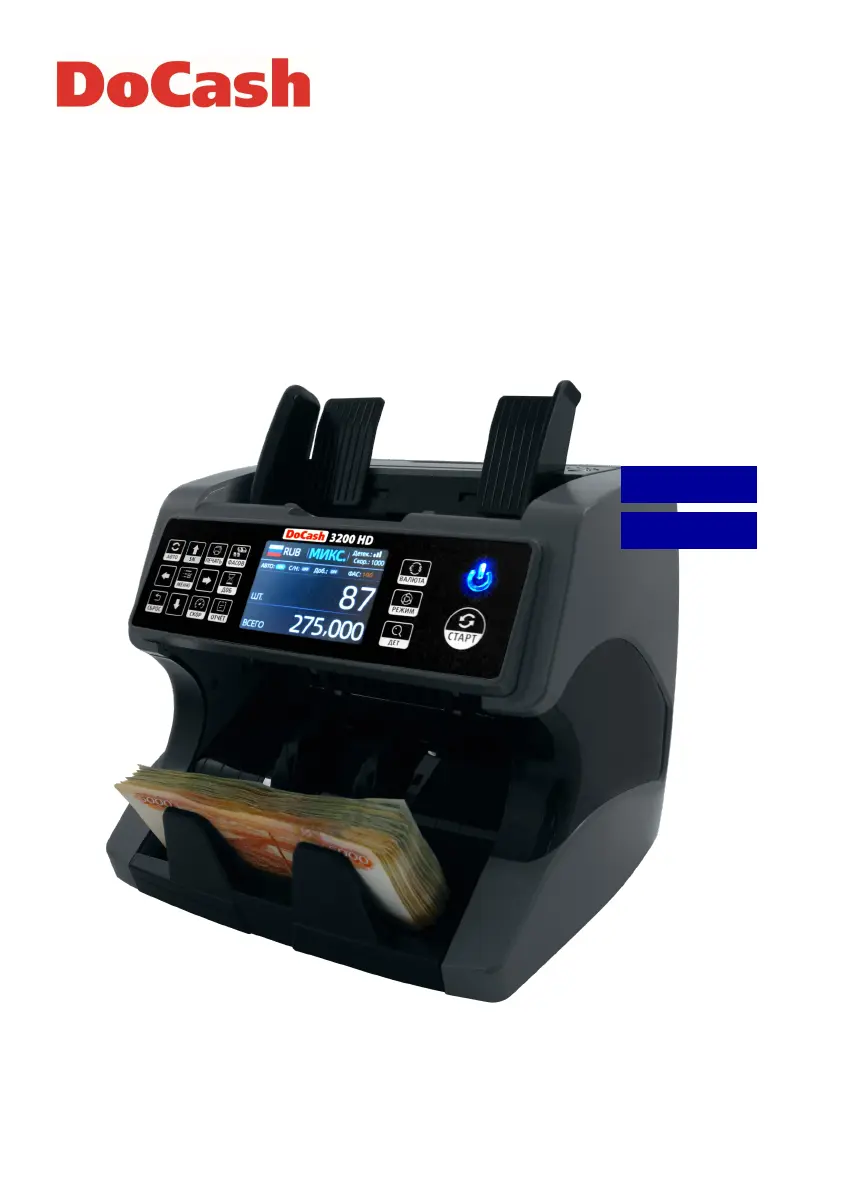
DoCash 3200 HD - User Manual

DoCash 3200 HD
28 pages
Print Icon
To Next Page IconTo Next Page
Loading...
Currency counter
Счетчик банкнот
DoCash 3200 HD
User Manual
Руководство по эксплуатации
РУССКИЙ
ENGLISH

Questions and Answers

  • P
    petersonzacharyAug 27, 2025
    What to do if my DoCash Cash Counter displays error E4?
    • L
      Lori WalterAug 27, 2025
      If your DoCash Cash Counter displays error E4, this indicates that the machine has detected half of a banknote. Clear any dust from the surface using a brush or soft cloth, remove the problematic note, and then restart the machine.
  • J
    Jesse ValenciaAug 27, 2025
    What to do if my DoCash Cash Counter is showing error E3?
    • T
      Tyler DavisAug 27, 2025
      If your DoCash Cash Counter displays error E3, it's because of chained banknotes. To fix this, please clear any dust with a brush or soft cloth, remove the banknotes, and restart the machine.
  • M
    Margaret ThompsonAug 25, 2025
    What to do if my DoCash 3200 HD Cash Counter shows error E2?
    • A
      Adam MaciasAug 26, 2025
      If your DoCash Cash Counter displays error E2, it's likely due to doubled banknotes. To resolve this, clean the surface with a brush or soft cloth, remove any notes, and then restart the machine.
  • L
    llinAug 25, 2025
    How to fix error E32 on DoCash Cash Counter?
    • A
      Alicia MeyerAug 25, 2025
      If your DoCash Cash Counter displays error E32, this means IR penetration error 3. Clear the dust on the surface with a brush or soft cloth, remove the notes, and then restart the machine.

Summary

Safety Precautions for DoCash 3200 HD

Purpose of the DoCash 3200 HD Counter

DoCash 3200 HD Declaration of Conformity

DoCash 3200 HD Technical Specifications

DoCash 3200 HD Design Overview

Front Side Components

Details the components and layout of the front panel of the currency counter.

Rear Side Ports and Switches

Explains the ports and switches located on the rear of the currency counter unit.

DoCash 3200 HD Control Panel Functions

DoCash 3200 HD Operation Modes

CNT Mode (Count)

Counts banknotes, allowing ADD or BATCH functions.

SDC Mode (Single Denomination Count)

Counts single denomination bills, stopping on denomination change.

MDC Mode (Mixed Denomination Count)

Counts mixed denominations by value; check details via REPORT.

DoCash 3200 HD Setting Mode Configuration

DoCash 3200 HD Maintenance and Troubleshooting

DoCash 3200 HD Warranty Information

DoCash 3200 HD Transportation and Storage Guidelines

DoCash 3200 HD Complete Set Inclusions

DoCash 3200 HD Product Certificate Details

DoCash 3200 HD Document Disclaimer

DoCash 3200 HD Specifications

General IconGeneral
Hopper Capacity300 notes
Stacker Capacity200 notes
Counting Speed1000 notes/min
DisplayLCD
Weight6.5 kg
Counterfeit DetectionUV, MG
Power SupplyAC 100-240 V, 50/60 Hz
Note Size50 x 110 mm to 90 x 186 mm

Related product manuals