66 7
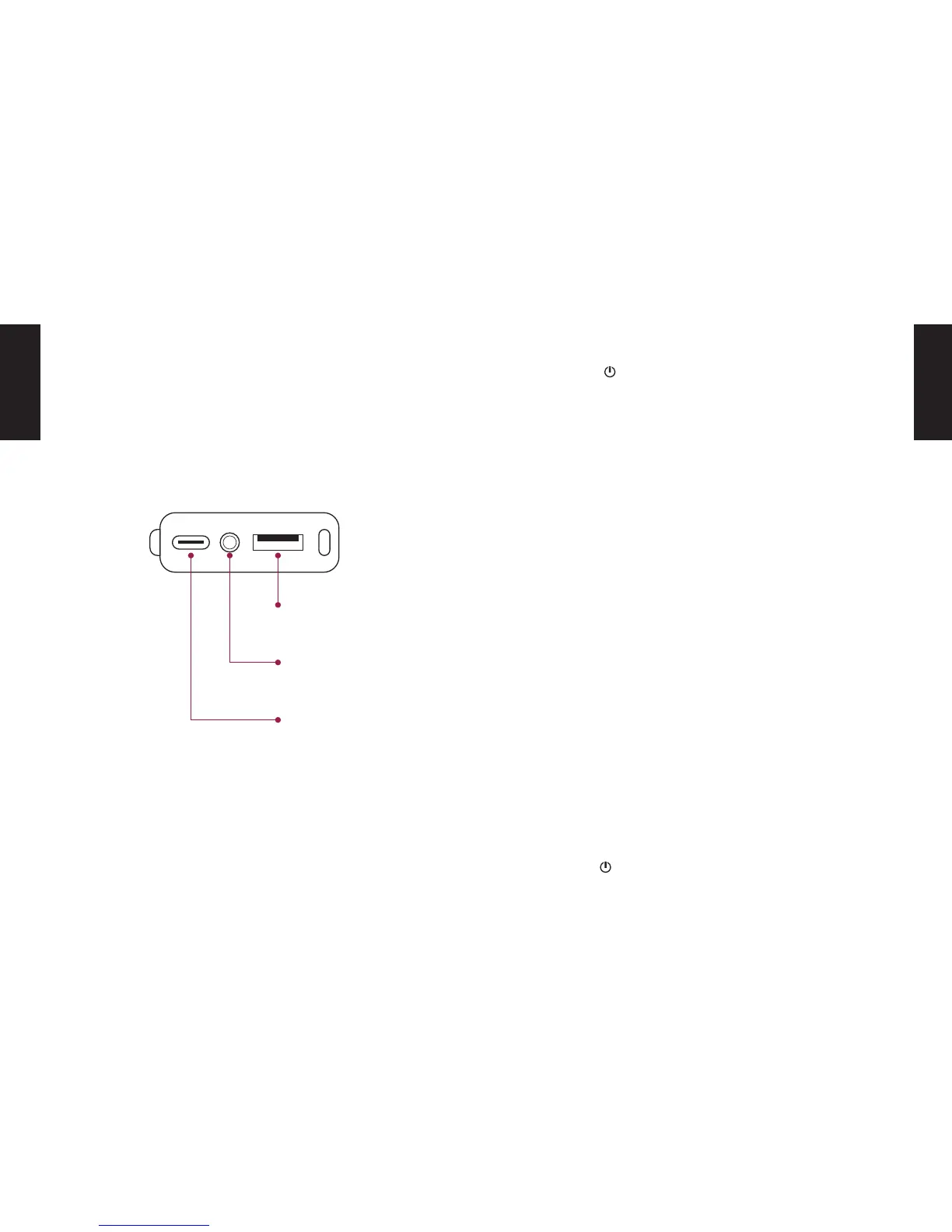
CONNECTIONS ON THE BACK TURNING ON
BLUETOOTH CONNECTION
TURN OFF
USB-C
Charge connection
Press the button on the top of the unit for 3 seconds
until the left Bluetooth Status LED lights up. The DOCKIN
D MATE automatically connects to the last Bluetooth
source (Bluetooth Status LED is solid blue) or enters
pairing mode if the last source is not available (Bluetooth
Status LED ashes blue).
1. Activate Bluetooth on the source device
2. Search for ready-to-connect devices in the Blue-
tooth settings
3. Select „DOCKIN D MATE“ from the list of Bluetooth
devices. After successful pairing the Bluetooth Sta-
tus LED will light up permanently blue.
To disconnect the current Bluetooth connection, press
and hold the Play/Bluetooth buttons for three seconds.
Press the button for 3 seconds to turn o the device.
AUX input
(3.5mm minijack)
Powerbank
USB output
EN
EN


 To Next Page