1212 13
ADDITIONAL INFORMATION TROUBLESHOOTING
TECHNICAL DETAILS
Always store your DOCKIN D MATE speaker in a char-
ged state and recharge it at regular intervals (every 2-3
months). As with all lithium-ion batteries, this is necessary
to maintain performance over time.
BLUETOOTH CONNECTION FAILED:
• Make sure that the DOCKIN D MATE is not already
connected to another device (if so, please discon-
nect).
• Make sure that the source device is within a few
meters of the DOCKIN D MATE.
• Make sure Bluetooth is enabled on the source de-
vice
• Deactivate and reactivate Bluetooth on the source
device.
• Turn DOCKIN D MATE o and on again
Bluetooth 4.2 + aptX
Power: 25W RMS
Power Bank: USB-A, 5V – 1A
Battery: Li-ion battery with 6700mAh
Music playback time: up to 16 hours
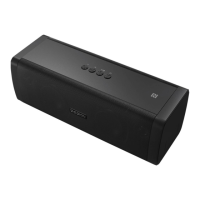
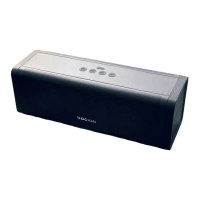
Dimensions: 220 X 85 x 85mm
Weight: 825g
EN
EN


 To Next Page