EasyManua.ls Logo

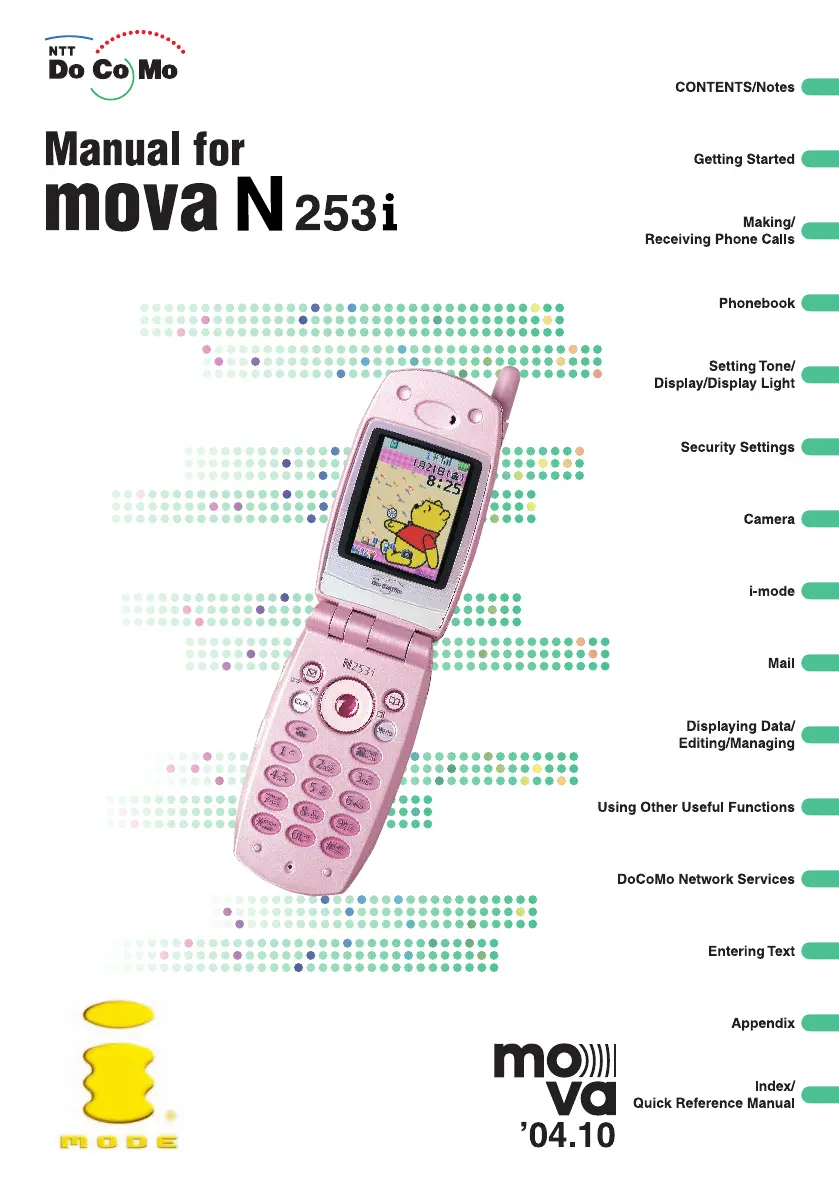
Docomo mova N253i - User Manual

Default Icon
452 pages
Print Icon
To Next Page IconTo Next Page
Loading...
2004.9.242004.9.24

Table of Contents

Questions and Answers

  • F
    Felicia BradfordSep 12, 2025
    Why don't the display light for the display and the keypad turn on on my Docomo mova N253i?
    • G
      Glenn JonesSep 12, 2025
      If the display light for the display and the keypad do not turn on on your Docomo Cell Phone: * Is the [Lighting] on the [Display light] setting set to [OFF]? * Press 5 for 1 second or more to turn the display light on or off.
  • C
    cameronchristopherAug 25, 2025
    How to fix Docomo mova N253i if it cannot be charged?
    • M
      Michelle MillsAug 25, 2025
      If your Docomo Cell Phone cannot be charged, check if: * The battery pack is properly attached to the mova. * The adapter is firmly plugged into the electrical socket or cigarette lighter socket. * The mova and the adapter are connected correctly. If you are using the AC adapter, ensure it is properly connected to the mova or to the desktop holder.
  • A
    Ashley MurrayAug 25, 2025
    What to do if I cannot make a call by pressing the dial keys on my Docomo Cell Phone?
    • J
      Jonathan PhillipsAug 26, 2025
      If you cannot make a call by pressing the dial keys on your Docomo Cell Phone, check the following: * Is [Keypad dial lock] set? * Is the Restrict dialing function set? * Is the Keypad lock function set? * Is the mova in Self mode?
  • J
    Johnny DavisSep 23, 2025
    Why can’t I receive calls on my Docomo mova N253i Cell Phone?
    • J
      Jeffrey MyersSep 23, 2025
      If you cannot receive calls on your Docomo Cell Phone, the mova does not ring, but you see new records in the [Missed call] screen because: * Driving mode is set. * Any of the following functions are set in [Restriction check]: Reject calls, Accept calls, Call transfer, Voice mail. Or in [Call setting]: Not support : Reject, Pay phone : Reject, User unset : Reject. * The mova is set to Manner mode.
  • J
    Jason BurkeSep 12, 2025
    Why doesn't the display light dim on my Docomo mova N253i Cell Phone?
    • J
      jessicathompsonSep 12, 2025
      If the display light does not dim on your Docomo Cell Phone, check if the [Dim light] setting for [Lighting] on the [Display light] screen is set to [OFF].
  • J
    Joseph LopezSep 16, 2025
    Why was I asked for my security code when I tried to read incoming mail on my Docomo mova N253i?
    • N
      Nicholas HaneySep 16, 2025
      If you were asked for your security code when you tried to read incoming mail on your Docomo Cell Phone, check if security is set for the received mail folder.
  • B
    Brianna VazquezSep 5, 2025
    Why is only a part of the original ring tone played back on my Docomo Cell Phone?
    • J
      John WebbSep 5, 2025
      Only a part of the original ring tone might be played back on your Docomo Cell Phone if you set a downloaded melody, a melody attached to mail (melody with the icon), or a copyrighted melody that cannot be attached to mail (melody with the icon) as the ring tone.
  • R
    Randy MaloneSep 6, 2025
    Why does the [No data] message is displayed when I search the Phonebook on my Docomo mova N253i?
    • L
      Linda SullivanSep 6, 2025
      If the [No data] message is displayed when you search the Phonebook on your Docomo Cell Phone, there is no stored entry that matches your search criteria.
  • J
    Jose OrtizDec 1, 2025
    Why is the call alert indicator color wrong for incoming mail on my Docomo mova N253i Cell Phone?
    • M
      Matthew KellyDec 1, 2025
      The call alert indicator color might be different from what you specified on your Docomo Cell Phone if: * The mail is from a sender for whom you registered a distinctive mail indicator color, the call alert indicator (+ sub lamp) flashes in that color instead. * You have received multiple mails and a distinctive color was set for the last mail to be downloaded, the call alert indicator (+ sub lamp) flashes in that color. * If the sender’s mail address is in the “(phone number)@ docomo.ne.jp” format and you store the phone number or “(phone number)@docomo.ne.jp” as the mail address, the distinctive illumination specified for the mail address is given priority over the distinctive illumination set for the phone number. The distinctive illumination set for the phone number is disabled....
  • F
    fpruittAug 29, 2025
    Why is there no ring tone when I receive a message or mail on my Docomo mova N253i?
    • G
      Glenn WelchAug 30, 2025
      If there’s no ring tone when you receive a message or mail on your Docomo Cell Phone, check if: * [Mail/Msg. tone] is set to [OFF]. * The mova is set to Driving mode.

Summary

Getting Started

Making;Receiving Phone Calls

Making Phone Calls

Instructions on how to dial numbers, use WORLD CALL, and redial.

Receiving Phone Calls

Procedures for answering calls, using hold, and managing call records.

Phonebook

Storing an Entry in the Phonebook

How to add and store contact information, including names, numbers, and addresses.

Security Settings

About Security Codes

Explains the purpose and types of security codes and passwords.

Restricting Operations and Functions of the mova

Covers keypad lock, auto lock, remote keypad lock, and self mode.

Restricting Ring Tone and Receiving;Dialing calls

Settings for call filtering, such as accepting specific numbers or rejecting unknown callers.

Camera

Taking Still Images

Instructions on how to capture still photos and adjust settings.

i-mode

About i-mode

General information about the i-mode service, its structure, and features.

Mail

About the i-mode Mail Service

Overview of the i-mode mail service, including mail addresses and settings.

Creating an i-mode Mail

Instructions for composing and sending new i-mode mail messages.

Receiving and Managing an i-mode Mail

Procedures for automatic and selective mail reception and management.

DoCoMo Network Services

Available Network Services

Overview of services like Voice Mail, Call Waiting, and Call Forwarding.

Appendix

Troubleshooting

Solutions for common problems encountered while using the mova.

Docomo mova N253i Specifications

General IconGeneral
Network TechnologyGSM
2G bandsGSM 900 / 1800 / 1900
Announced2003
StatusDiscontinued
Weight110 g
SIMMini-SIM
TypeTFT, 65K colors
Size2.2 inches
Card slotNo
PhonebookYes
Call recordsYes
CameraVGA
Alert typesVibration; Downloadable polyphonic ringtones
LoudspeakerNo
3.5mm jackNo
BluetoothNo
RadioNo
USBNo
GamesYes
Predictive text inputYes
OrganizerYes
BatteryRemovable Li-Ion battery
MessagingSMS, Email
BrowserWAP 2.0
JavaYes
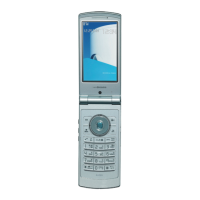
ColorsSilver
Resolution176 x 220 pixels (~128 ppi pixel density)

Related product manuals